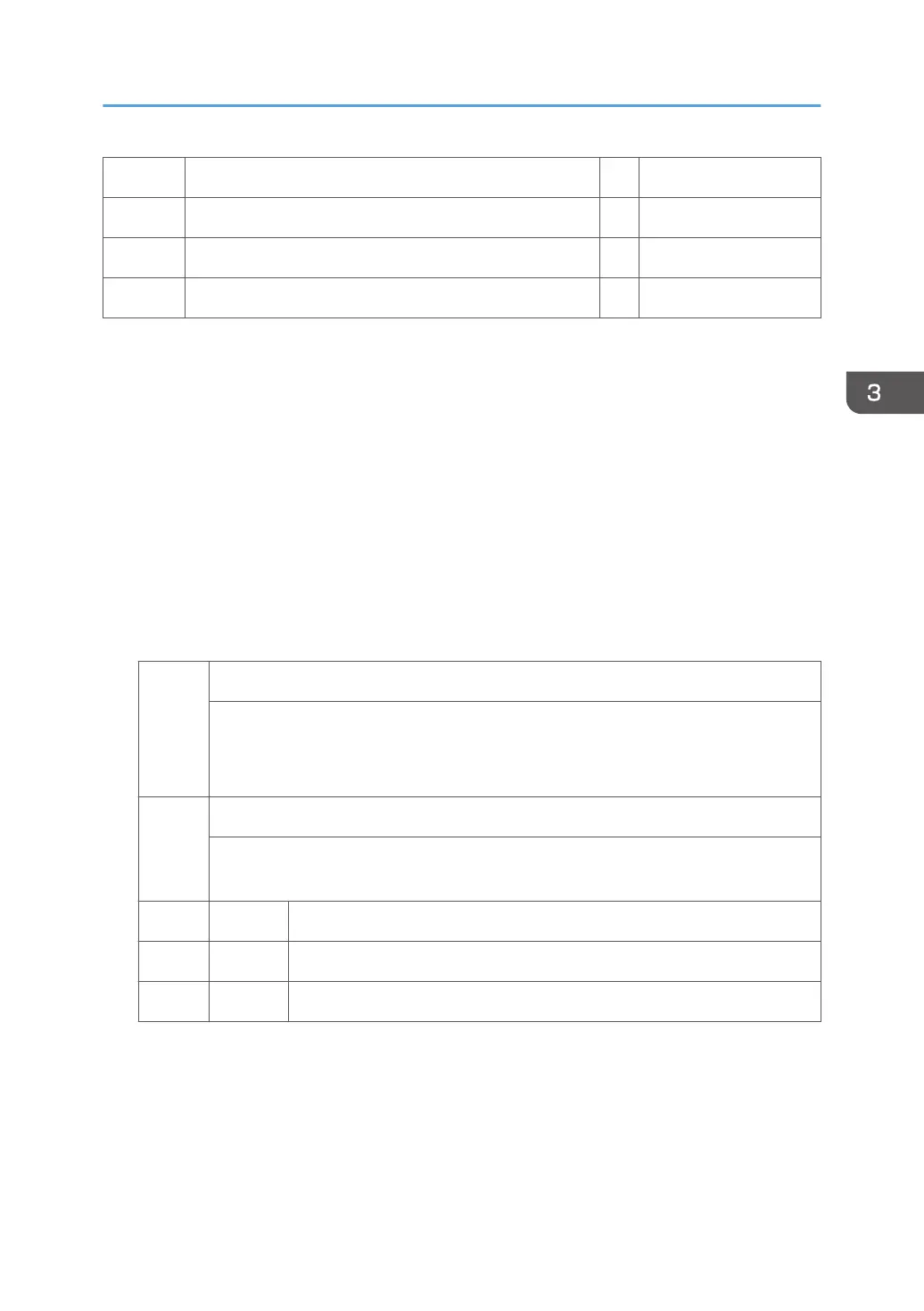
4 4 Pages 11 301 to 500 Pages
5 5 Pages 12 501 to 700 Pages
6 6 to 10 Pages 13 701 to 1000 Pages
7 11 to 20 Pages 14 1001 to Pages
• For example: When a copy job stored on the document server is printed in document server mode,
the appropriate L: counter (SP8076 0xx) increments.
• Interrupted jobs (paper jam, etc.) are counted, even though they do not finish.
• If a job is paused and re-started, it counts as one job.
• If the finisher runs out of staples during a print and staple job, then the job is counted at the time the
error occurs.
• For copy jobs (SP 8072) and scan jobs (SP 8075), the total is calculated by multiplying the
number of sets of copies by the number of pages scanned. (One duplex page counts as 2.)
• The first test print and subsequent test prints to adjust settings are added to the number of pages of
the copy job (SP 8072).
• When printing the first page of a job from within the document server screen, the page is counted.
8131 T:S-to-Email Jobs
[0 to 9999999/ 0 / 1]
These SPs count the total number of jobs scanned and attached to an e-mail,
regardless of whether the document server was used or not.
8135 S:S-to-Email Jobs
These SPs count the number of jobs scanned and attached to an e-mail, without storing
the original on the document server.
1 B/W Count for the number of jobs with black-and-white.
2 Color Count for the number of jobs with color.
3 ACS Count for the number of jobs using ACS mode.
• These counters count jobs, not pages.
• If the job is stored on the document server, after the job is stored it is determined to be color or
black-and-white then counted.
• If the job is cancelled during scanning, or if the job is cancelled while the document is waiting to be
sent, the job is not counted.
Main SP Tables-8
203



 To Next Page