Point User Guide 129
Disclosures
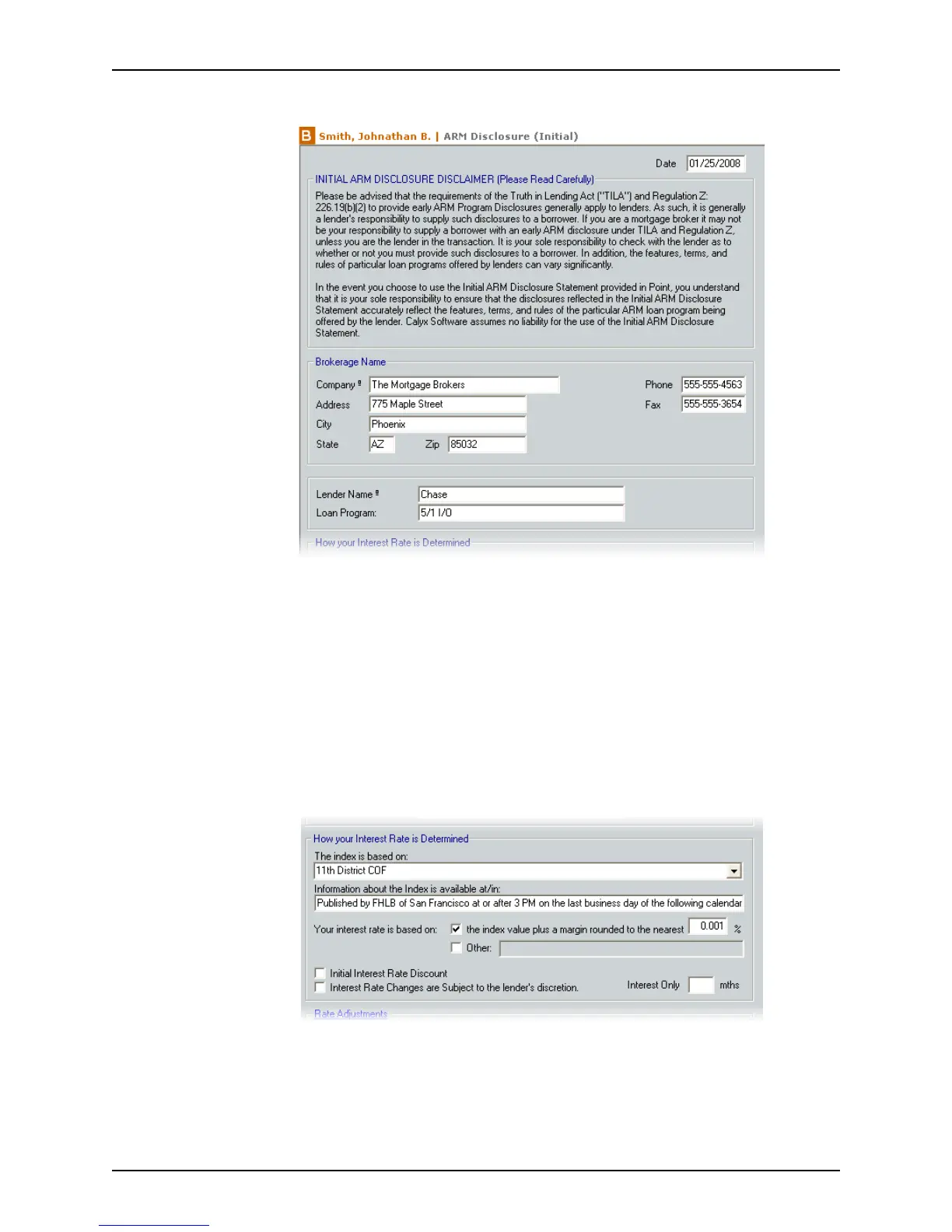
2 Open the ARM Disclosure (Initial) from the Forms menu or the shortcut toolbar.
3 Complete the
Brokerage Name section.
These fields can be predefined by specifying the company defaults in the utility
function.
To manually enter this information or use the Cardex database to populate these
fields, select the
Manually enter company information on page 4 of the 1003 check
box in the
Company Information dialog box when the company information is
defined.
4 Complete the
LenderNameand LoanProgram fields.
Use the Cardex database to populate the
LenderName field.
5 Complete the
How your Interest Rate is Determined section.
a Select the index base from the dropdown list, or enter it manually.
b Enter the location where the borrower can find additional information about how
indexes are calculated in the
InformationabouttheIndexisavailableat/in field.
c Indicate how the interest rate was determined by selecting the applicable
Your
interest rate is based on
check box and completing the corresponding field.



 To Next Page