130 Calyx Software
Disclosures and other forms
d Select the Initial Interest Rate Discount and Interest Rate Changes are Subject
to the lender's discretion
check boxes, if applicable to the loan.
e If the initial loan payments are interest only, enter the number of months in the
InterestOnlymths field.
6 Complete the
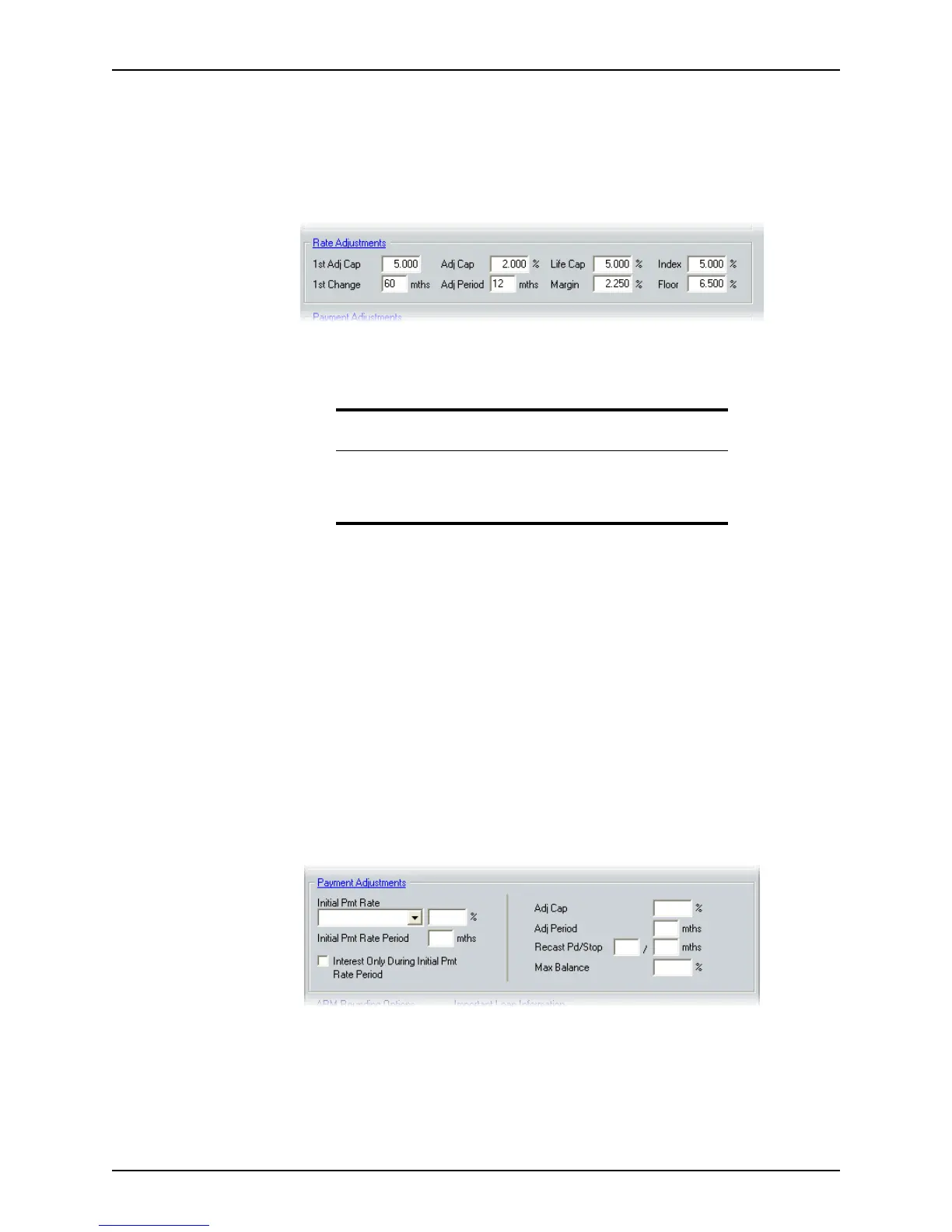
Rate Adjustments section.
If this information was entered in the
Truth-in-Lending screen, it is automatically
populated. If this information is entered or changed in the
ARM Disclosure (Initial)
screen, the
Truth-in-Lending screen is automatically populated.
a In the
1stAdjCap___% field, enter the maximum percentage that the rate will
increase for the first adjustment.
b In the
1stChange___mthsfield, enter the number of months until the first
adjustment.
c In the
AdjCap___% field, enter the maximum percentage that the rate will
increase for each period.
d In the
AdjPeriod___mths field, enter the number of months between each rate
adjustment for the remainder of the loan.
e In the
LifeCap ___ field, enter the maximum percentage to which the rate can
increase for the life of the loan.
f In the
Margin and Index fields, enter the margin and index based on your lender’s
loan program. To show worst case scenario, leave the
Index field blank.
7 Complete the
Payment Adjustments section.
If this information was entered in the
Truth-in-Lending screen, it is automatically
populated. If this information is entered or changed in the
ARM Disclosure (Initial)
screen, the
Truth-in-Lending screen is automatically populated.
a Specify the initial interest rate by selecting Start rate, % Below Note Rate, or % of
Amortized Pmt from the Initial Payment Rate dropdown list and enter the percentage
in the
% field.
Attention
For negative amortization loans, leave the 1stAdjCap and AdjCap fields
blank.
The
Floor field is optional.



 To Next Page