Point User Guide 145
Disclosures
b To include additional obligations in the calculation, enter a description and the
total amount of the obligations in the empty fields that are provided for user-
defined entries.
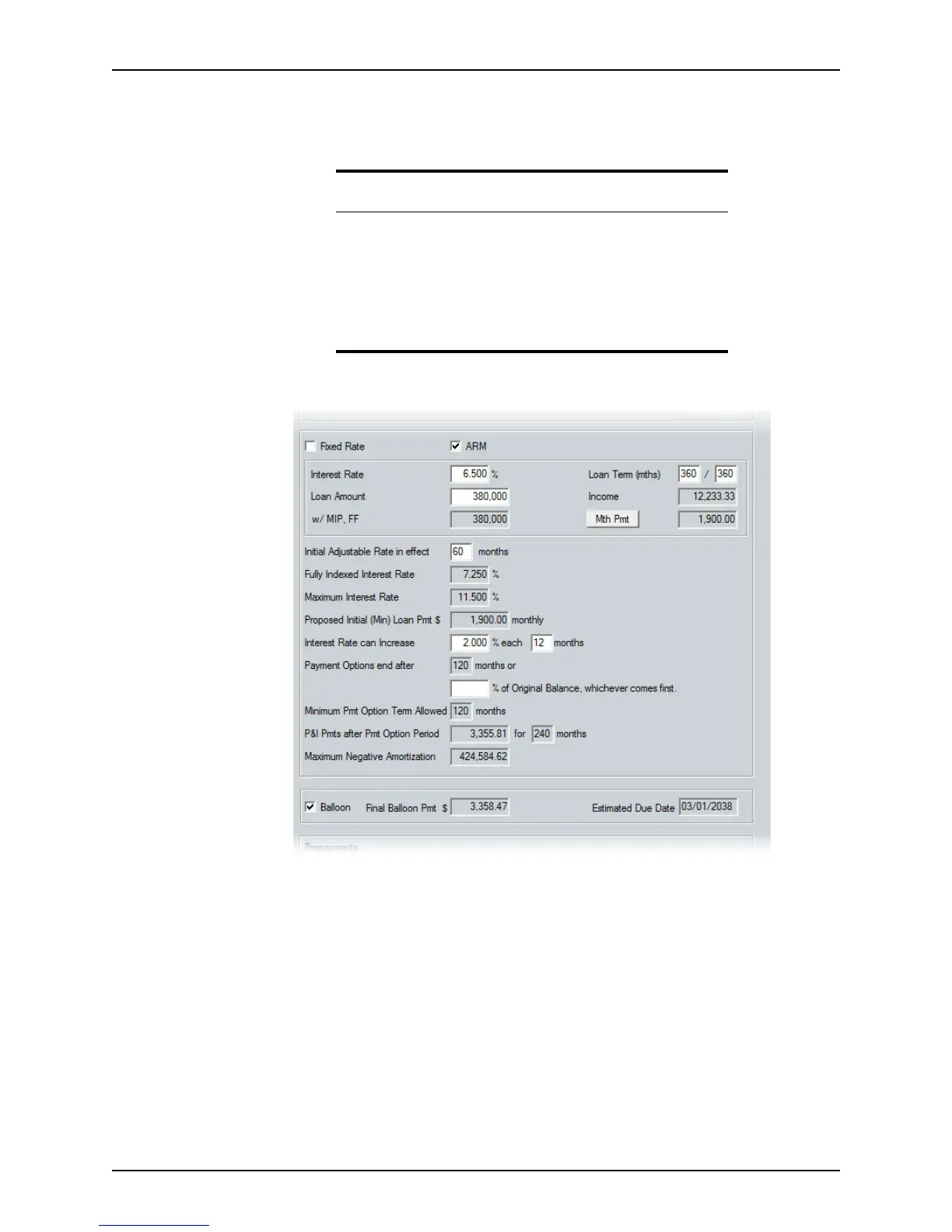
c Select
Fixed Rate or ARM to specify the loan type.
d Complete the
InterestRate, LoanAmount, w/MIP,FF, and LoanTerm fields if they
are not already populated. Use the Mth Pmt button to open the
Monthly
Payment Settings
dialog box to make any additional payment or rate
adjustments.
e Complete the
InitialAdjustableRateineffect and InterestRatecanIncrease
fields.
These fields are automatically populated when the corresponding fields in the
Truth-In-Lending screen or the Monthly Payment Settings dialog box are
completed.
f If the payment options apply and will end after a percentage of the original
balance exceeds a certain percentage, complete the appropriate fields.
Important
Previous versions of Point include fields for the Purchase/Payoff amount
and two user-defined obligations. However, to maintain compliance with
DRE regulations, one of the user-defined fields was removed from the
user interface. Therefore, if you open, copy, or import a loan file that was
created in an earlier Point version, any data that was in the fields that
were removed is lost. To include those obligations in the new loan file,
you must combine the total of all additional obligations and enter the
sum in the remaining user-defined field manually.



 To Next Page