146 Calyx Software
Disclosures and other forms
This field is automatically populated when the corresponding field in the Truth-
In-Lending
screen or the Monthly Payment Settings dialog box is completed.
g Click Calculate to populate the read-only fields.
h If the loan has a balloon payment, select the
Balloon check box.
The
FinalBalloonPmt field is automatically populated. If the 1stPmtDate field is
completed on the
Good Faith Estimate, the EstimatedDueDate field is also
automatically populated.
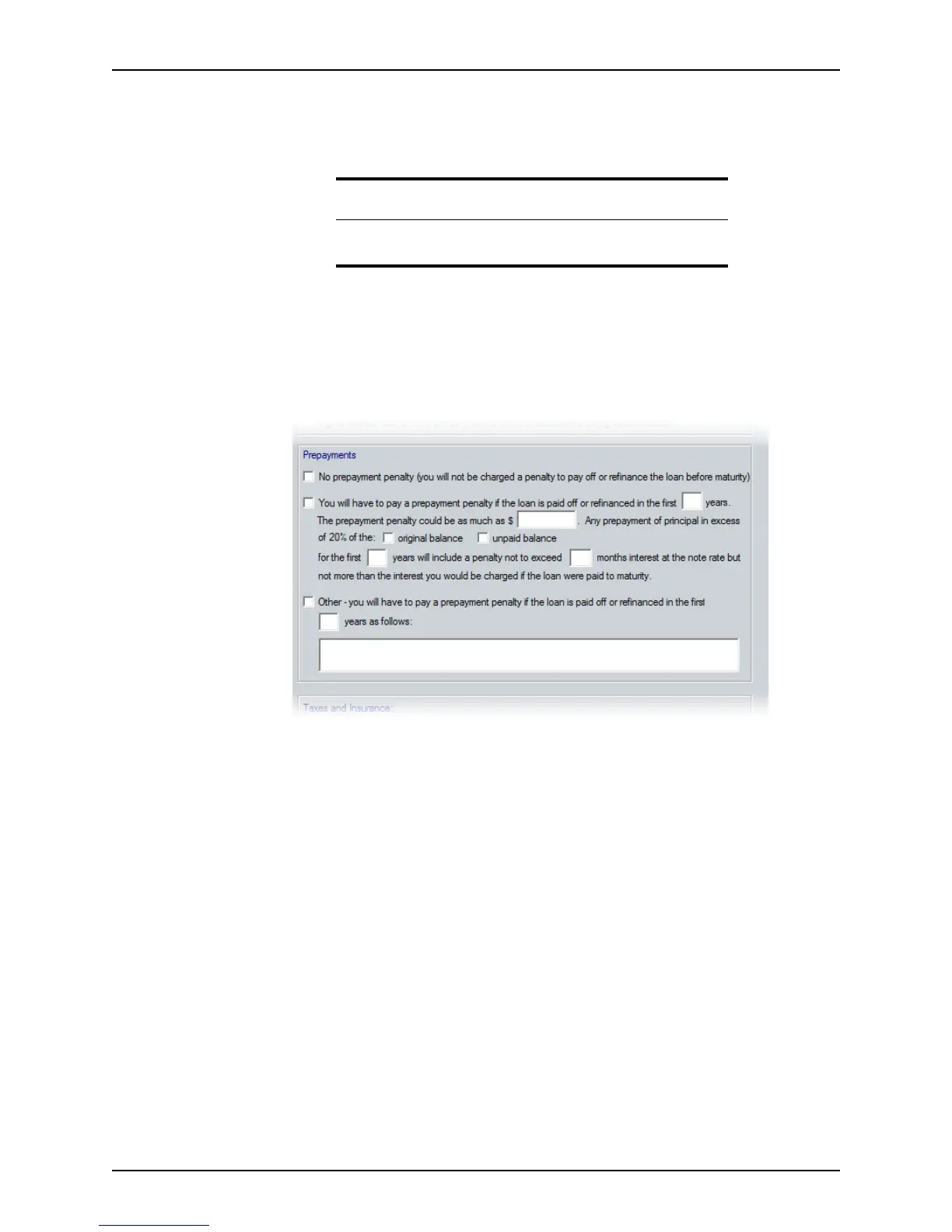
5 Select one of the following options in the
Prepayments section:
• If no prepayment penalty is associated with the loan, select the No prepayment
penalty option.
• If the loan is paid off or refinanced before a specified number of years, select the
Prepayment penalty option and enter the following information:
– the number of years before the loan can be paid without incurring a penalty
– the amount of the penalty of the loan is paid off early
– whether the penalty is assessed on the unpaid loan balance or the original
loan balance
– the maximum number of months of interest the penalty cannot exceed
• If there is a prepayment penalty, but it does not conform to the scenario described
in the Prepayment penalty option, select the Other option and enter the details of
the penalty.
Tip
The Calculate button is located on the command bar at the bottom of
the workspace.



 To Next Page