Point User Guide 177
FHA loans
The following buttons, located at the bottom of the workspace, provide additional
functionality:
Mtg Insurance
The Mtg Insurance button opens the
Mortgage Insurance Premium/
Funding Fee
dialog box which is used to calculate mortgage insurance fees for
conventional and government loans.
FHA Stat Req
Opens the
FHA Statutory Requirements Worksheet which is used to provide
required statutory calculations with FHA loan applications.
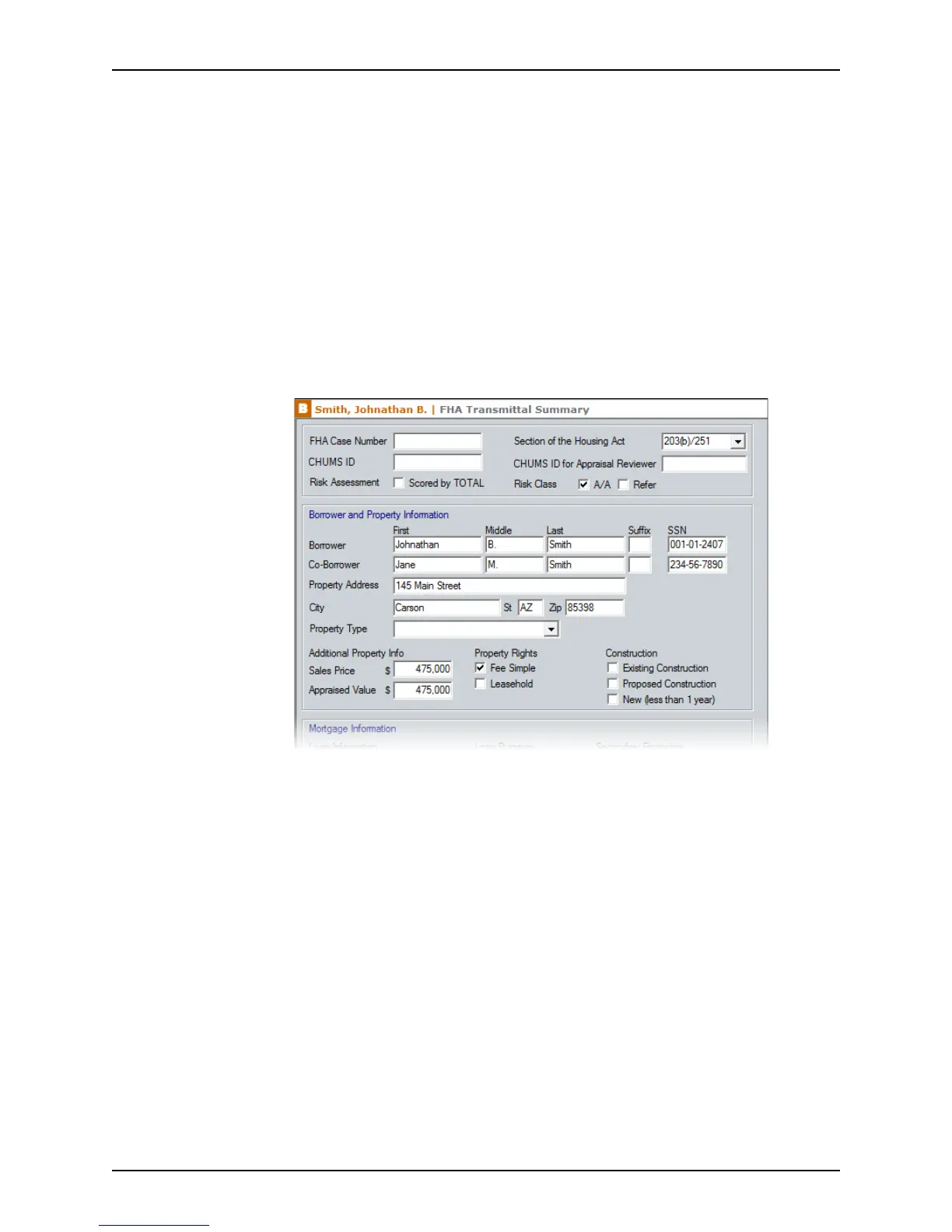
To complete the
FHA Loan Underwriting and Transmittal Summary:
1 Select Forms > Federal Housing Administration (FHA) > FHA Loan Underwriting
and Transmittal Summary (HUD 92900-LT) to open the
FHA Transmittal
Summary
.
Most of the borrower and property information is populated from the
Borrower
Information
screen and Loan Application.
2 Enter the case number in the
FHACaseNumber field.
3 Select the section under which the mortgage is to be insured from the Section of the
Housing Act dropdown list.
4 Enter the underwriter’s CHUMS ID number in the
CHUMSID field.
5 Enter the CHUMS ID number of the underwriter who reviewed the appraisal in the
CHUMSIDforAppraisalReviewer field.
Complete this field when the underwriter who reviewed the appraisal is different from
the one who reviewed the credit package.
6 The
Scored by TOTAL check box is selected by default. Select the risk classification
option that corresponds to the TOTAL results for your loan:
• Select A/A to indicate that FHA will insure the loan with reduced documentation.



 To Next Page