Point User Guide 179
FHA loans
c Select the Amortization type.
d Select the applicable
Loan Purpose check boxes.
e If the borrower has obtained secondary financing, enter the source in the
Source/
EIN
field; select Gov’t, NP, Family, or Other to specify the source of the financing;
and enter the dollar value in the
AmountofSecondaryFinancing field.
If the financing is from a government (
Gov’t) or nonprofit (NP) agency, you must
also enter the Employer Identification Number (EIN) in the
Source/EIN field.
If you select
Other as the financing source, the empty field next to the check box
becomes enabled. Enter a description and source of the financing, and if
applicable, enter the EIN of the source.
f Select the
Seller Funded DAP check box to indicate that the seller is providing
funding for the down payment.
g If the borrower has received cash as a gift, enter the source in the
Source/EIN
field; select
Gov’t, NP, Family, or Other to specify the source of the gift; and enter
the dollar value in the
AmtofGiftfield.
If the gift is from a government (
Gov’t) or nonprofit (NP) agency, you must also
enter the Employer Identification Number (EIN) in the
Source/EIN field.
If you select
Other as the source of the gift, the empty field next to the check box
becomes enabled. Enter a description and source of the gift, and if applicable,
enter the EIN of the source.
You can enter up to two gifts.
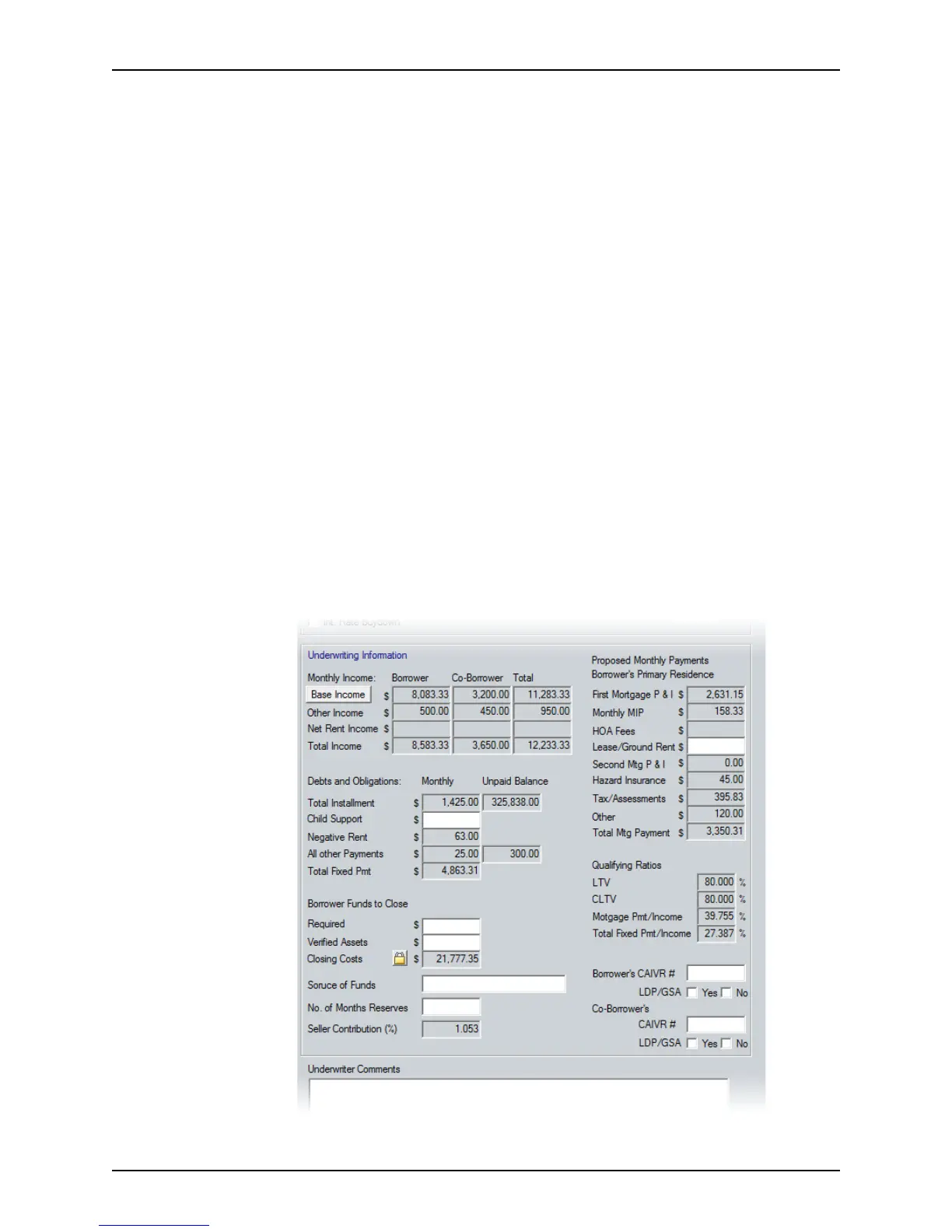
9 Complete the
Underwriting Information section.



 To Next Page