184 Calyx Software
FHA and VA loans
The SalesPrice field is populated from data that was entered on the Loan
Application
.
The
MinimumDownPaymentRequirement is calculated by multiplying the SalesPrice
by 3.5% (the default value). To change the default value, click the check box next to
the lock box to enable the percentage field, and enter a new value.
3 Complete the
Maximum Mortgage Calculation section.
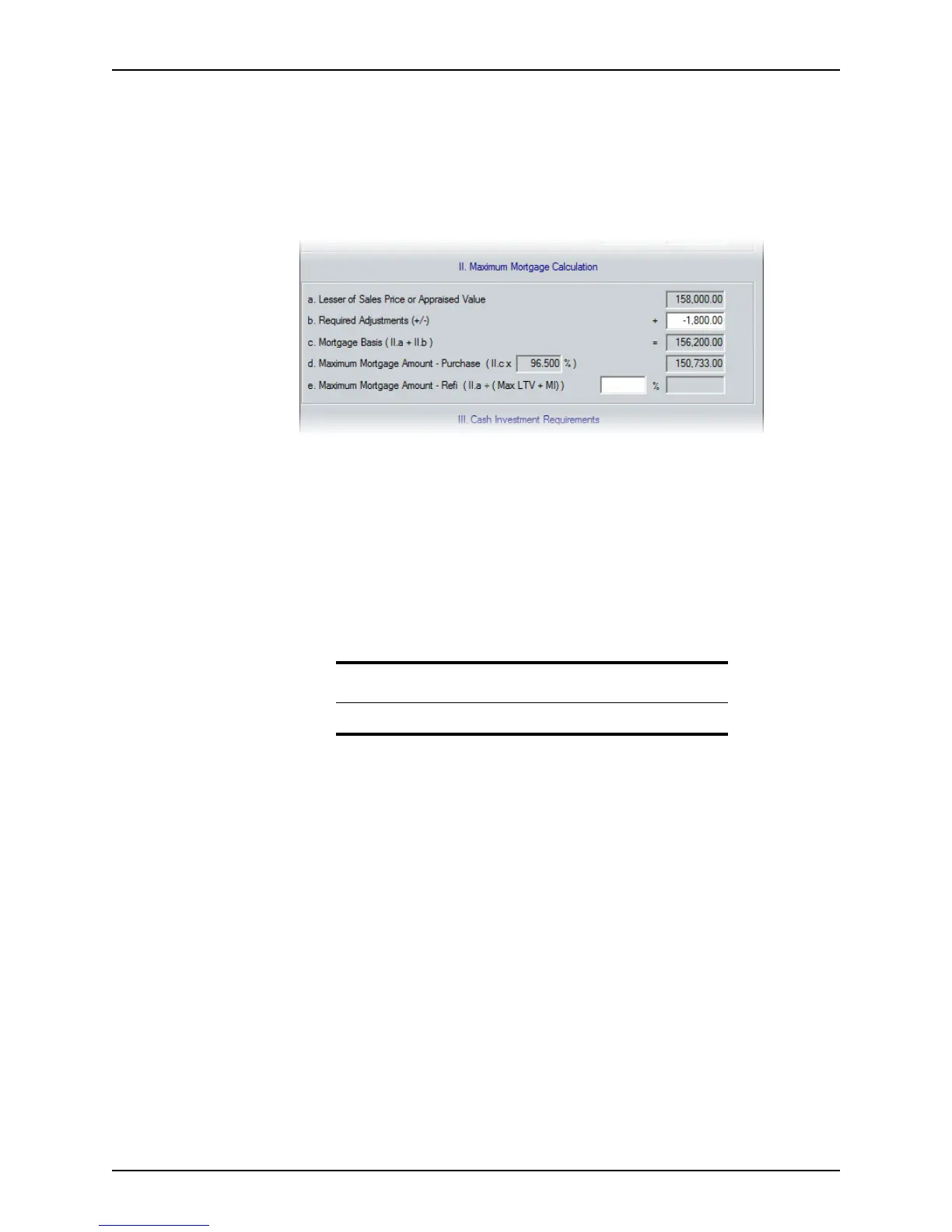
The purpose of this section is to calculate the maximum mortgage amount for a
purchase or refinance transaction.
Refinance transactions are calculated by adding the up-front mortgage insurance
premium percentage to the maximum LTV for the type of loan, and dividing the
appraised value by the result.
a Enter the required adjustments in the
RequiredAdjustments field.
Add fees that you can finance, such as repairs and solar energy systems.
Subtract fees that you cannot finance, such as personal property items that are
included in the sale. Enter the net total of the fees.
The
MortgageBasis field is calculated by adding the RequiredAdjustments to the
LesserofSalePriceorAppraisedValue.
The maximum mortgage amount for purchase transactions is calculated by
multiplying the
MortgageBasis by the maximum mortgage amount percentage.
b If a refinance transaction, enter the maximum allowable LTV percentage in the
MaximumMortgageAmount‐Refipercentage field.
The maximum mortgage amount for a refinance transaction is divided by the
AppraisedValue and entered in the corresponding field.
Tip
Precede a negative value with a minus sign (–).



 To Next Page