Point User Guide 185
FHA loans
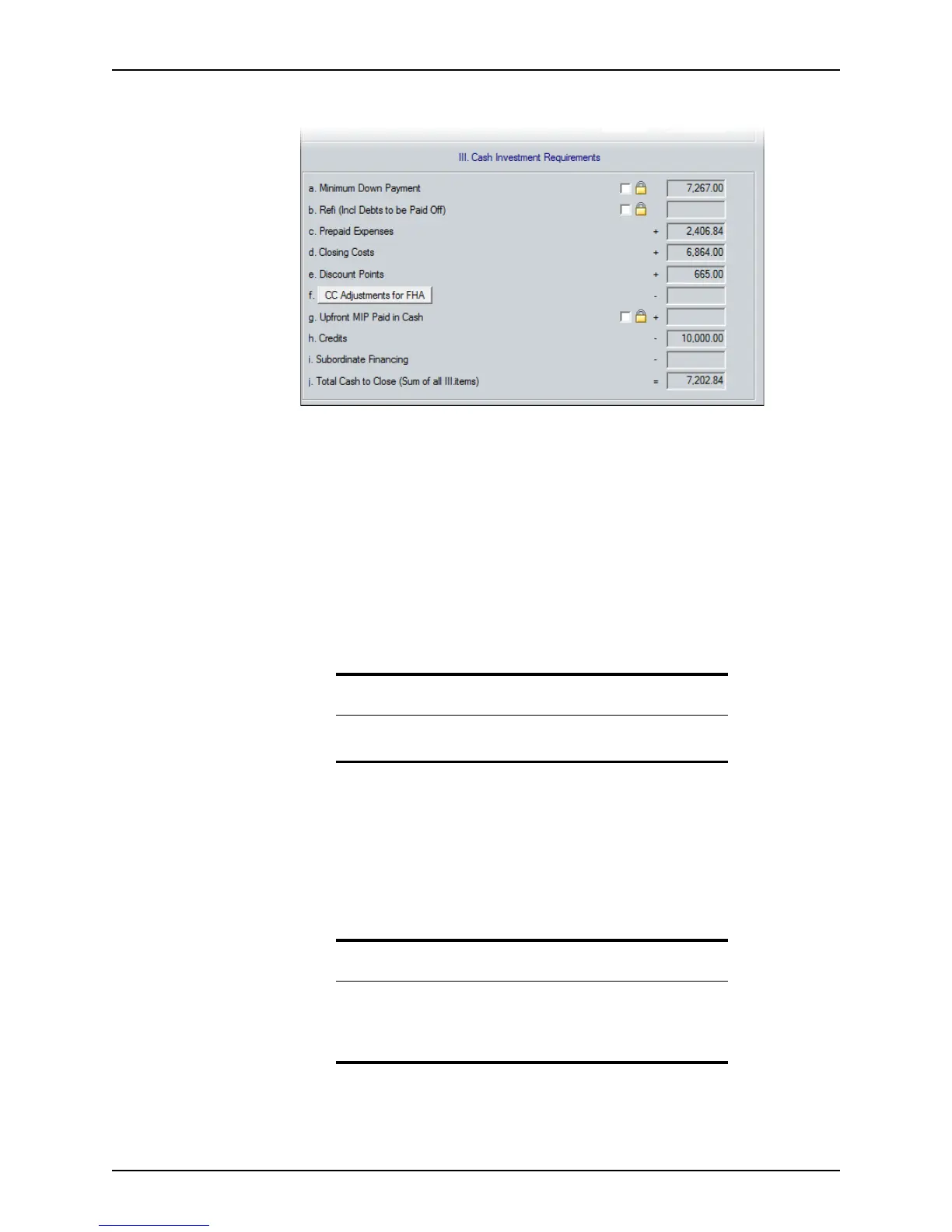
4 Complete the Cash Investment Requirements section.
This section calculates the total cash the borrower needs to close the transaction, or
the amount of money they will receive back.
a The
MinimumDownPayment field is automatically calculated by subtracting the
SalesPrice from the MaximumMortgageAmount for a purchase transaction. To
manually edit this field, click the lock box to enable the field.
b The
Refi(InclDebtstobePaidOff), PrepaidExpenses, ClosingCosts, Discount
Points
, and SubordinateFinancing fields are populated with information that was
entered in the
Loan Application and Good Faith Estimate. Click the lock box
next to
Refi(InclDebtstobePaidOff) to manually edit the field.
c To add or edit additional itemized closing costs, click the CC Adjustments for
FHA button to open the
FHA: Additional Itemized Closing Costs dialog box.
d The
UpfrontMIPPaidinCash field is automatically populated from information
that was entered in the
Mortgage Insurance Premium/Funding Fee dialog
box. Click the lock box to manually edit this field.
The
Credits field calculates the total of all credit sources that are applied to the loan.
The
Cashfrom/toBorrower field calculates the total of all credits from all sources that
are applied in the
Cash Investment Requirements section.
Tip
This dialog box is also accessible from the Good Faith Estimate and the
Loan Application.
Warning
If the Cashfrom/toBorrower field does not match the Cashfrom/to
Borrower in the Details of Transaction section on the Good Faith
Estimate
and Loan Application, a message is displayed at the bottom
of the screen.



 To Next Page