Point User Guide 251
Recording and tracking loan conditions
6 To generate a Funding Conditions Notice, click the Create Funding Conditions
Notice button.
The Funding Conditions Notice is generated and is automatically added to the
document repository.
The
Email Document dialog box is displayed. The FileName field is prepopulated
with the document name.
7 To e-mail the document, keep the default file name or enter a new name and click OK.
To cancel the e-mail request, click Cancel.
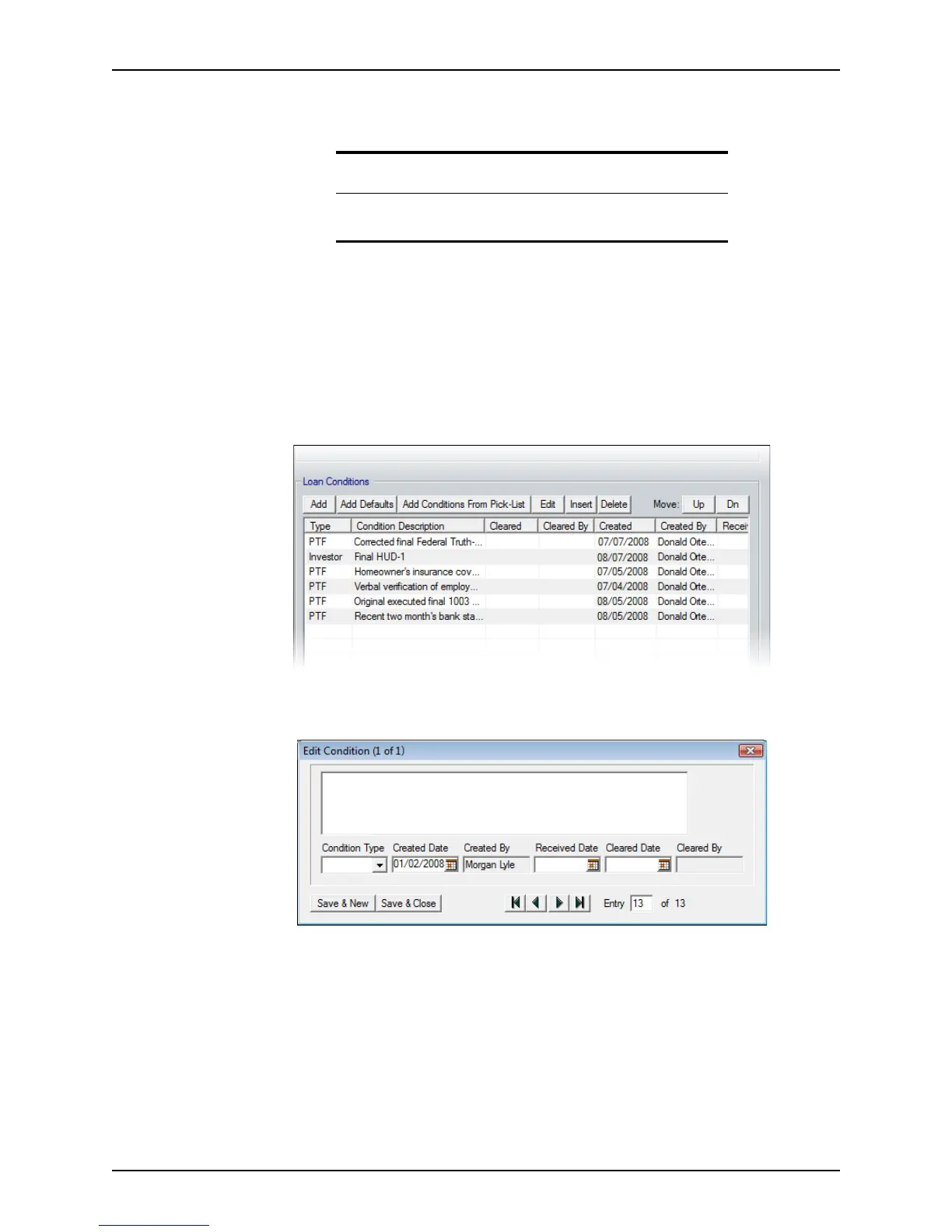
8 To manually add any conditions into the
Loan Conditions section:
a Click Add.
The
Edit Condition dialog box is displayed.
The
CreatedDate and CreatedBy fields are automatically populated with the
current date and user.
b Enter a description of the condition.
c Select one of the following conditions from the Condition Type dropdown list:
• PTD (prior to docs)
• PTF (prior to fund)
• Trailing
• Investor
d When the condition is satisfied, enter the
ReceivedDate.
Requirement
The Create Funding Conditions Notice button is enabled only when
the
DocsBackDate field is populated with a date.



 To Next Page