262 Calyx Software
Banker functions
The warehouse lender is the funding source of the loan.
a Enter the name and address of the financial institution that is the funding source of
the loan.
b Enter the number that was assigned by the warehouse lender that identifies the
advance amount in the
WarehouseLenderLoanNo field.
c Enter the unique 9-digit warehouse lender routing number that was assigned by
the American Banker’s Association in the
ABANo field.
d Enter the name of the financial services entity that receives the warehouse
advance from the warehouse lender in the
ToCreditName field.
e Enter the lender’s account number where the warehouse advance will be
deposited when the warehouse lender wires the funds in the
AccountNofield.
f Enter the name of the individual who should be notified when the funds from the
warehouse lender are deposited in the bank account in the
TotheAttentionof
field.
g Enter the name of the person who is authorized to sign on the lender account in
the
AuthorizedSignerName.
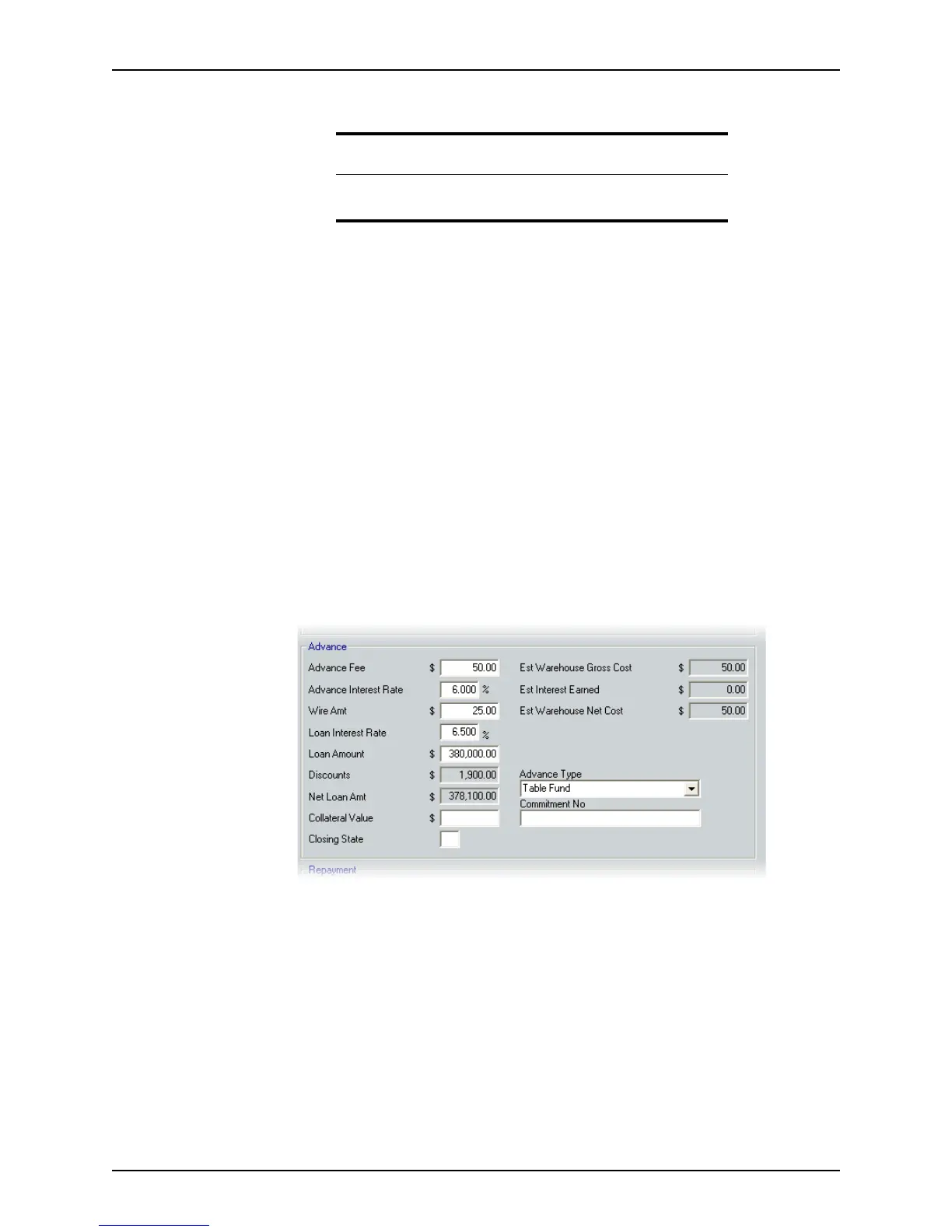
6 Complete the
Advance section.
a Enter the fee and interest rate that the warehouse lender charges the lender for
each warehouse line advance in the
AdvanceFee and AdvanceInterestRate
fields.
b Enter the dollar amount of the warehouse advance sent by the warehouse lender
to the borrower’s bank account through the Federal Reserve wire system in the
WireAmtfield.
The
LoanInterestRateandLoanAmount fields are populated from the Borrower
Information
screen.
The
Discounts field is the amount of the discounts that are applied to the loan. The
value in this field is calculated in and retrieved from the
Good Faith Estimate.
Tip
To avoid repetitive data entry, create a Point template or use the Cardex
database to populate these fields.



 To Next Page