Point User Guide 265
Recording loans
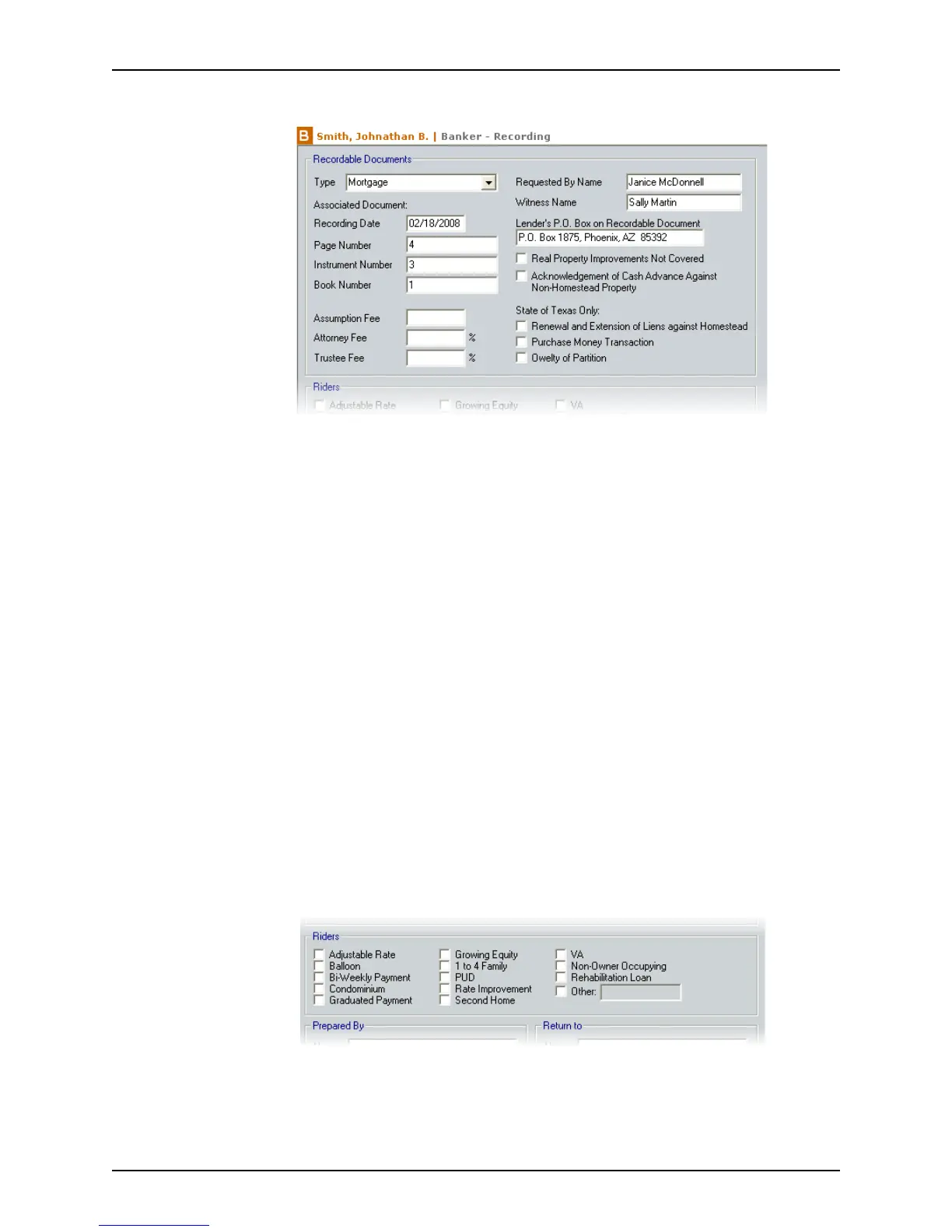
2 Select Banker > Recording.
3 Complete the
Recordable Documents section.
a Select the document type from the Type dropdown list.
b Complete the
Associated Document section.
i Enter the date when the document was recorded in the county records in the
RecordingDate field.
ii Complete the
PageNumber, InstrumentNumber, and BookNumber fields for
the recorded document.
These numbers are assigned to the document when it is recorded.
c Enter the
AssumptionFee, AttorneyFee, and TrusteeFee, if applicable.
d Enter the
RequestedByName and WitnessName.
e Enter the lender’s post office box that is on the recorded document.
f Select the applicable check boxes:
• Real Property Improvements Not Covered (state of New York only)
• Acknowledgement of Cash Advance Against Non-Homestead Property
g If the property is located in the state of Texas, select the applicable check boxes:
• Renewal and Extension of Liens against Homestead
• Purchase Money Transaction
• Owelty of Partition
4 Select the applicable check boxes in the Riders section.



 To Next Page