Point User Guide 381
Creating custom reports
The most commonly used fields are available in a dropdown list. Choosing a Field
Name value automatically populates the
FieldID column. To include a field name
that is not in the dropdown list, enter the
FieldName and FieldID manually.
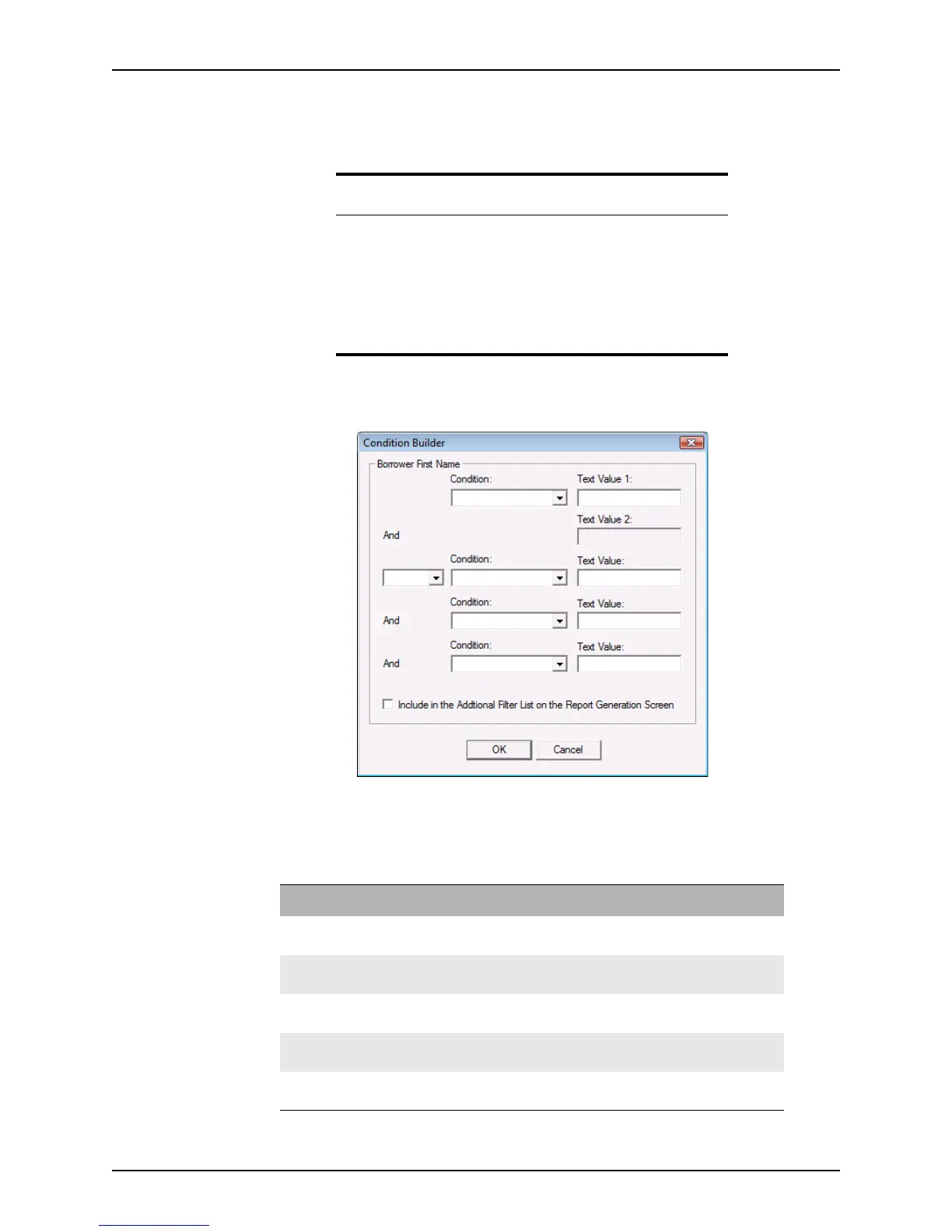
b Click the ellipsis ... button in the Condition column to open the
Condition Builder
dialog box.
i Select the first Condition from the dropdown list, and enter the criteria in the
TextValue1 field.
Depending on the format of the field (text, numeric, or date), the following
options are available:
Tip
Point offers three methods for identifying field IDs:
• Load field IDs
• Display field IDs
• Field pop-up help
You can also use the Microsoft Excel file that is included in Point which
contains a comprehensive list of field IDs and the screens where they are
located. The file, FieldID.xls, is stored in the WINPOINT directory.
Condition Definition
Equal to The value in the corresponding field matches the value that is
specified in the
TextValue1 field.
Not Equal to The value in the corresponding field does not match the value that is
specified in the
TextValue1 field.
Contains The value in the corresponding field contains the value that is
specified in the
TextValue1field.
Begins with The value in the corresponding field begins with the value that is
specified in the
TextValue1 field.
Greater than The value in the corresponding field is greater than the value that is
specified in the
TextValue1 field.



 To Next Page