System User Interface
GARD 8000 SYS RFL Electronics
August 1, 2012 5-8 973.334.3100
5.2.2 REAR PORT TCP/IP ADDRESS ASSIGNMENTS
Access levels can be configured separately for each port. For instance, the rear port can be set to allow
read-only while the front port can allow setting changes.
The Administrator can change the rear port IP address. While changing the address, the user needs to
be connected to the front TCP/IP port.
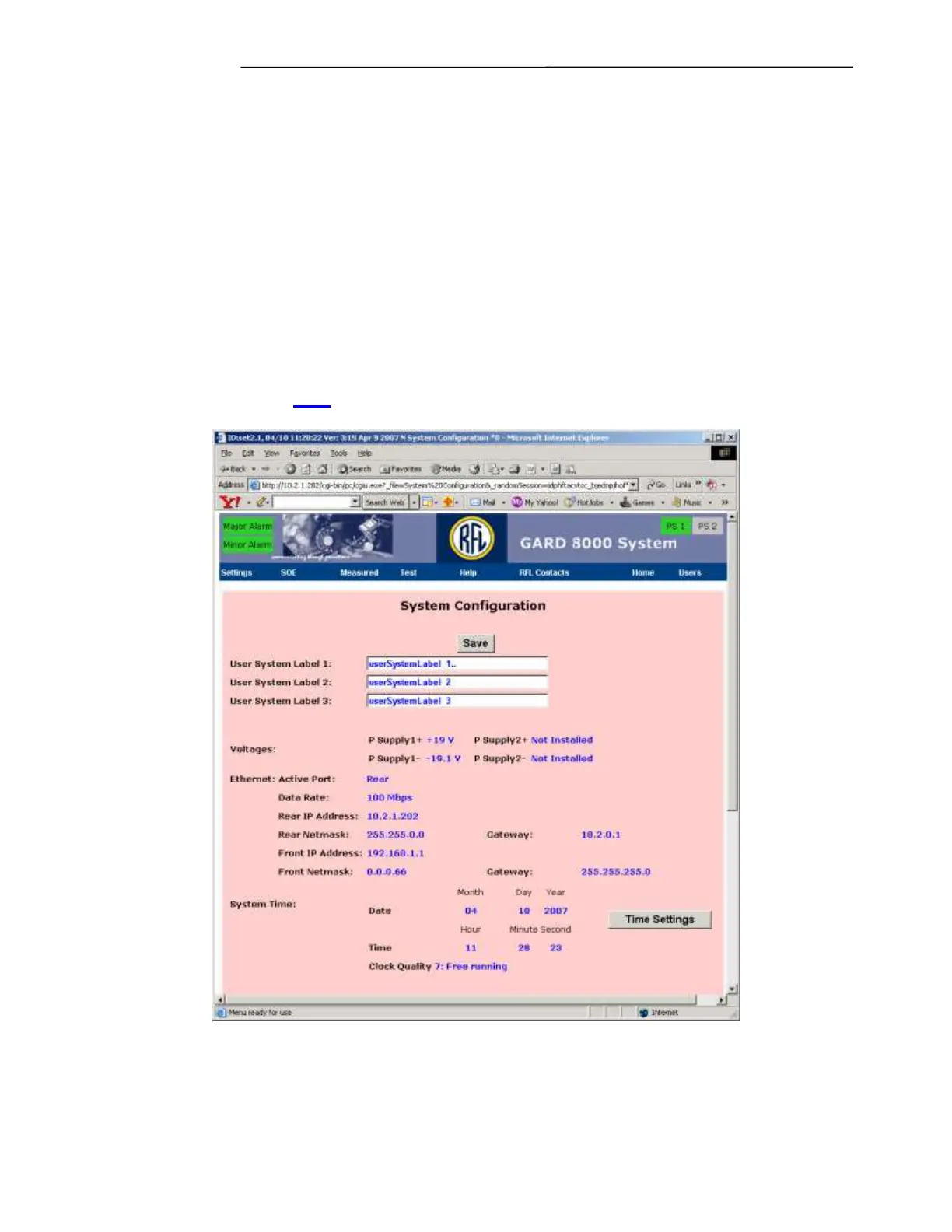
The address setup page is accessed from the main web page “Chassis Configuration Status’ by clicking
on ‘Controller’ or through the pull down menu by going to: Settings > System Labels and Triggers >
System Configuration.
Note: The System Configuration web page is divided into 3 separate and distinct sections, only
the top section is shown here. For more information on System Configuration including
‘Time Settings’ see 7.3.1
Figure 5-9. TCP/IP Address setup



 To Next Page