Chassis Configuration Settings
GARD 8000 SYS RFL Electronics
April 1, 2012 7-89 973.334.3100
7.3.5 LOGIC BIT LABELS
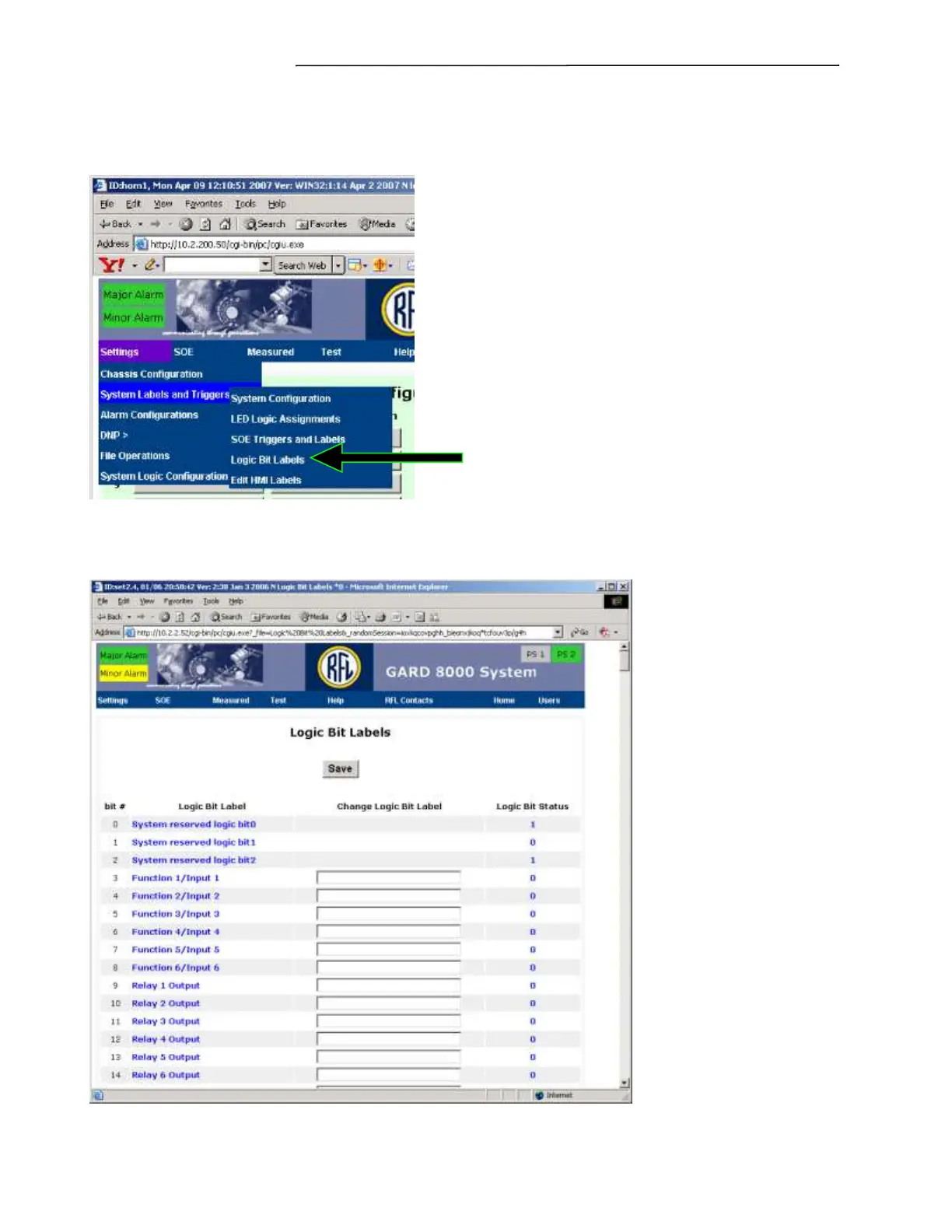
From the toolbar select Settings>System Labels and Triggers. Dropdown screen(s) similar to the one
below will appear.
Figure 7-55. System Labels and Triggers – Logic Bit Labels
Select Logic Bit Labels from the drop down menu. The following screen will appear:
Figure 7-56. Logic Bit Labels web page


 To Next Page