Chassis Configuration Settings
GARD 8000 SYS RFL Electronics
April 1, 2012 7-80 973.334.3100
Time Settings
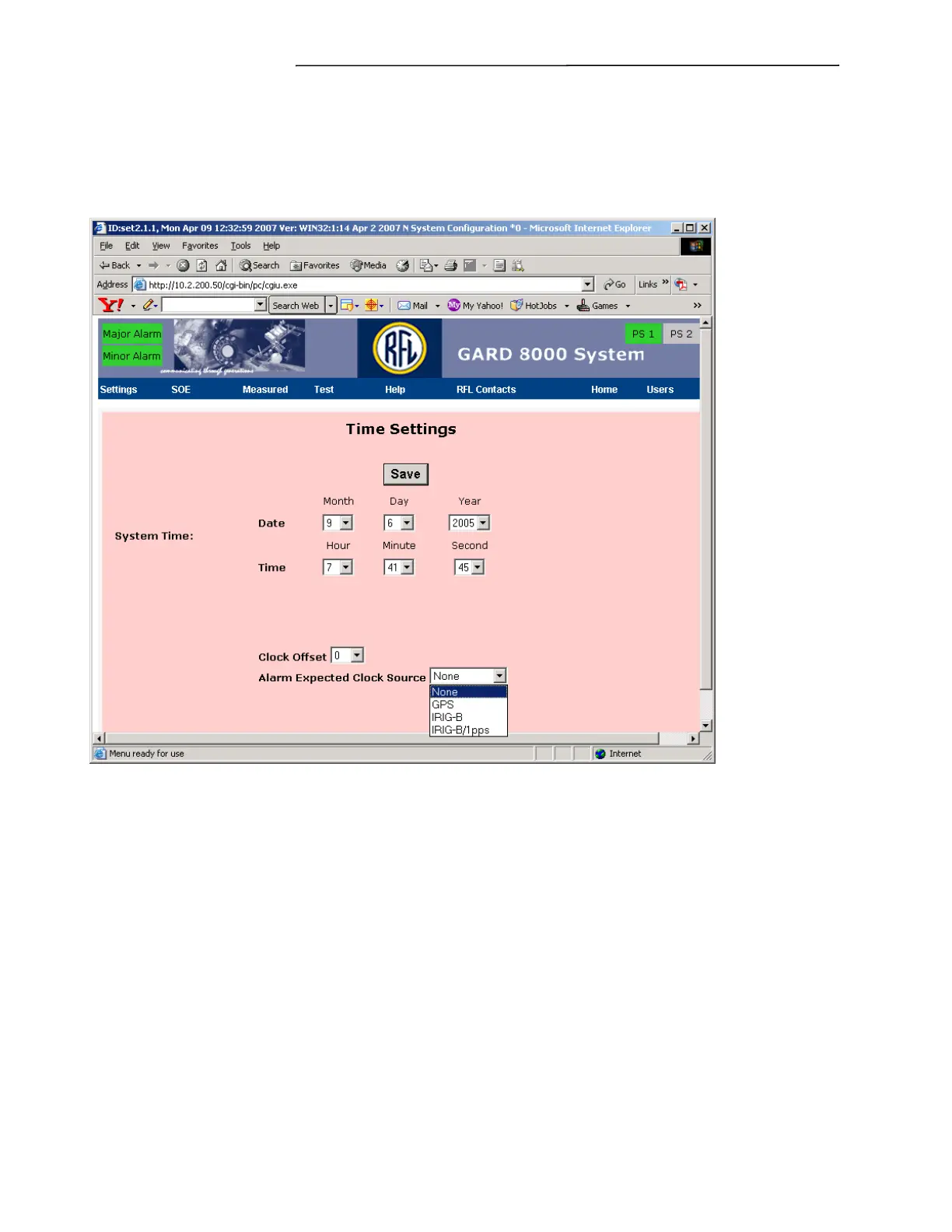
Clicking the “Time Settings” button will bring up the web screen shown below.
SAVE must be clicked before changes become active.
Figure 7-47. Time Settings Web Page
System Time
Sets the date and time. Valid only if no external clock source is being used, date and time will be
grayed out in web page when an external clock source is synchronized.
Clock Offset
Sets the time offset from +12 to -12 hours.
Alarm Expected Clock Source
Sets the expected timing source for alarm purposes, set to None if no external timing is used. The
choices are shown on the pull-down menu.
Click SAVE when the settings are complete.


 To Next Page