GARD DNP Configuration and SNMP Trap Agent
GARD 8000 SYS RFL Electronics
April 23, 2015 16-4 973.334.3100
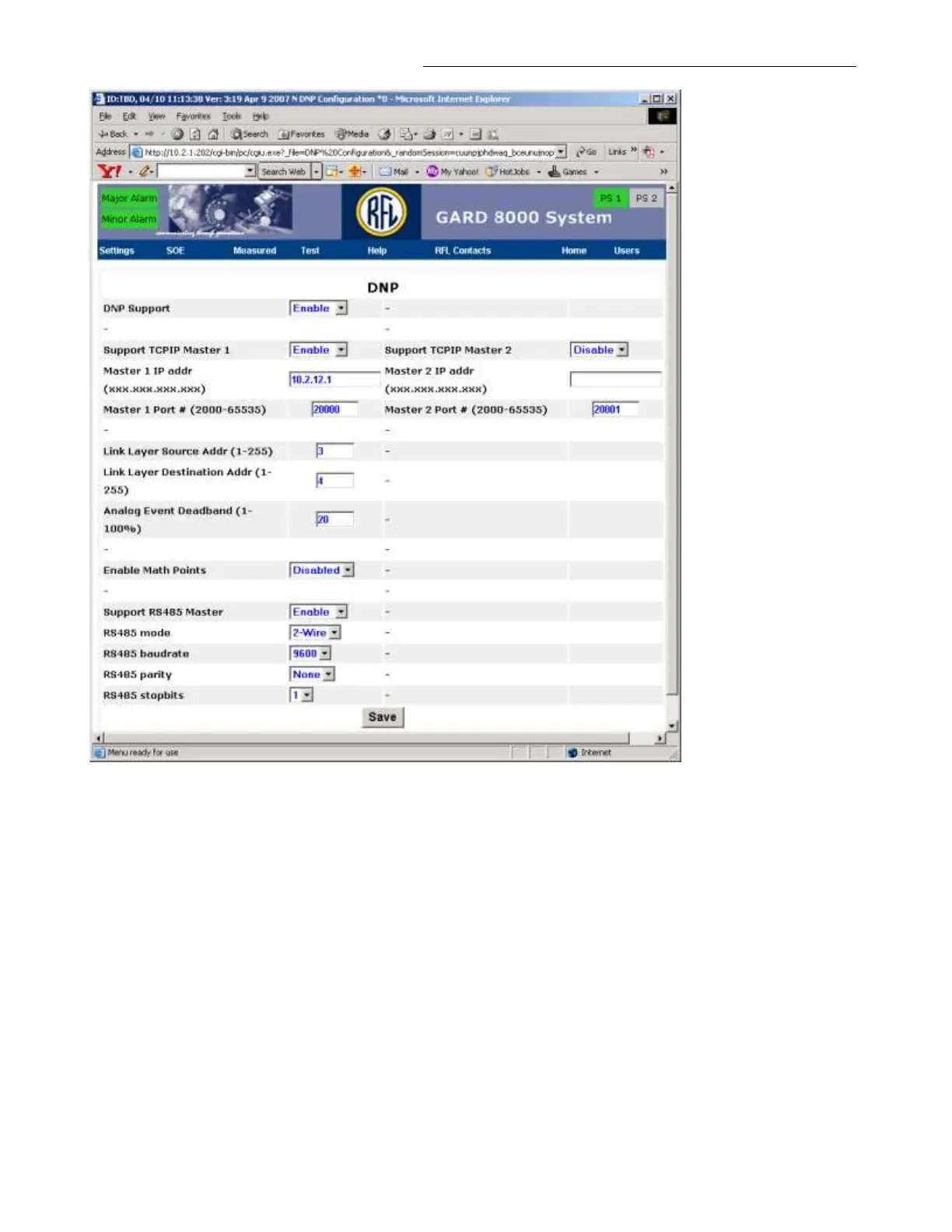
Figure 16-4. DNP Settings
The web page shown above once set will allow up to two DNP3 master computers to receive data from
a GARD chassis. Data to Master 1 can be configured to be sent over a TCP/IP or RS-485 connection.
The second master is supported via TCP/IP only. The GARD software implements DNP slave
functionality.
DNP Settings Definitions:
DNP Support
Check to enable or disable the complete DNP system.
Support TCPIP Master 1 or 2
Check to enable or disable communications with the individual DNP3 Master Computers. If only one
master is used, the configuration for the second master is not required.



 To Next Page