System User Interface
GARD 8000 SYS RFL Electronics
August 1, 2012 5-34 973.334.3100
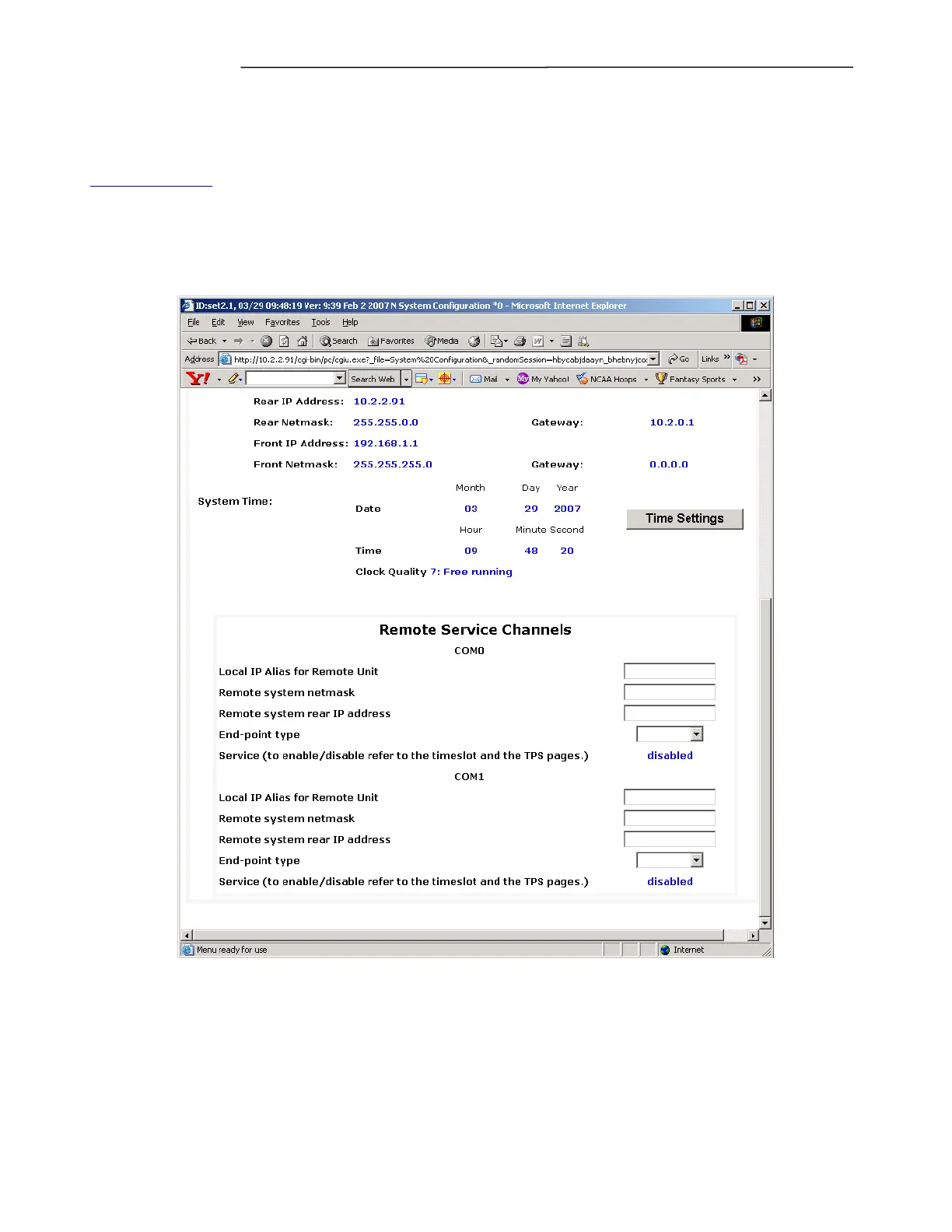
5.7 REMOTE SERVICE CHANNELS
The following web page will define the Remote Service Channels; once these are defined the
appropriate Communication Channels must be configured for a connection to be established
(See Figure 7-7). The example shown has COM0 as the primary unit.
Go to Settings > System Labels and Triggers > System Configuration to access this web page. The
Service Channel configuration is the middle section of this web page.
Figure 5-26. Remote Service Channels



 To Next Page