Chassis Configuration Settings
GARD 8000 SYS RFL Electronics
April 1, 2012 7-110 973.334.3100
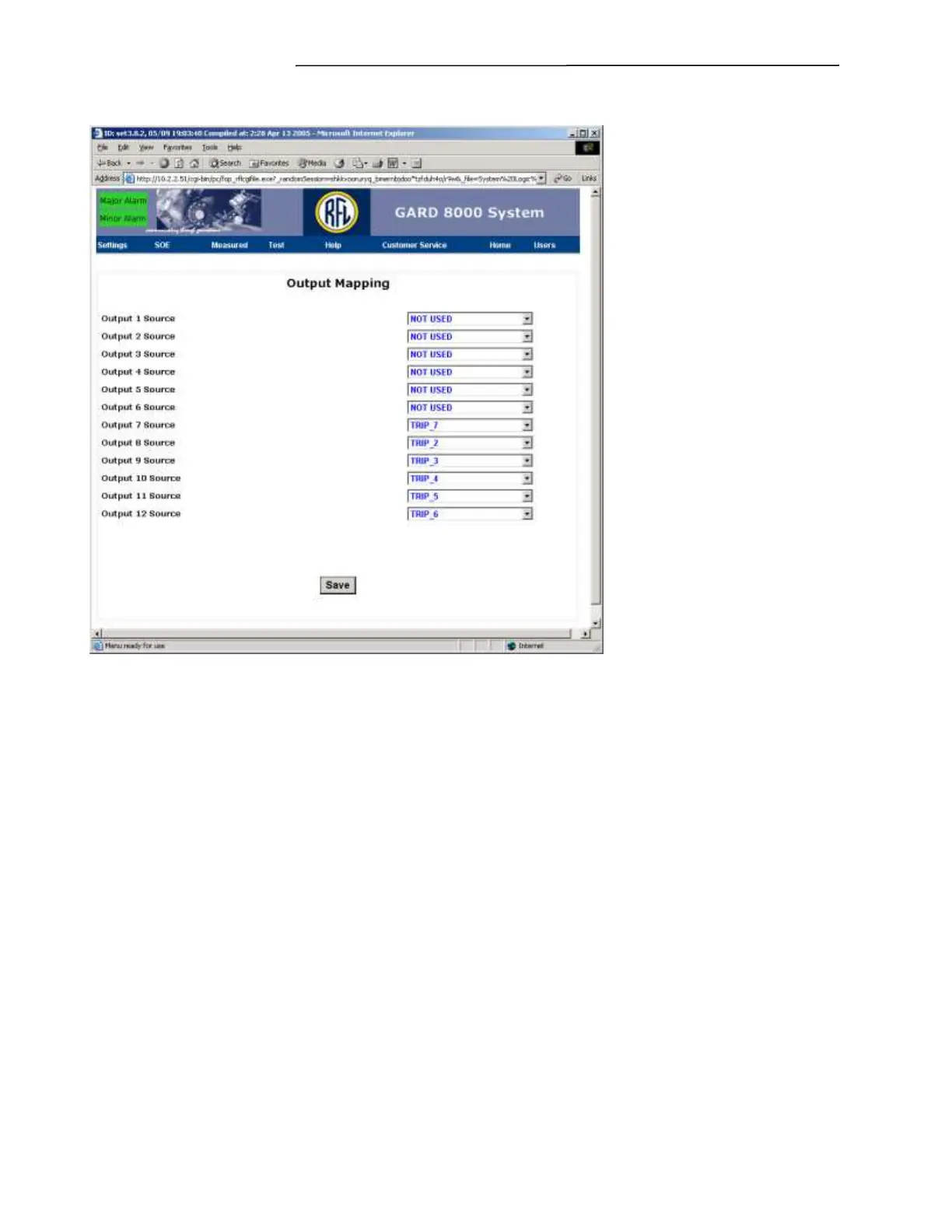
Select Output Mapping. The screen below will appear.
Figure 7-69. Output Mapping web page (Typical)
This logic example provides four output mapping choices of NOT USED, TRIP, BLOCK, and
UNBLOCK, for each of the eight TPS functions. There is also a communications alarm, which can be
mapped to any of the hardware outputs.
NOT USED - If a hardware output is mapped to NOT USED, that hardware output will not be tied to
the logic, and will not operate under any situation. Outputs that are mapped to NOT USED may be
either open or closed, depending on a variety of factors. It is a good practice to disable any outputs
through the output programming page if they are not mapped. This will ensure that they are not
mapped.
TRIP – If a hardware output is mapped to TRIP, that hardware output will operate when the function it
has been mapped to has received a trip from the logic.
BLOCK – If a hardware output is mapped to BLOCK, that hardware output will operate when either
the local transmitter has initiated a trip on that function, or when the receiver has processed a trip.
UNBLOCK TRIP – If a hardware output is mapped to UNBLOCK TRIP, that hardware output will
operate when the communications has been lost. The output will then go active for a predetermined
amount of time.



 To Next Page