Chassis Configuration Settings
GARD 8000 SYS RFL Electronics
April 1, 2012 7-2 973.334.3100
7.2 MODULE SETTINGS
In order for the GARD chassis to function properly, the individual module configuration settings must
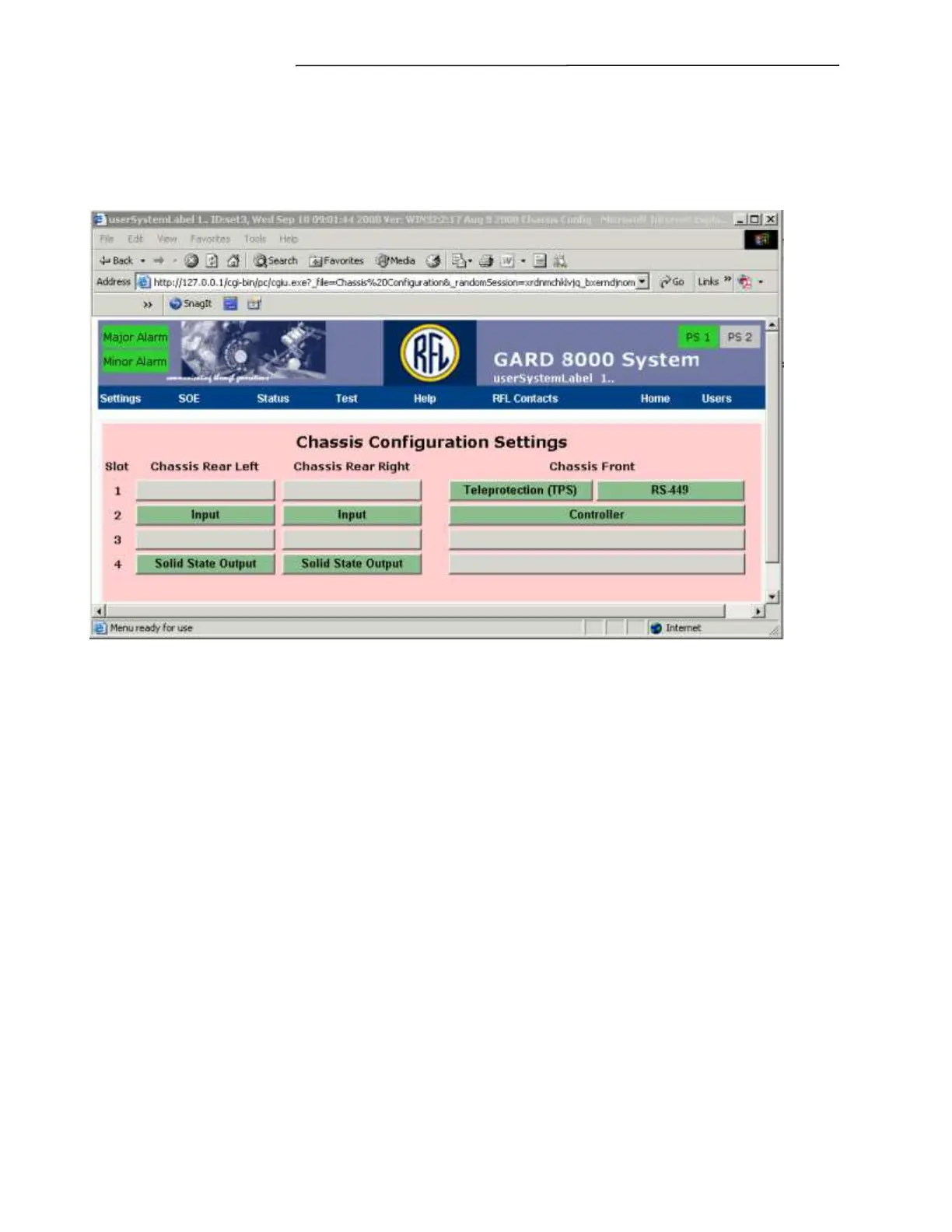
be entered for the Input Modules. From the toolbar select Settings, Chassis Configuration. A screen
similar to the one below will appear, showing the installed modules and their current status.
Figure 7-1. Chassis Configuration Settings web page for 3U chassis
In Figure 7-1, the background colors of the card slot locations will change according to the module
status as follows:
Yellow = Minor alarm
Green = Normal condition
Blue =Module not configured or disabled
Red = Major alarm
Gray =Empty slot



 To Next Page