Chassis Configuration Settings
GARD 8000 SYS RFL Electronics
April 1, 2012 7-112 973.334.3100
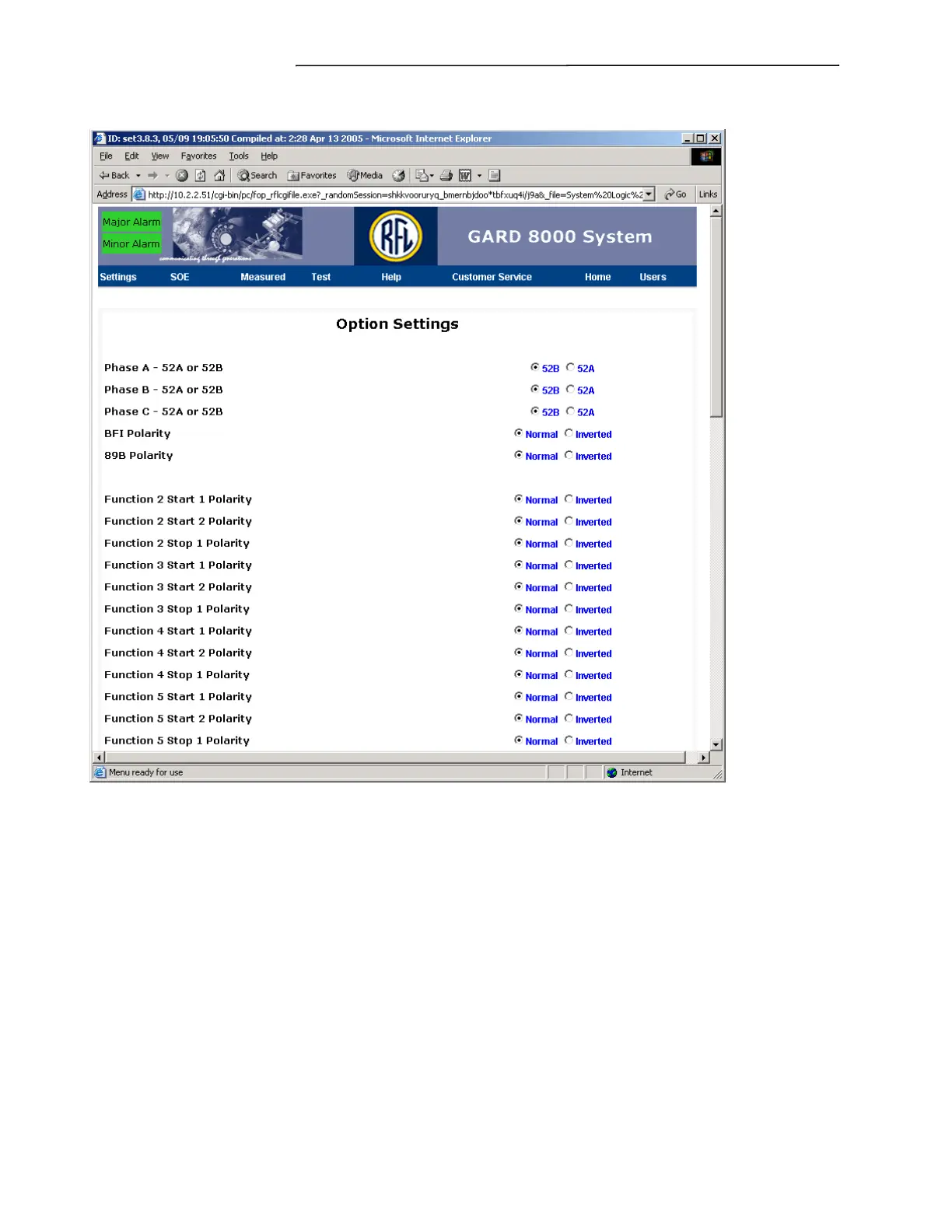
Select Option Settings. A screen similar to the one below will appear.
Figure 7-71. Option Settings web page (Typical)
FUNCTION START1/START2/STOP POLARITY
Provides the user with the ability to choose between Normal and Invert for Start 1, Start 2, and Stop 1
for each of the 8 TPS functions.
FUNCTION START
Provides the user with the ability to choose between “AND” or “OR” for Start 1 and Start 2 for each of
the 8 TPS functions.
FUNCTION MODE
Provides the user with the ability to choose between “NORMAL” or “DCB” for each of the 8 TPS
functions. When Normal mode is selected, that particular function will operate as standard Trip
function with the Start inputs of the logic keying the transmitter. When DCB is selected. The blocking
portion of the logic is enabled and allows the transmitter to utilize the Stop input on the transmitter
logic.



 To Next Page