Chassis Configuration Settings
GARD 8000 SYS RFL Electronics
April 1, 2012 7-21 973.334.3100
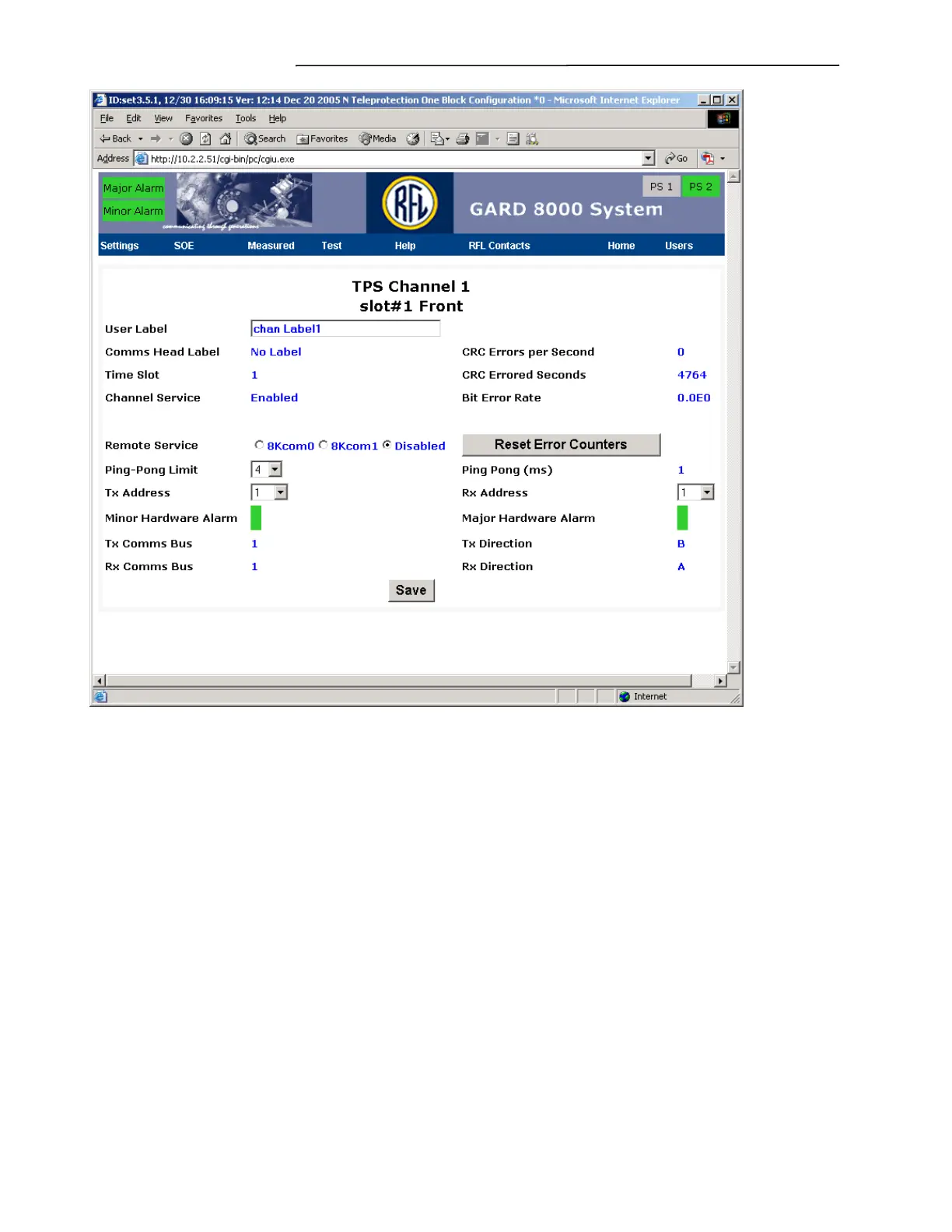
Figure 7-13. TPS Channel 1 slot #1 Front web page
User Label
This is where the user enters a descriptive name for the TPS channel that is being configured.
Comms Head Label
Displays the label given to the communications head associated with this TPS channel.
Time Slot
Displays the time slot this particular TPS channel will communicate on.
Channel Service
This is a status indication that the TPS channel is either Enabled and In Service, or Disabled. The
Channel Service is automatically enabled once the user selects the Comms. Head and Timeslot in the
Communications Time Slot Page and clicks on the Save button.
Remote Service



 To Next Page