System User Interface
GARD 8000 SYS RFL Electronics
August 1, 2012 5-43 973.334.3100
5.8.3 CONFIGURING A PC USING WINDOWS XP OR 2000 (STATIC IP)
Configure the IP address of your PC as follows:
1. From your PC desktop, click Start, click Run, type ncpa.cpl, and then click OK.
2. A Network and Dial Up Connection window will appear.
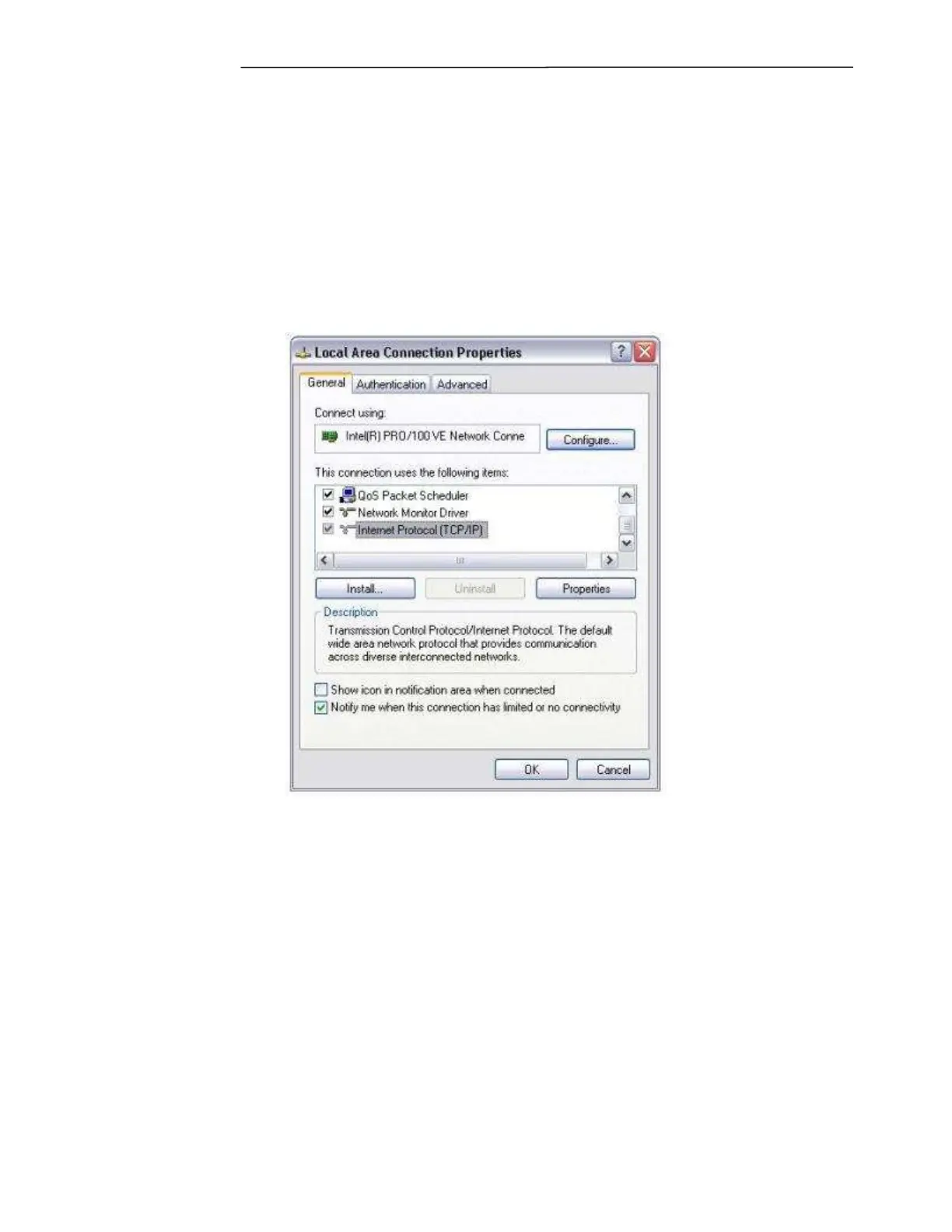
3. Right click on the connection you would like to use (local area connection) to connect to the
GARD 8000, and choose Properties from the pull-down menu. A window similar to the one
shown in Figure 5-35 should appear.
Figure 5-35. Local Area Connections Properties
4. Scroll up/down until you can see the “Internet Protocol (TCP/IP)” protocol listed as shown
in Figure 5-35. Ensure that the checkbox next to it is checked. Then highlight it and click on
Properties.
Note: If you do not see the “Internet Protocol (TCP/IP)” protocol listed you have to install
TCP/IP on your PC. This is beyond the scope of this document. See your network administrator
for assistance.
5. Select “Use the following IP address”, and type in the IP address “192.168.1.10” and subnet
mask “255.255.255.0” as shown in Figure 5-36.



 To Next Page