System User Interface
GARD 8000 SYS RFL Electronics
August 1, 2012 5-36 973.334.3100
GARD (A) configuration
1. Connect to the GARD (A) unit through the front Ethernet port (locally) or through
the rear Ethernet Port.
2. Click on “Settings” and select “Chassis Configuration.”
3. At “Chassis Configuration” click on the communications interface module which will be used for
the Remote Service Channel.
4. At the “Communications System Configuration” page increase the data rate by 64kbps on the
comms interface used for the Remote Service Channel communications and if the data rate is
higher than 64 kbps, Enable “Framing.” Click on “Save.”
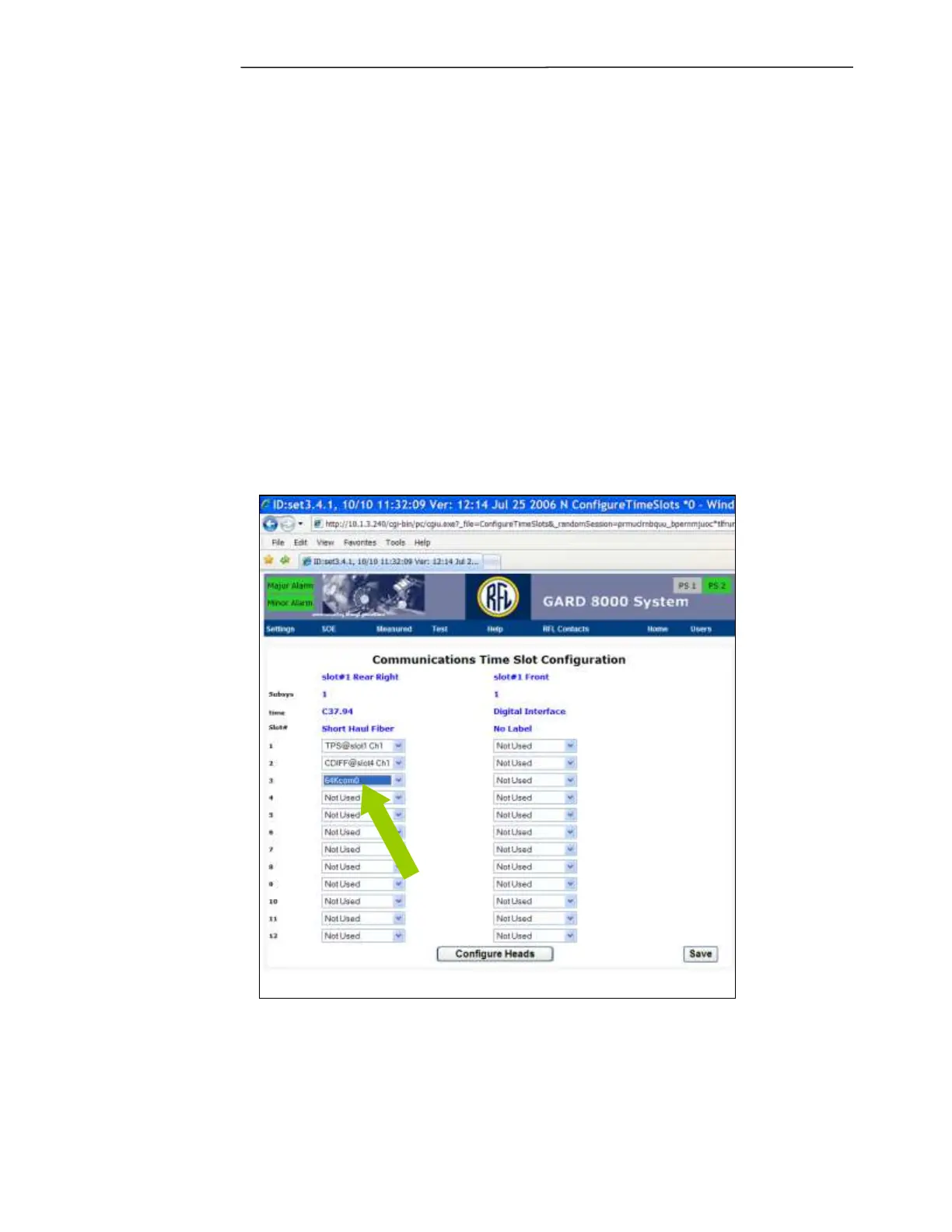
5. Click on “Configure Time Slots” and set the 64kCom0 channel for the next available time slot.
(See the Figure below). Click on “Save.”
Figure 5-28. Remote Service Channel, Communication Time Slot Configuration



 To Next Page