System Logic
GARD 8000 SYS RFL Electronics
March 26, 2008 8-13 973.334.3100
8.3.3 OPTION SETTINGS
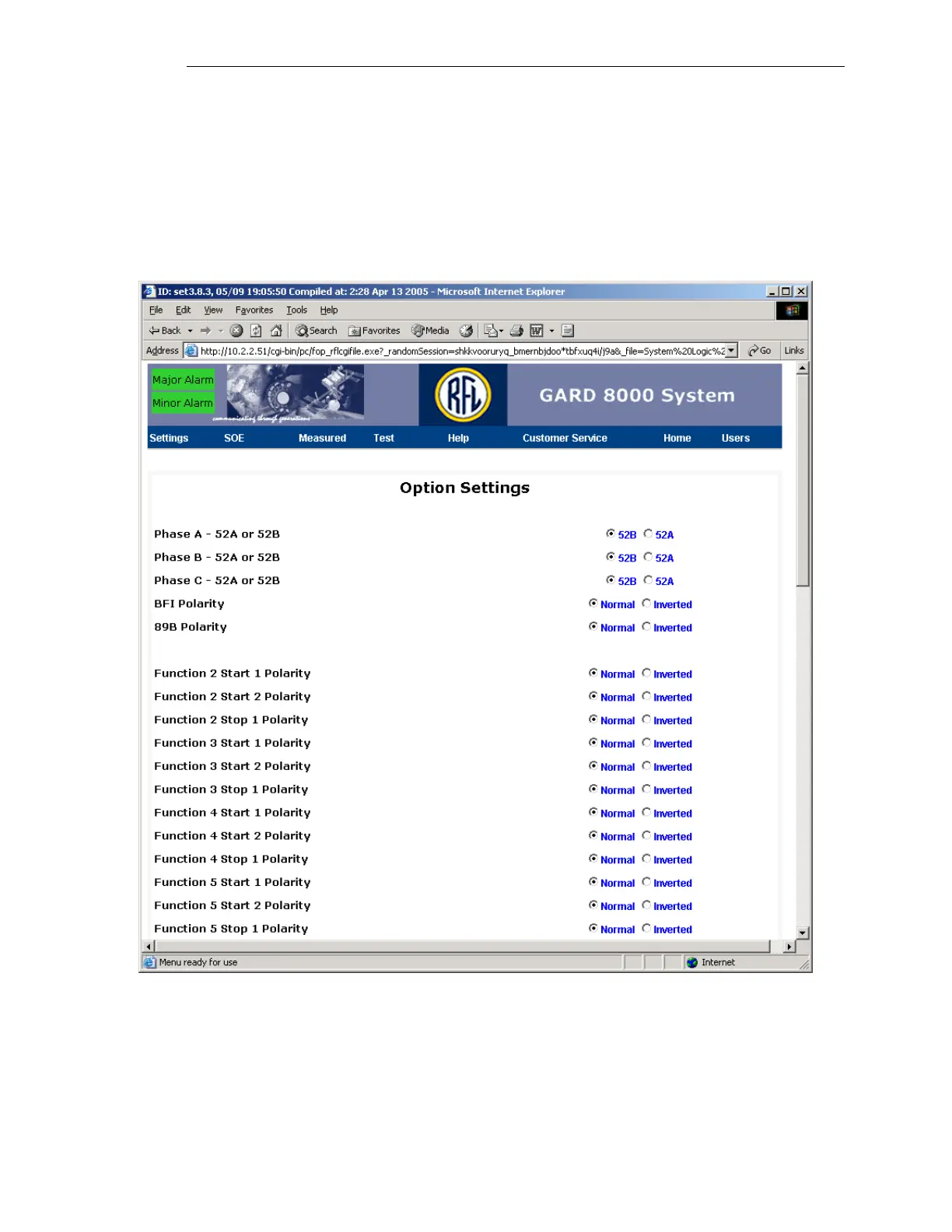
The Option Settings allow the user to change the way the logic functions without having to modify the
underlying logic. For example, the inputs and outputs can have their polarity inverted, inputs can be
combined (‘AND’ed or ‘OR’ed), DTT or DCB logic, etc. From the toolbar select Settings> System
Logic Configuration>Option Setting. A screen similar to the one below will appear.
Select Option Settings – A screen similar to the one below will appear.
Figure 8-14. Option Settings web page


 To Next Page