System User Interface
GARD 8000 SYS RFL Electronics
August 1, 2012 5-42 973.334.3100
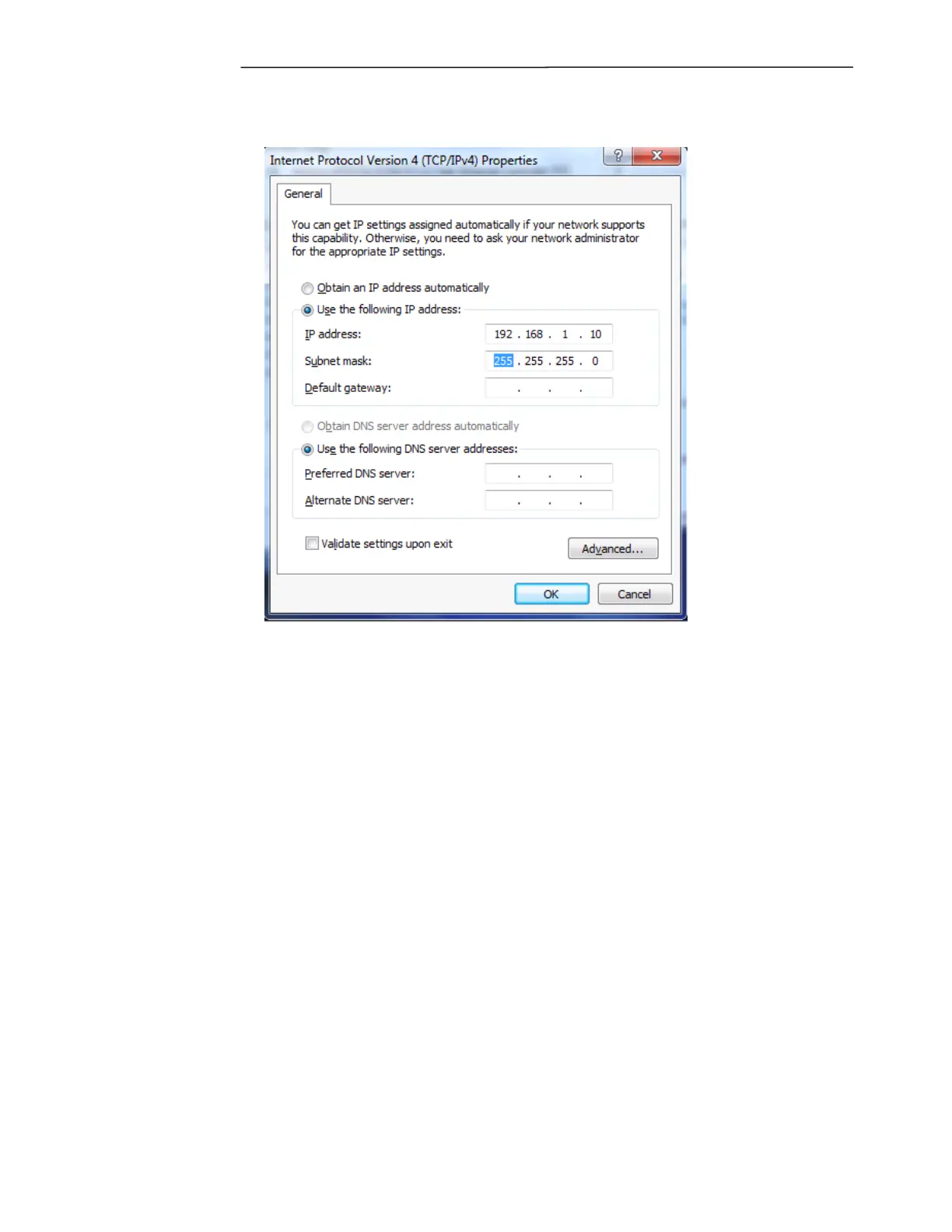
6. Select “Use the following IP address” and enter the IP and Subnet mask address as shown below.
Figure 5-34. Entering the IP Address
7. Click OK.
8. You have now successfully changed the IP address of your PC. Now go to paragraph 5.2.1 for
instructions on how to access the GARD 8000.
Note: Since you have changed the IP address of your PC, you will not be able to access the network
that it was previously connected to. This includes the internet. A normal side effect of this is that the
homepage your browser is configured to open on, at startup will not load successfully. You may
ignore this and continue to the GARD 8000 homepage.
Note: Depending on the speed of your PC it may take a few seconds for the IP settings to take effect.
If you open the browser before they take effect, there is a chance you will have to close all of the open
windows of the browser and restart the browser.



 To Next Page