Ethernet TPS Module
GARD 8000 SYS RFL Electronics
April 14, 2015 14-10 973.334.3100
Sets the time in milliseconds of each of the 16 timers. The timers are used in order from 1 to 16. This
means that the first retransmission will go out Retransmission Timer 1 milliseconds after the original
transmission.
IED Client Advanced Settings:
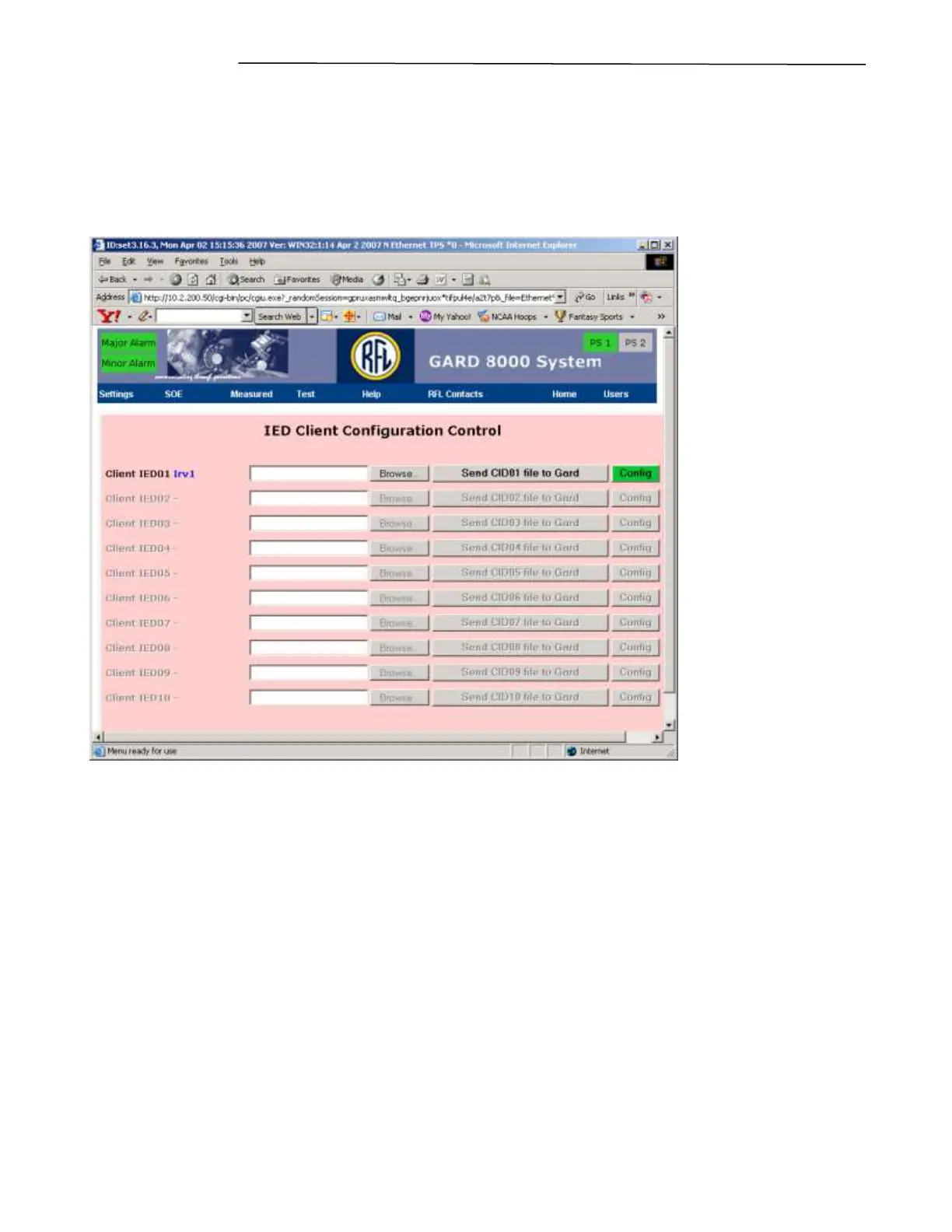
Click Client Advanced Settings, the following webpage will appear.
Figure 14-9 Ethernet TPS Module, Retransmission Timer Settings
This page is to be used for uploading the CID files for each client. The number of clients for which
you may upload CID files and receive GOOSE messages, is limited by the “Number of Clients” set
on the “General Settings” page of this module.
The first step is to upload a CID file for each client. The file must contain the same IED name that was
set on the “General Settings” web page and is displayed next to the “Client IED” number on the above
page.
To upload the file for the client proceed as follows:
1. Click on “Browse” next to the client name and number you are configuring
2. A standard file selection dialog box will appear. Select the right CID file for that client.
3. Click on “Send CIDXX file to Gard.” (Where XX is the client number).



 To Next Page