Chassis Configuration Settings
GARD 8000 SYS RFL Electronics
April 1, 2012 7-91 973.334.3100
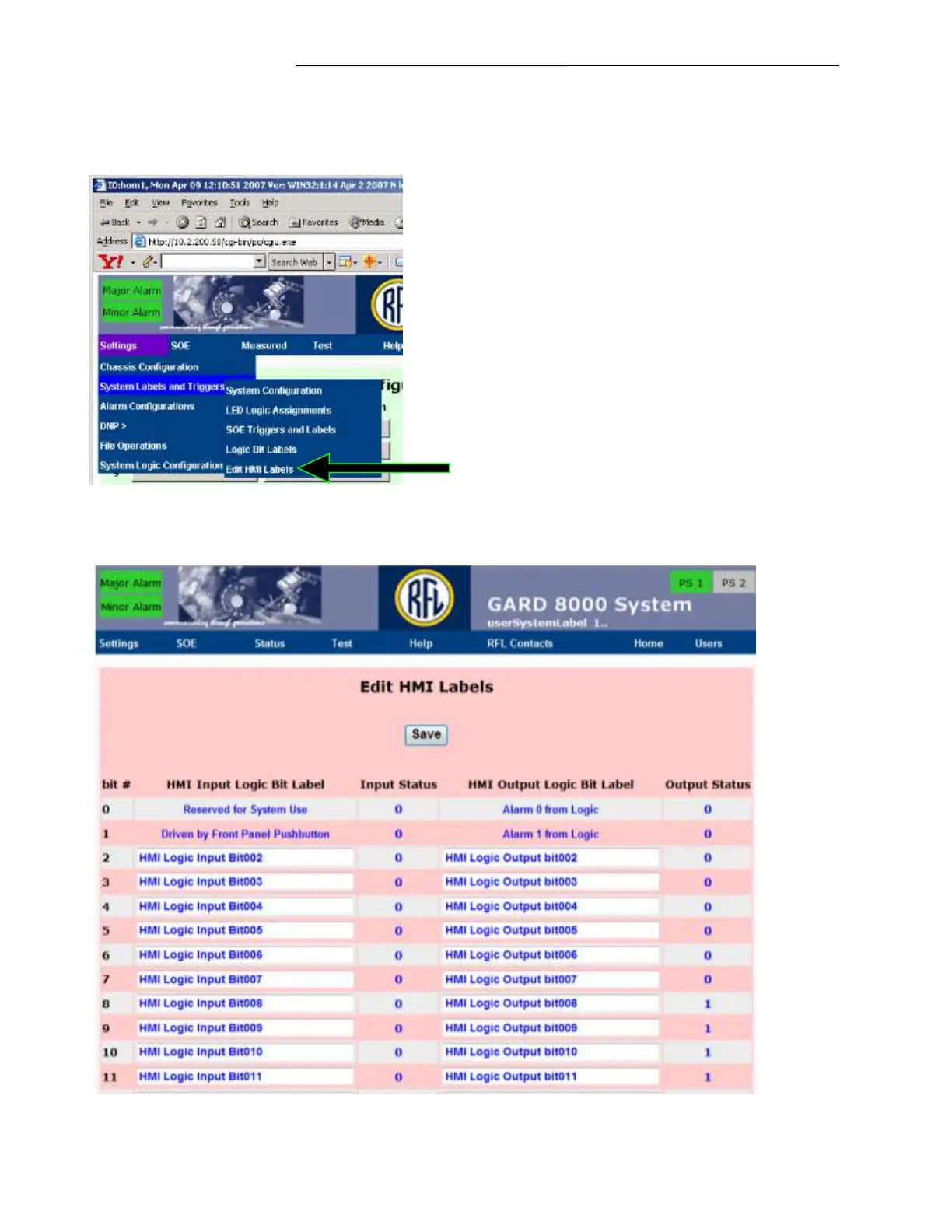
7.3.6 EDIT HMI BIT LABELS
From the toolbar select Settings>System Labels and Triggers. Dropdown screen(s) similar to the ones
below will appear.
Figure 7-57. System Labels and Triggers – Edit HMI Labels
Select Edit HMI Labels from the drop down menu. The following screen will appear:
Figure 7-58. Edit HMI Labels web page



 To Next Page