GARD DNP Configuration and SNMP Trap Agent
GARD 8000 SYS RFL Electronics
April 23, 2015 16-20 973.334.3100
16.6 RFL SNMP MIB FILE
RFL provides a custom SNMP MIB (Management Information Block) file; this file defines the SNMP
object for the GARD. The MIB file can be downloaded as follows:
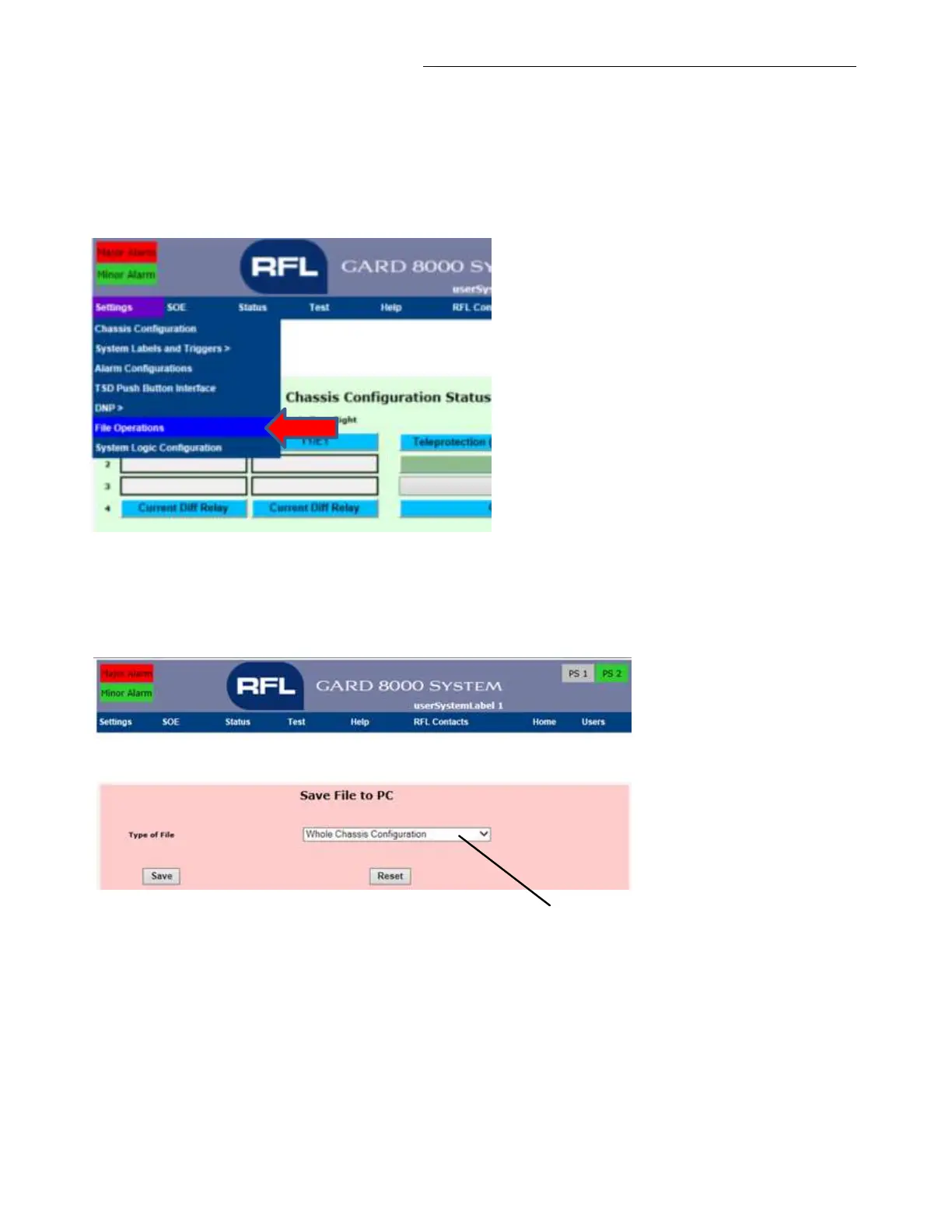
From the “Chassis Configuration Status” page go to Settings > File Operations.
Figure 16-15. Downloading the RFL MIB
The following web page is displayed. Select “RFL SNMP MIB as shown and save the file to your PC
or laptop.
From the pull-down menu,
select “RFL SNMP MIB”
Figure 16-16. Saving the MIB
16.6.1 MIB OBJECT (SUB-TREES)
The following lists the MIBs scalar and table structure. Note that this software supports “get”
functionality only.



 To Next Page