Tests and Diagnostics
GARD 8000 SYS RFL Electronics
February 14, 2011 11-37 973.334.3100
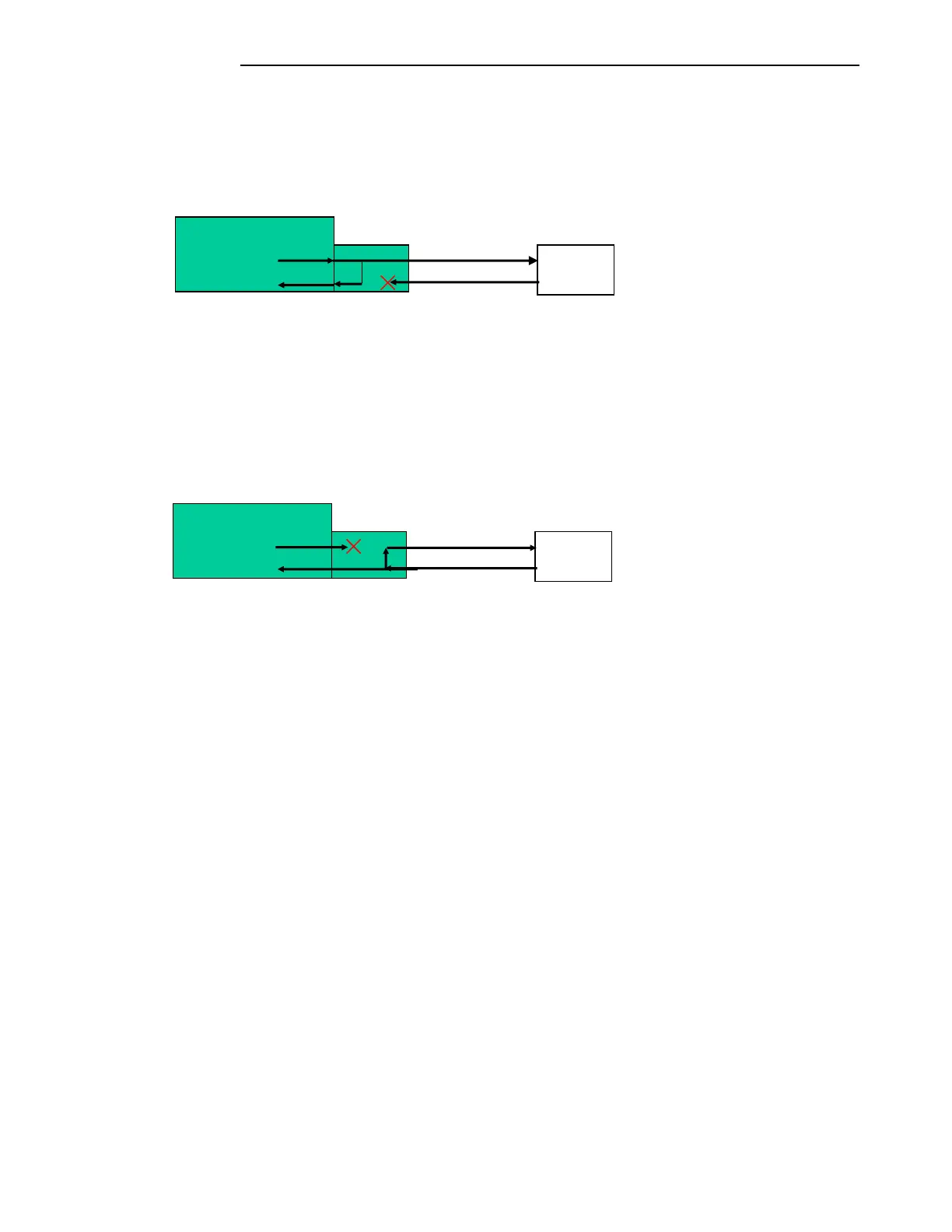
Local Loop-Back:
The local loop-back function loops the data being transmitted to the remote terminal back on to the
receive portion of the T1/E1 Interface module. The received data from the remote terminal is
interrupted. The transmit data from the local terminal is passed on to the remote terminal and
redirected back to the local received data path. See figure 11-19.
Figure 11-19. Manual Loopback
Remote Loop-Back:
The remote loop-back function directs the received data back out the T1/E1 interface module to the
remote GARD 8000 system. The local transmit data is interrupted. The received data is passed through
to the GARD 8000 system. See figure 11-20.
Figure 11-20. Manual Loopback
Exit Loop-back:
To exit a loop-back test:
Click on the active loop-back test button.
The button will change from red and “Active” to green and “Disabled” and hit
“Execute”.
The interface will remain in loop-back until the execute button is pressed.
The “Loop-back” status will change from red and Active to green and Disabled.
Any system settings that were changed during testing must be returned to normal
operating before returning the equipment to service.
The minor alarm, TX Activity and RX Activity indicators will be green.
Reset error counters.
Read only status information:
Receive Yellow Alarm:
A Received Yellow Alarm is an alarm that is issued by a remote device indicating that the
remote device is receiving data errors. Green indicates that the interface is not receiving
Yellow Alarms; red indicates the interface is receiving Yellow Alarms.
Terminal
Terminal


 To Next Page