System User Interface
GARD 8000 SYS RFL Electronics
August 1, 2012 5-19 973.334.3100
5.4 FRONT PANEL OF SYSTEM DISPLAY WITH TPS MODULE
The GARD 8000 System is provided with 20 multicolored LED’s (yellow, green, red) and an optional
TSD (Touch Screen Display). The LED’s are programmable and custom labels can be made. There is
also a front LED reset button. (See 2.4.8.1)
5.5 TSD
5.5.1 FRONT PANEL TSD OVERVIEW
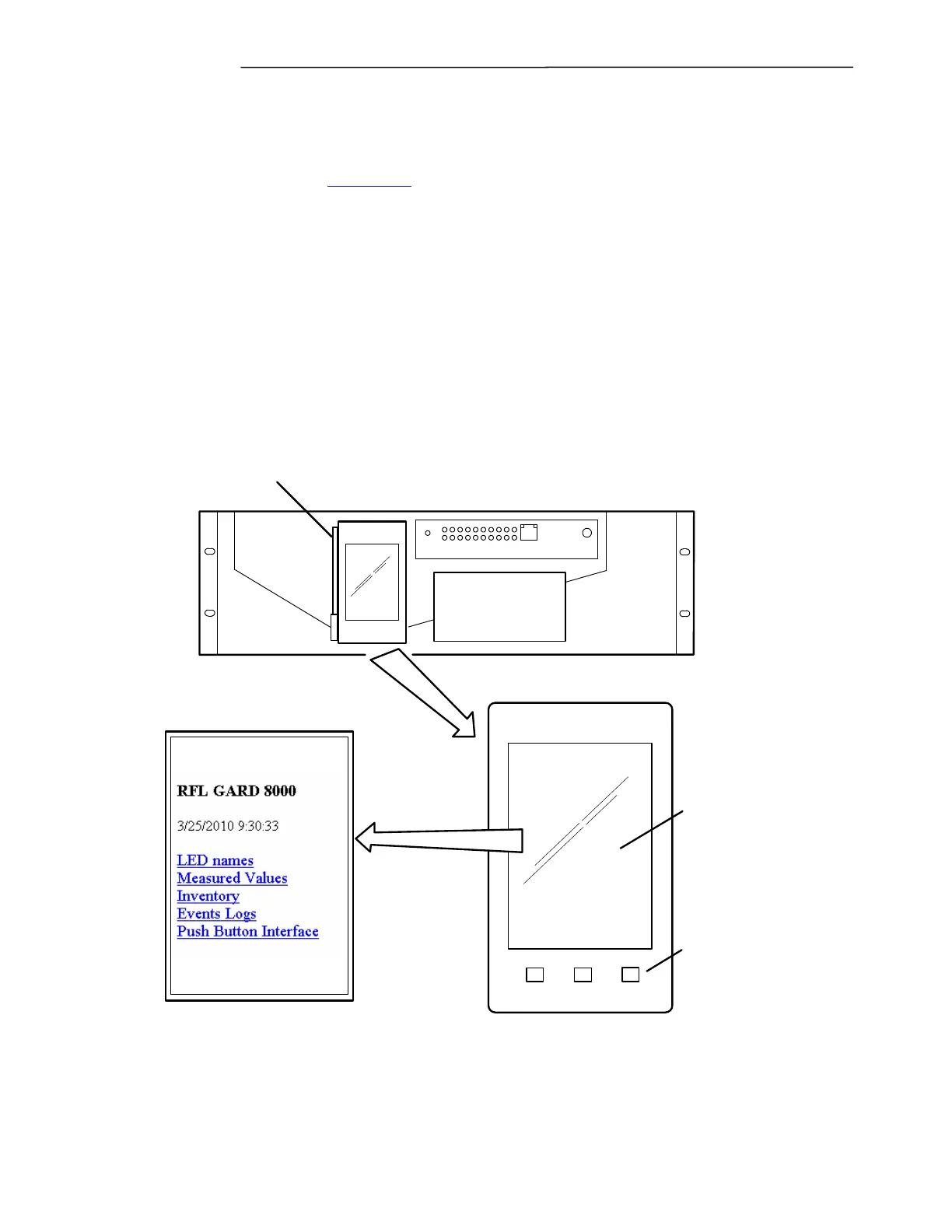
The GARD 8000 System supports an optional Touch Screen Display (TSD). The TSD will display the
status of various modules in the GARD system and features a Push Button Interface display that is
easily configured from a Laptop computer. The screen on the TSD can be adjusted for landscape
display if the GARD 8000 is mounted vertically in a rack (See 5.5.2). The illustration below shows the
TSD mounted in a GARD 3U chassis, its mounting and operation is the same in a 6U chassis. The
Push Button Interface can be accessed from the main menu or by toggling the Home button, a stylus is
provided with the TSD.
BACK REFRESH HOME
Touch Screen Display
Simple browser type control
buttons: Holding all 3 buttons
down simultaneously will reset
the TSD without affecting the
rest of the GARD 8000 system.
Touch Screen Display Main Menu
Location of Stylus
NET
RESET
PWR
Figure 5-12. Touch Screen Display in 3U Chassis.



 To Next Page