GARD DNP Configuration and SNMP Trap Agent
GARD 8000 SYS RFL Electronics
April 23, 2015 16-5 973.334.3100
Master 1 or 2 IP Address (xxx.xxx.xxx.xxx)
The customer set IP address for each DNP3 Master Computer. The address 0.0.0.0 will allow the
GARD to communicate with any computer.
Master 1 or 2 Port # (20000-65535)
The customer set TCP port number for each DNP3 Master Computer. The DNP default is 20000. If
two masters are used, the port numbers must be different
Link Layer Source Address (1-255)
DNP link layer source address.
Link Layer Destination Address (1-255)
DNP link layer destination address.
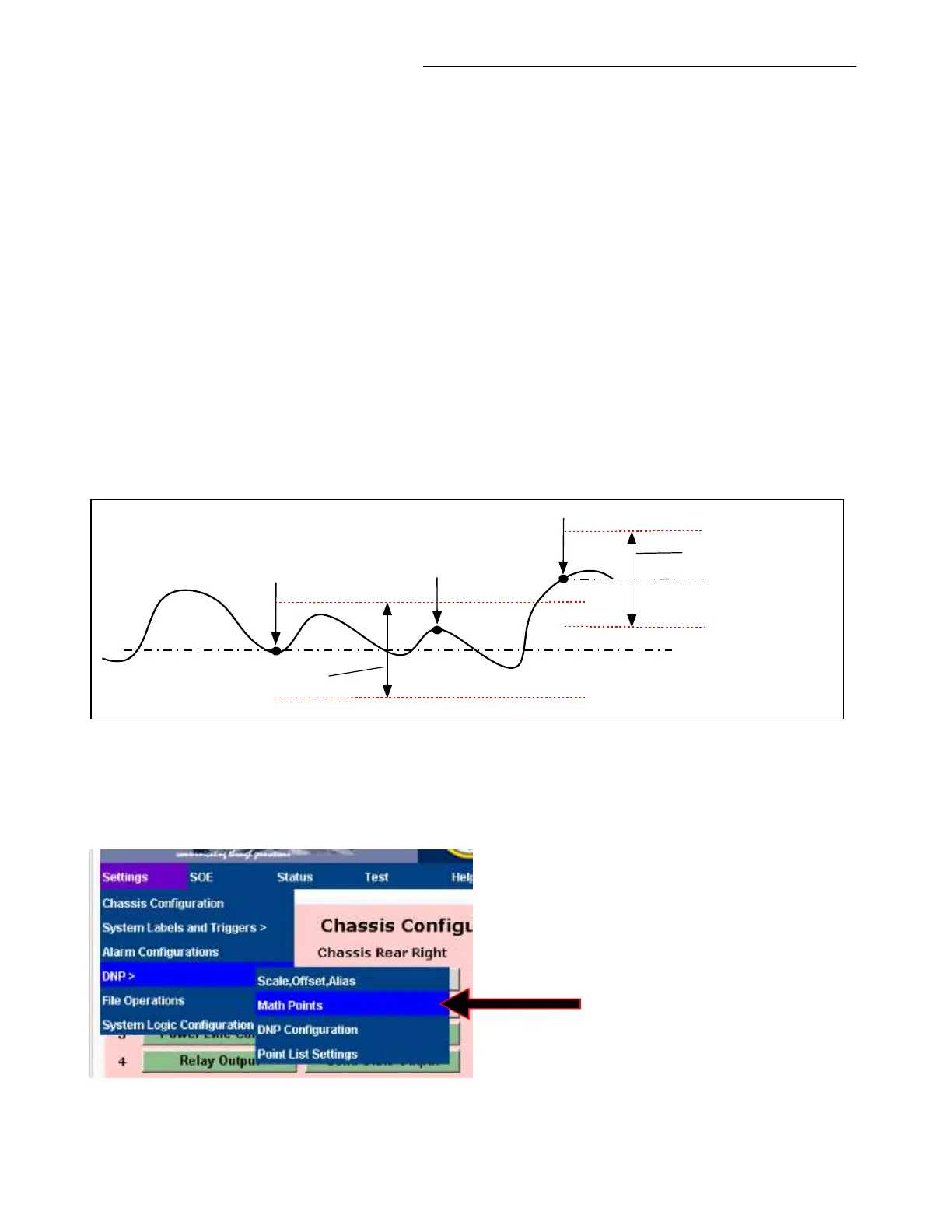
Analog Event Deadband (1-100%)
Sets the Deadband Reporting percentage. For example a DNP analog value will be sent to the DNP3
master computer when it varies more than 20% from the last reported value, when the Analog Event
Deadband is set to the default value of 20%. See below.
Reported value
Not reported
20% Deadband
Reported value
20% Deadband
Figure 16-5. Deadband Reporting
Enable Math Points
Normally left disabled (default). When enabled will show in the DNP menu as shown below.
Figure 16-6. Enabling Math Points
See page 16-8 for Math Points.



 To Next Page