Chassis Configuration Settings
GARD 8000 SYS RFL Electronics
April 1, 2012 7-33 973.334.3100
From the Home Page pull down menu select Chassis Configuration > Communication System
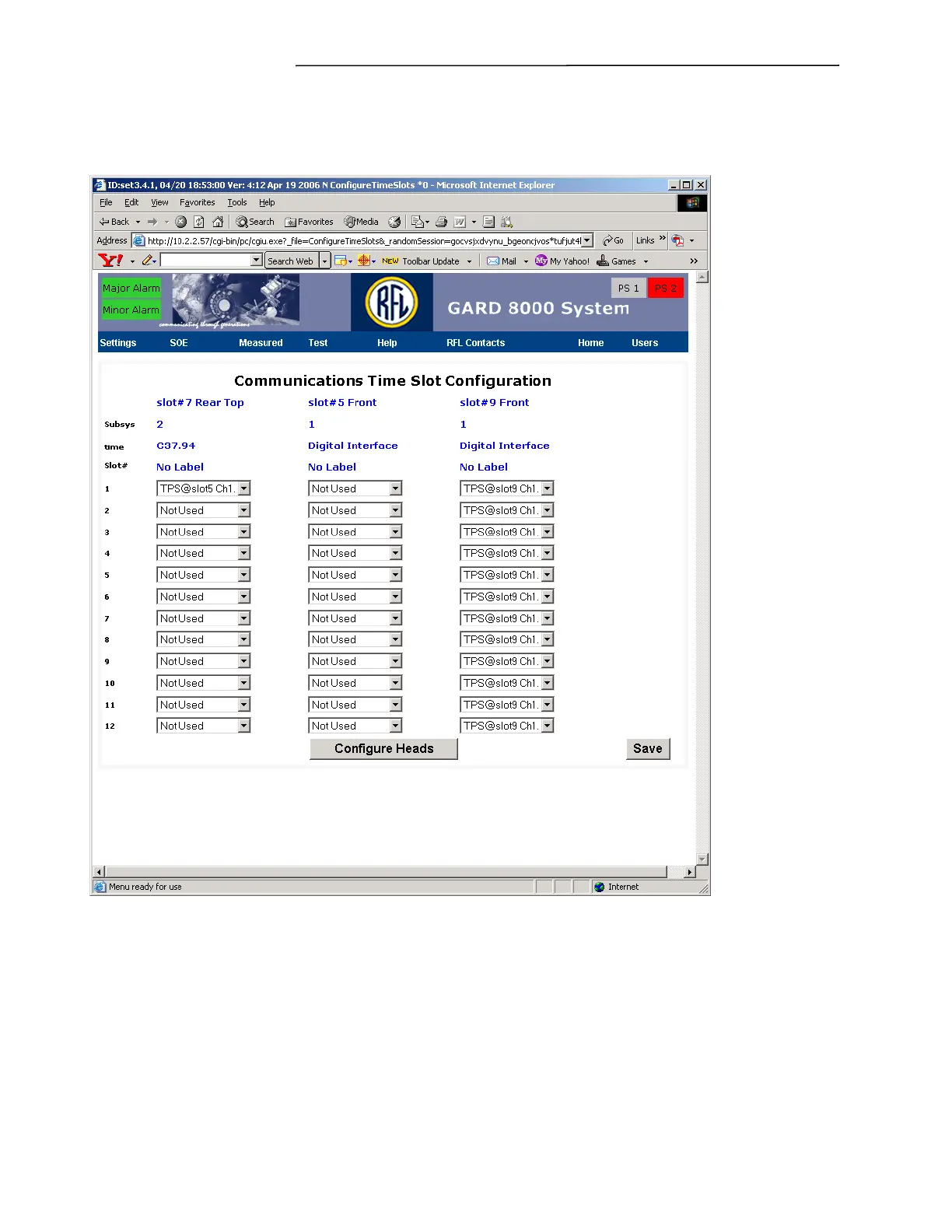
Configuration and click “Configure Time Slots,” a web page similar to the one shown below will
appear.
Figure 7-20. Communications Time Slot Configuration web page (96-Bit)
In the example shown there are up to 24 time slots available. In a 96-Bit application it is possible to
select two sub-systems. Pull down menus are provided for each time slot listing the selections
available. The time slot will be reserved for the device or channel that is assigned to it. Multiple
devices or channels cannot be assigned to the same time slot. Once all required time slots have been
configured select SAVE to complete the time slot configuration.
7.2.9 TELEPROTECTION STATUS (96-BIT SYSTEM)


 To Next Page