System User Interface
GARD 8000 SYS RFL Electronics
August 1, 2012 5-28 973.334.3100
There are 10 access levels, sorted by the web pages the user is allowed to access:
all_pages
config_general
config_system
config_protection
config_comms
config_reset
test_reset
test_protection
test_comms
read-only
The default user Admin always has access to ‘all pages’ from the front port. While the ‘Admin’ can
not be removed as a user, the password can be changed and the rear port access can be restricted. There
is also a ‘Guest’ fixed user with read only access.
Each user is individually password protected. ‘Strong’ passwords with up to 16 characters may be
used.
Access levels can be configured separately for each port. For instance, the rear port can be set to allow
read-only while the front port can allow setting changes.
Click “Save” after configuring the web page.
Note: When using the web browser, do not exit (close) the browser window before the browser
has completed its operation. Typically a message similar to the one below will display in
the system tray of your computer, do not exit until such a message is displayed.
5.6.2 SETTING SECURITY IN THE WEB/FTP SERVER ADMINISTRATION
PAGE
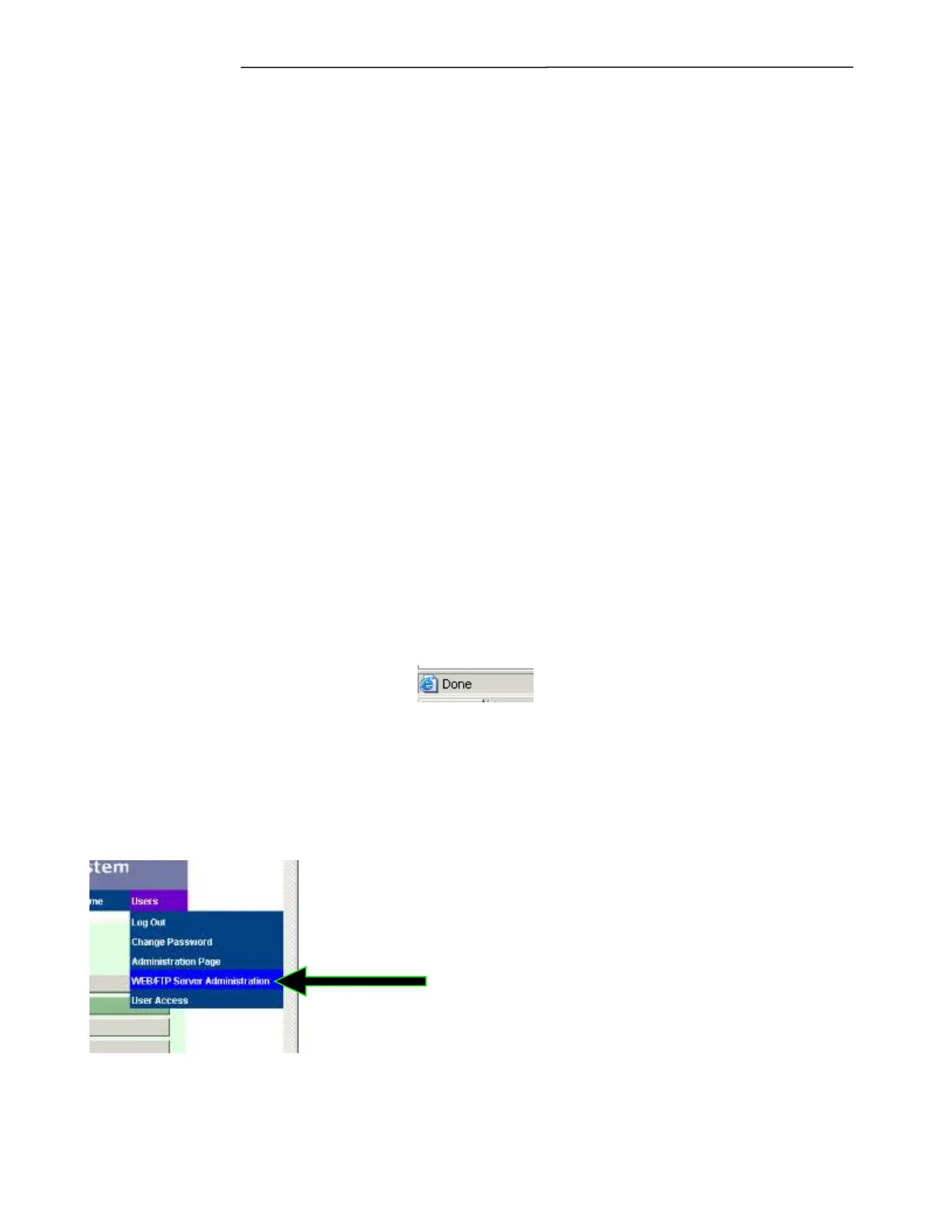
From the “Users” pull down menu select “WEB/FTP Server Administration Page.”
The following web page will appear



 To Next Page