Installation and Commissioning
GARD 8000 SYS RFL Electronics
November 28, 2017 4-20 973.334.3100
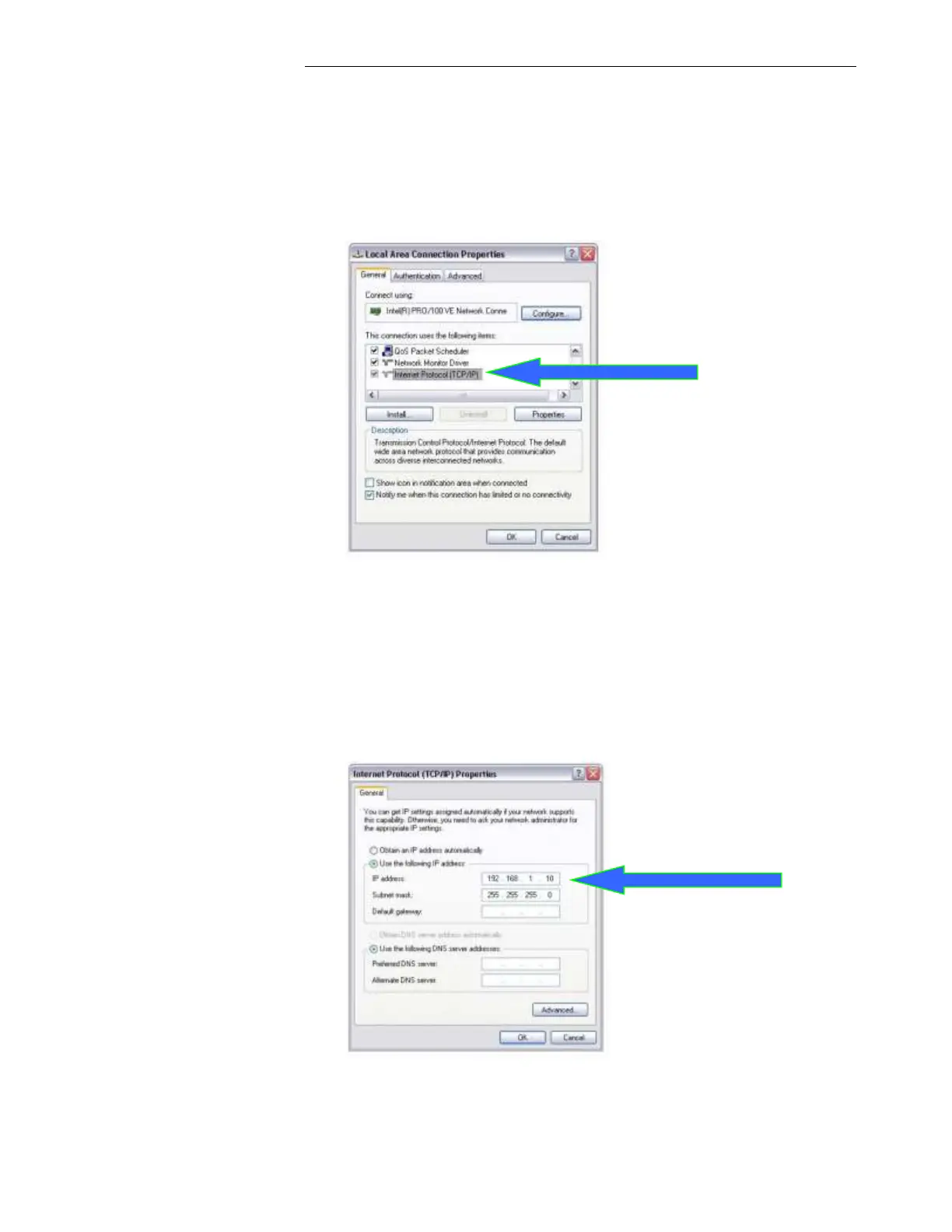
c. Right click on the connection you would like to use (local area connection) to connect to
the GARD 8000, and choose Properties from the pull-down menu.
d. Scroll up/down until you can see the “Internet Protocol (TCP/IP)” protocol listed as shown
on the following page. Ensure the checkbox next to it is checked. Then highlight it and
click on Properties.
e. Select “Use the following IP address”, and type in the IP address “192.168.1.10” and
subnet mask “255.255.255.0”
f. Click on OK, and then click on the next OK button.
Note: Depending on the speed of the PC it may take a few seconds for the IP settings to take
effect. If the browser is open before the IP settings take effect, there is a chance the browser may need
to be closed and restarted again.



 To Next Page