Service Parts Disassembly
Phaser 3610, WorkCentre 3615 Service Manual 4-79
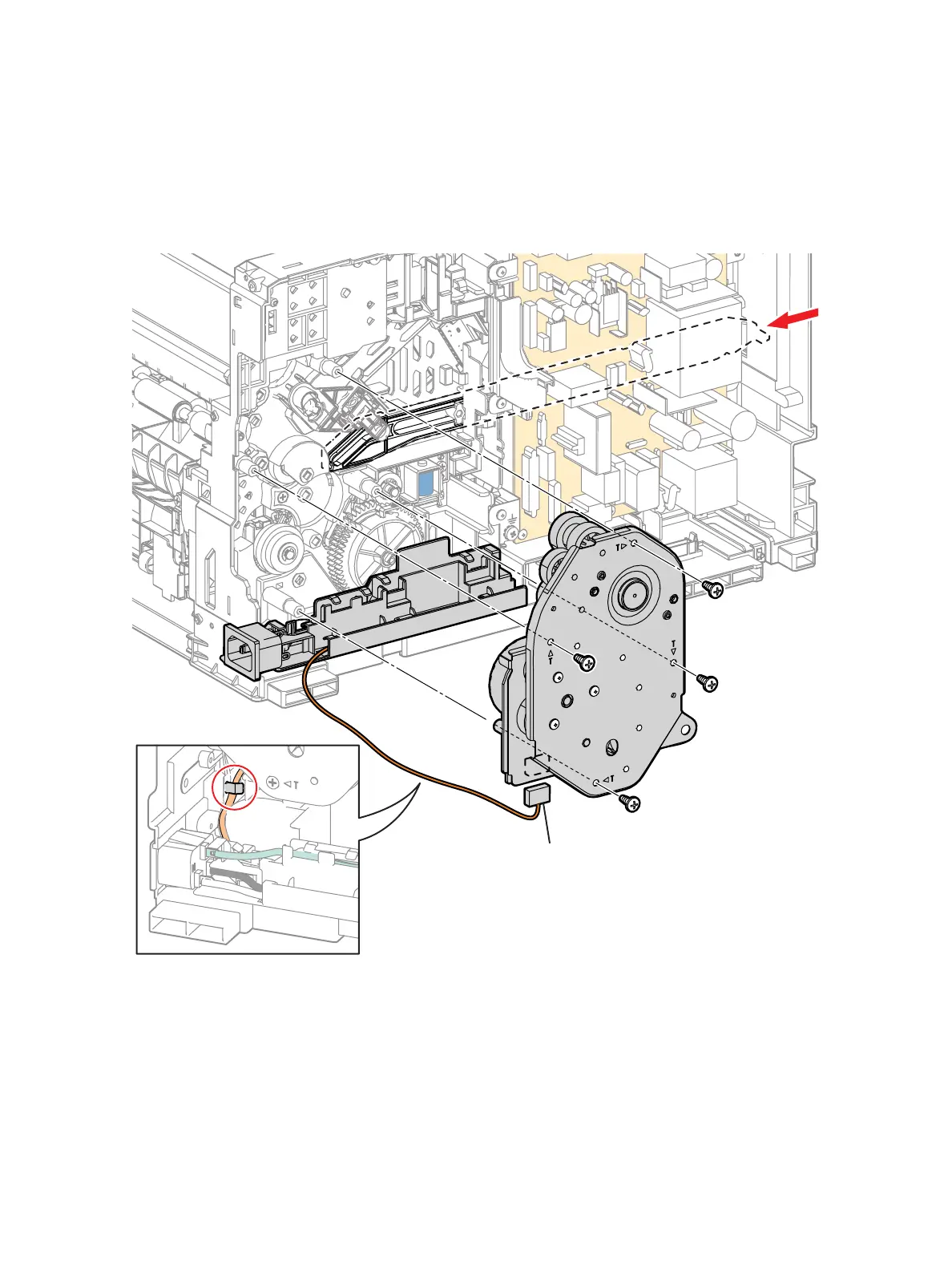
3. Remove the Main Drive Assembly. (Figure 2)
a. Push the Front Link all the way into the chassis.
b. Remove 4 screws (silver, tapping, 8mm) that secure the Main Drive Assembly.
c. Remove the wire from the clip.
d. Disconnect P101 to remove the drive.
Figure 2
Replacement
1. Replace in reverse order.
s3610-048
P/J101
b)
c)
a)
d)


 To Next Page
 Loading...