Service Parts Disassembly
Phaser 3610, WorkCentre 3615 Service Manual 4-81
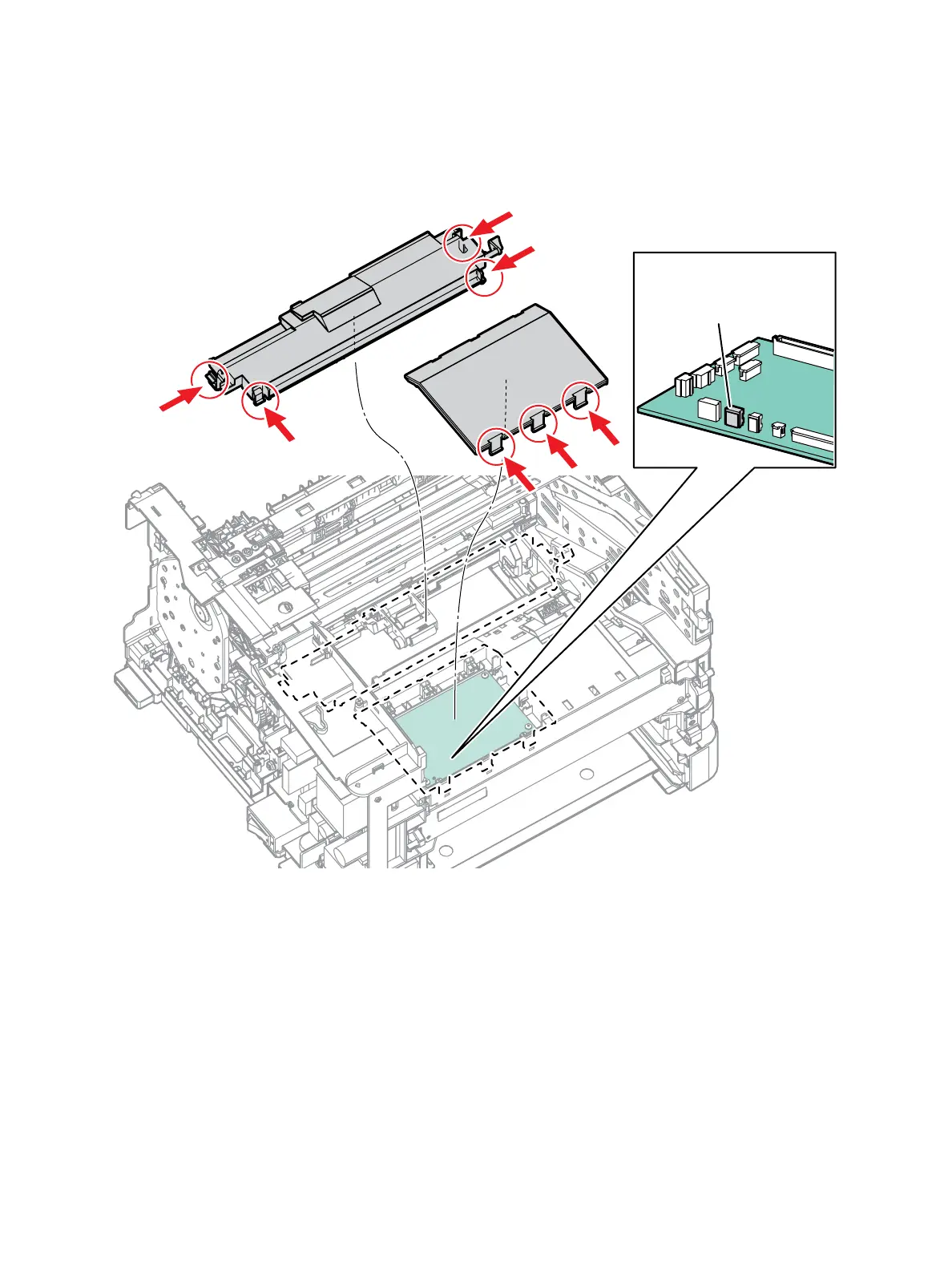
3. Prepare the MCU PWB for removal. (Figure 1)
a. Release 4 clips that secure the Top Frame Assembly to remove it from the chassis.
b. Release 3 clips that secure the MCU PWB cover to remove it from the chassis.
c. Disconnect P/J17 from the MCU PWB and release the exit clutch harness from the guide.
Figure 1
s3610-050
P/J17
b)
c)
a)


 To Next Page
 Loading...