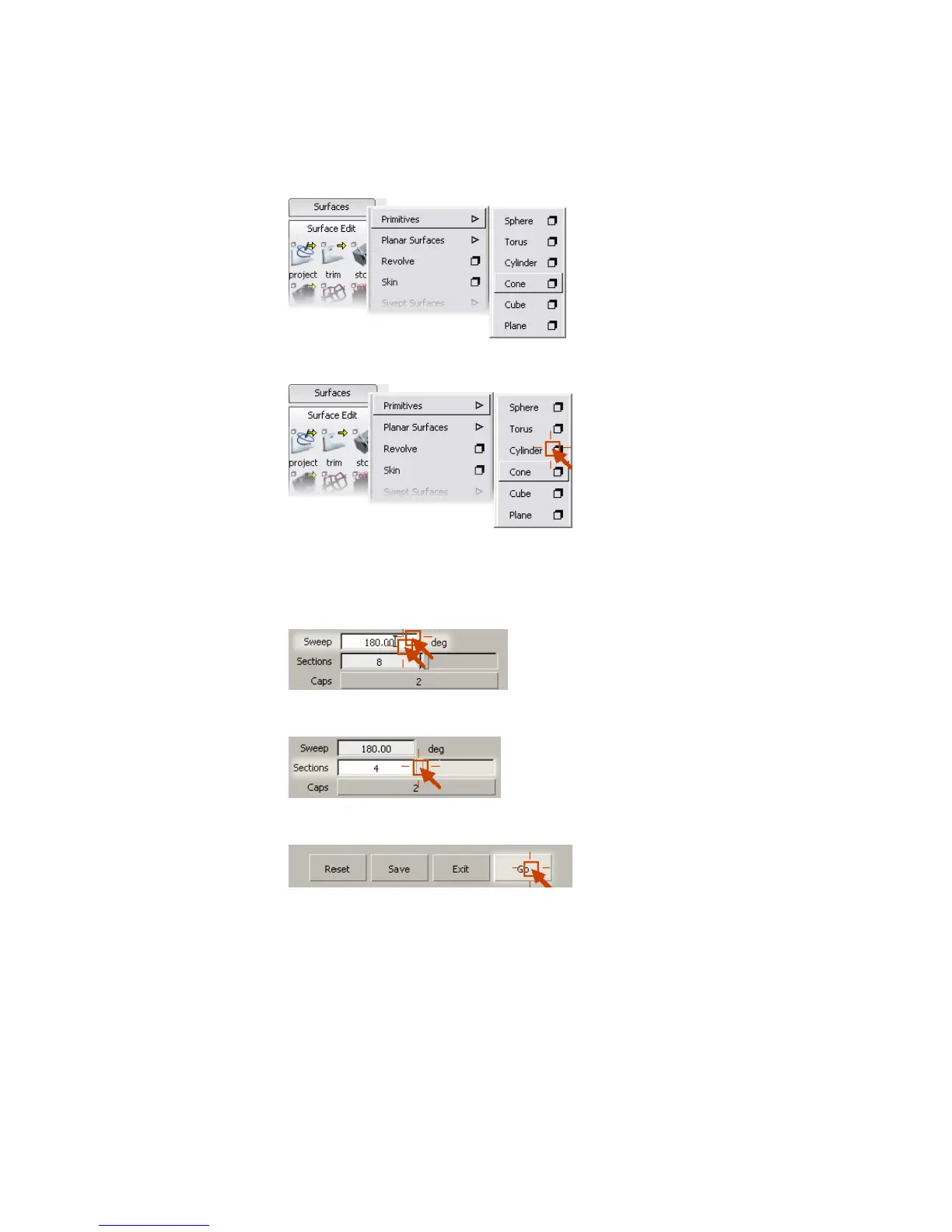
2 Click the shadowed box next to the Cylinder item.
3 The Cylinder options window appears.
4 Double-click in the text box labeled Sweep, then type 180 and press
Enter (Windows) or Return (Mac) to set the sweep to 180 degrees.
5 Use the slider next to the Sections text box to set the sections to 4.
6 Click the Go button at the bottom of the window.
This button applies the settings in the window and activates the tool.
7 Click in the Top view window to place the new half-cylinder in the scene.
32 | Chapter 3 Interface Basics



 To Next Page