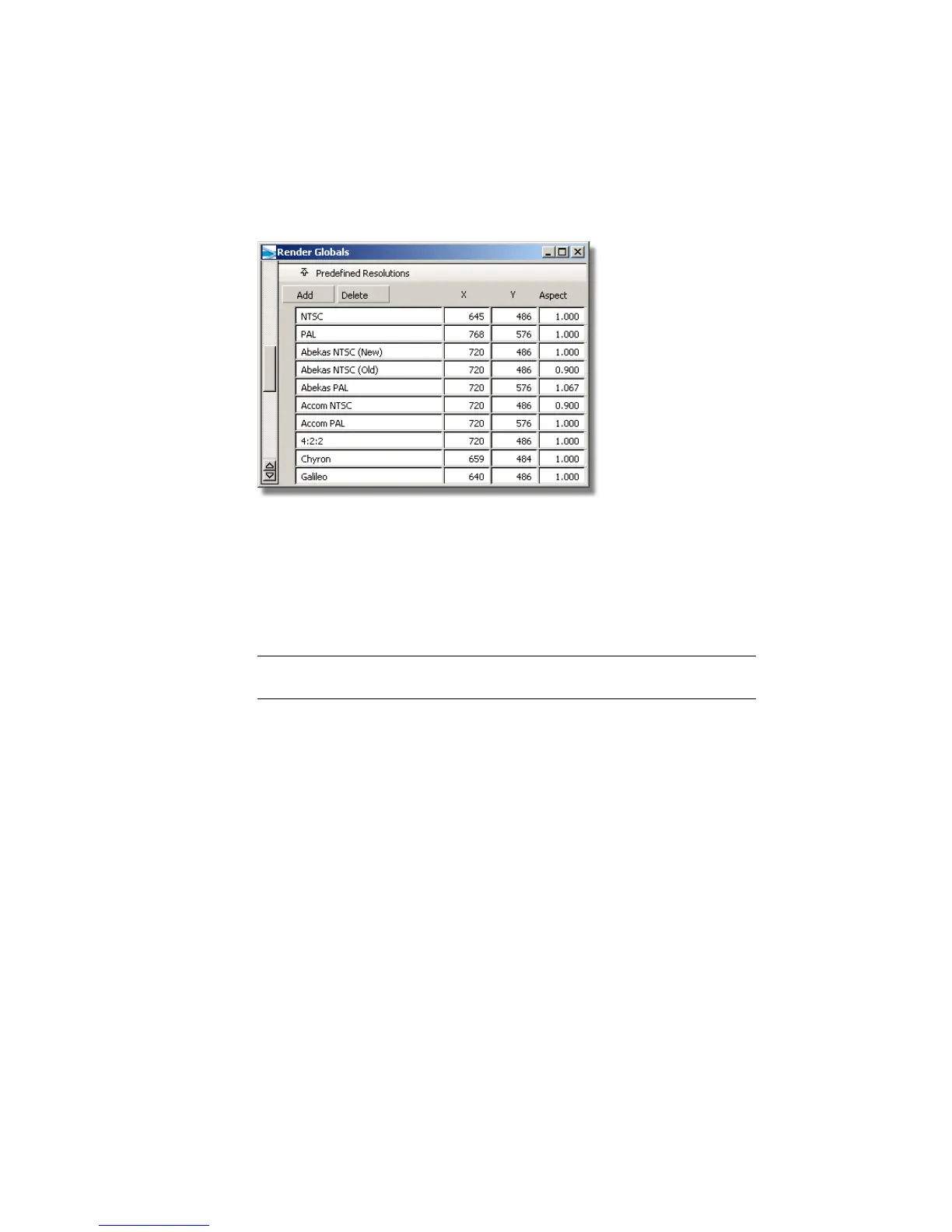
As an example, North American image size for video is 645 x 486, which
defines the NTSC standard.
If you want to render for print, you need to render at a pixel resolution that
will give you enough pixels for the size of the printing job. Many print jobs
use 300 pixels per inch (ppi) as a standard. To determine the final dimensions,
you must multiply the resolution by the desired image size in inches. For
instance, a 3" x 4" rendering would require a resolution of 900 (3 x 300) x
1200 (4 x 300) pixels. If you use the metric system, your standards may be a
little different.
TIP Try not to render images larger than required. Adding size to the render
resolution can add significantly to your render time.
Resolution - some theory
In order for a bitmap image to look good, the pixels must be as small as
possible, so they are not easily perceived individually by the human eye. Every
bitmap image has a resolution that determines how many pixels fill an inch,
pica, or centimeter. A 10 ppi (pixels per inch) image displays 10 pixels in every
linear inch of image. A 72-ppi image has 72 pixels per linear inch, and a
300-ppi image has 300 pixels per linear inch. As the image resolution gets
higher, the image quality improves, to a certain extent.
If you are taking the image to press, check with your printer to find the number
of lines per inch that are used — and double the number of lines to determine
the maximum resolution you should be using. If you have a well anti-aliased
picture, you can probably use a lower value (but always make it at least as
high as the number of lines per inch).
612 | Chapter 9 An introduction to Rendering



 To Next Page