124 Calyx Software
Disclosures and other forms
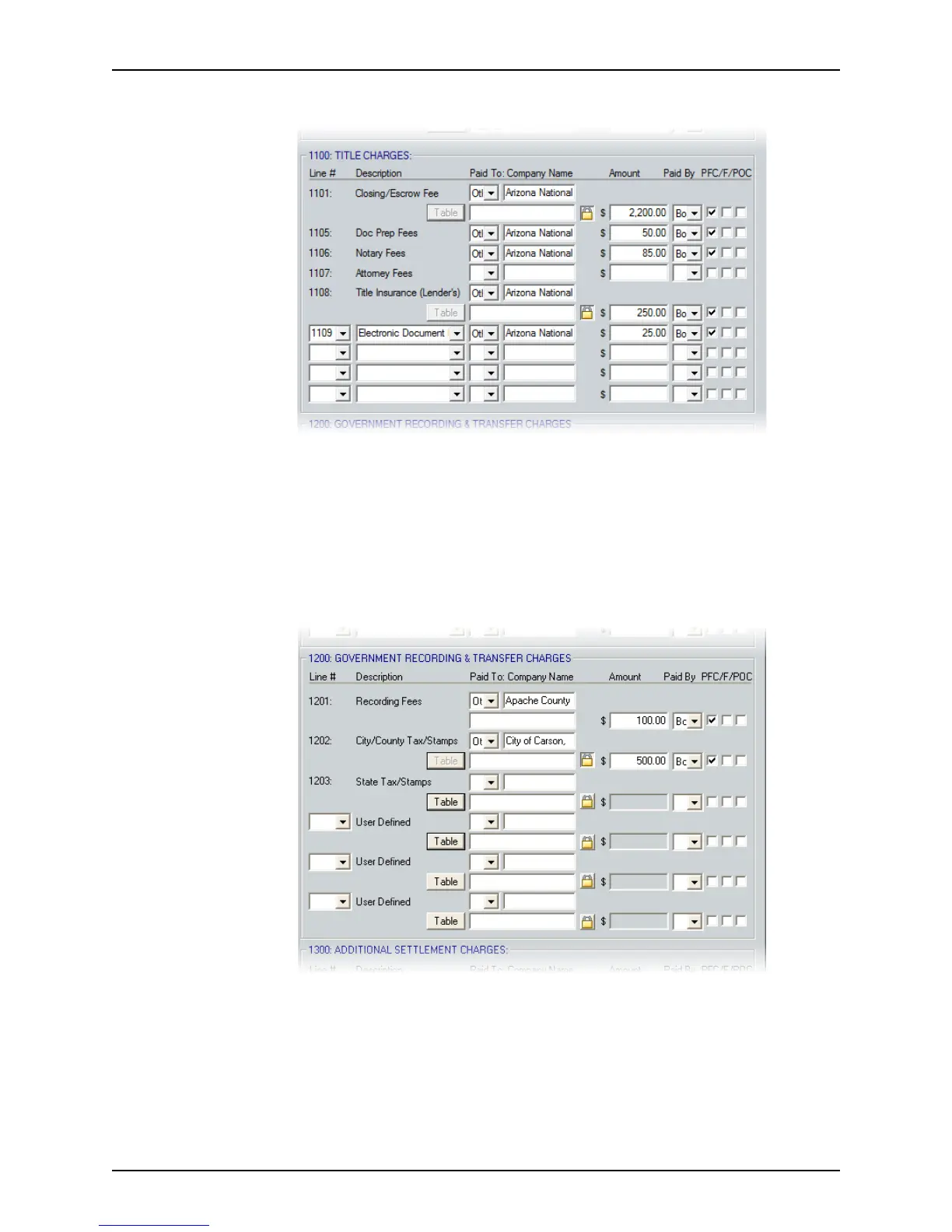
7 Complete the Title Charges section as described in Step 5.
This section contains an itemized list of title charges, who they are paid to, who pays
them, and whether they are a prepaid finance charge, FHA-allowable, or paid outside
of closing. Blank fields are provided to add user-defined fees.
Use the Tabl e buttons to open the table of fees that were defined in the dropdown list
utility for the
Closing/EscrowFee and TitleInsurance(Lender’s) fields, or enter the
information manually.
8 Complete the
Government Recording and Transfer Charges section as described in
Step 5.
This section calculates city, county, and state tax payments based on the loan amount
or purchase price.
Use the Tabl e buttons to open the table of fees that were defined in the dropdown list
utility for the
RecordingFees, City/CountyTax/Stamps, StateTax/Stamps and any
user-defined fields, or enter the information manually.



 To Next Page