Point User Guide 247
Tracking underwriting status
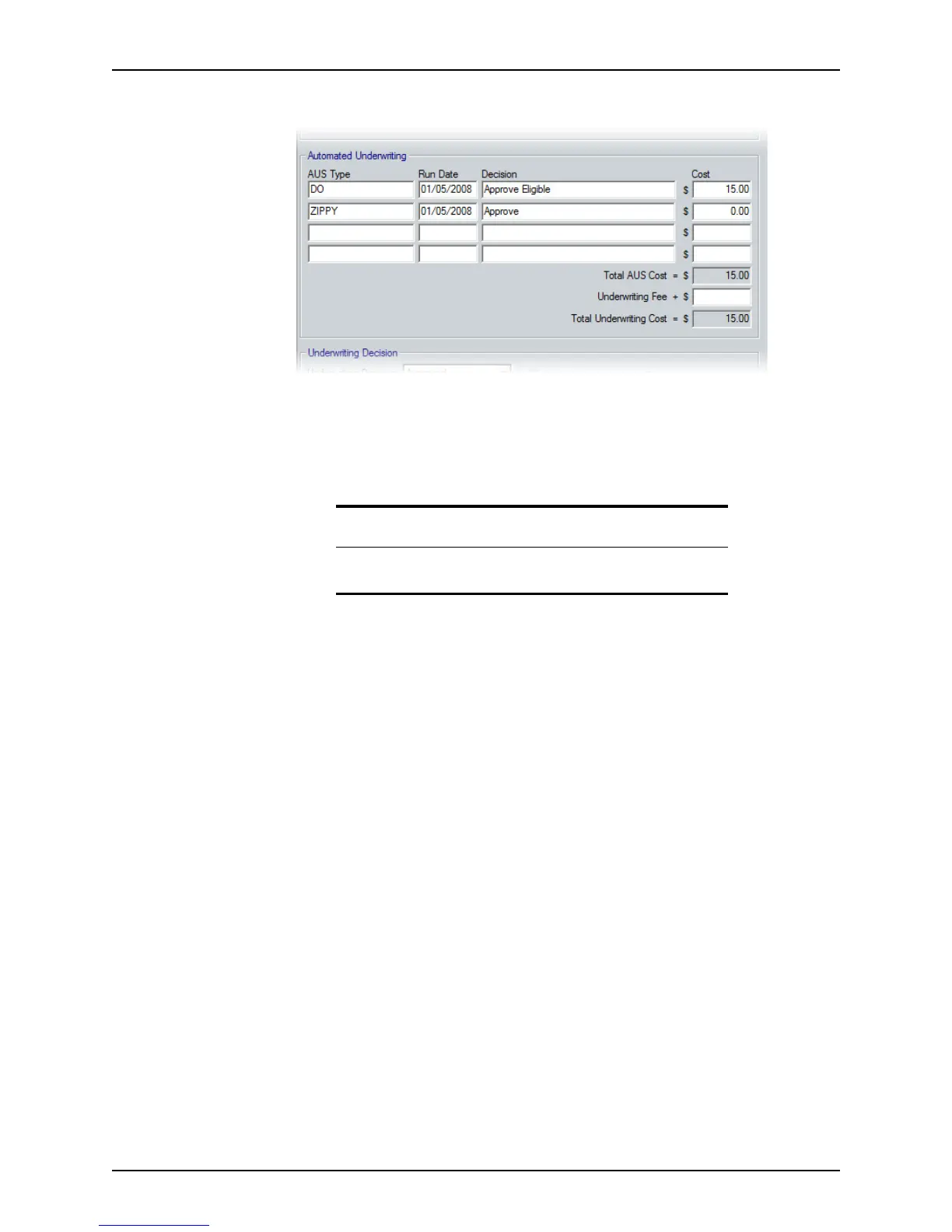
7 Complete the Automated Underwriting section.
a Enter the type of Automated Underwriting System (for example, DO or LP), the
date the AUS was run, AUS decision, and any cost associated with the AUS run.
Up to four automated underwriting decisions are allowed. If the AUS decision
includes conditions, enter those conditions in the Banker > Conditions screen by
copying and pasting the information from the underwriting findings.
The AUS costs are totaled in the
TotalAUS field.
After you, the underwriter, receive the file, review the
LockExpDate field. If the
field is populated, the loan was locked and the investor field should contain the
investor’s name. If you receive the file before the rate lock, enter the investor’s
name when you receive it. You can then underwrite the loan to conform to that
investor’s standards.
b Enter the
UnderwritingFee.
The underwriting fee is the actual cost to the banker of underwriting the loan.
Tip
Access the Conditions screen directly from the Underwriting screen by
clicking the Conditions button at the bottom of the workspace.



 To Next Page