Monitoring
236
Instructions for use Zeus Infinity Empowered SW 2.n
Settings on Zeus IE
Different measuring methods can result in different
measuring results for the same patient. To compen-
sate for the differences, up to four consecutively
generated C.O. values can be displayed. The mean
value is continuously calculated with each single
measurement which is performed or discarded.
Any number of measuring attempts can be per-
formed one after the other.
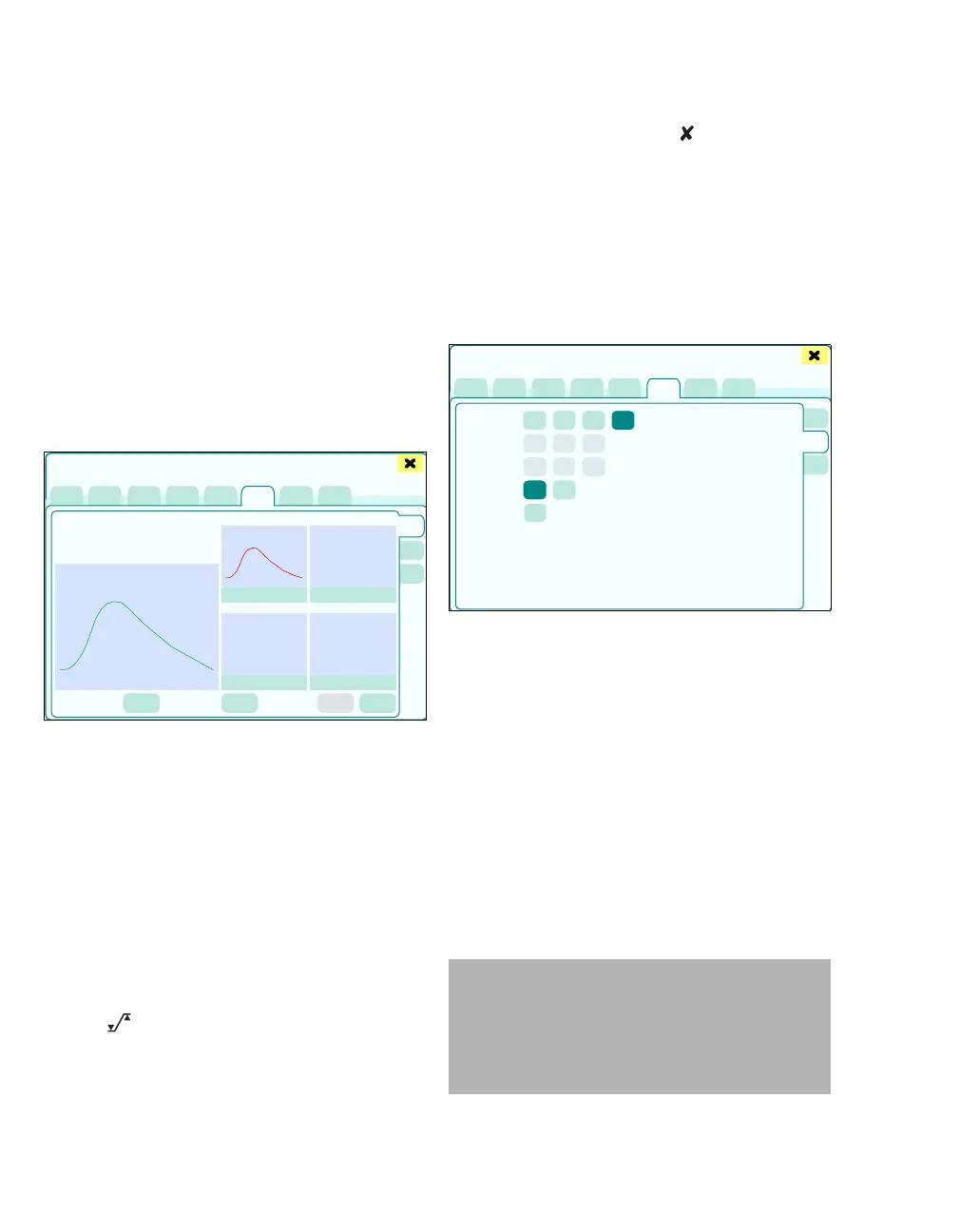
Performing C.O. measurement
z In the Sensors/Parameters > C.O./ Calculat.
dialog window, touch the C.O. tab (A).
The C.O. page displays:
B The largest field with the temperature change
and calculated value of the measurement that
has just been performed
C The previous measurements are displayed in
the 4 smaller fields
D Manual start: Start of C.O. measurement
E Delete C.O. trial: Entry is deleted
F C.O.average: Display of the running average
value
G C.O. complete: Ending the C.O. measurement
H Cancel: Cancellation of a measuring series
without saving a new measured value. The dia-
log window closes.
I The button opens the Alarms > Alarm lim-
its > Noninvasive dialog window for alarm limit
setting.
Closing the dialog window via always leads to
the cancellation of the C.O. measurement currently
in progress. Measurements in a measuring series
that have already been completed are retained so
that the measuring series can be finished later if
necessary.
Configuration
z Touch the Config. tab (J).
The settings on the Config. page can only be mod-
ified at the beginning of a new measuring series.
The Config. page displays:
K Catheter type: Baxter, Spectra. Ohmeda, Ar-
row, Other
If catheters from Baxter, Spectra. Ohmeda or
Arrow are used, the catheter constant is auto-
matically specified. The catheter constant can
be changed as needed, e.g., if volume or tem-
perature of the injectate is changed.
If catheters from other manufacturers (P) are
used, the selection fields for Catheter size and
Injection volume are shown in gray. A compu-
tation constant (O) must first be entered.
457
Sensors/Parameters
A
B
C
D
E
GH I
F
398
WARNING
The input of a wrong catheter constant can
lead to inaccurate measured results and pos-
sibly to a wrong medical diagnosis. If the cath-
eter constant was entered manually, make
sure an appropriate catheter is used.
Sensors/Parameters
J
K
L
M
N
O
P











 To Next Page