Instructions for use Zeus Infinity Empowered SW 2.n 29
Overview
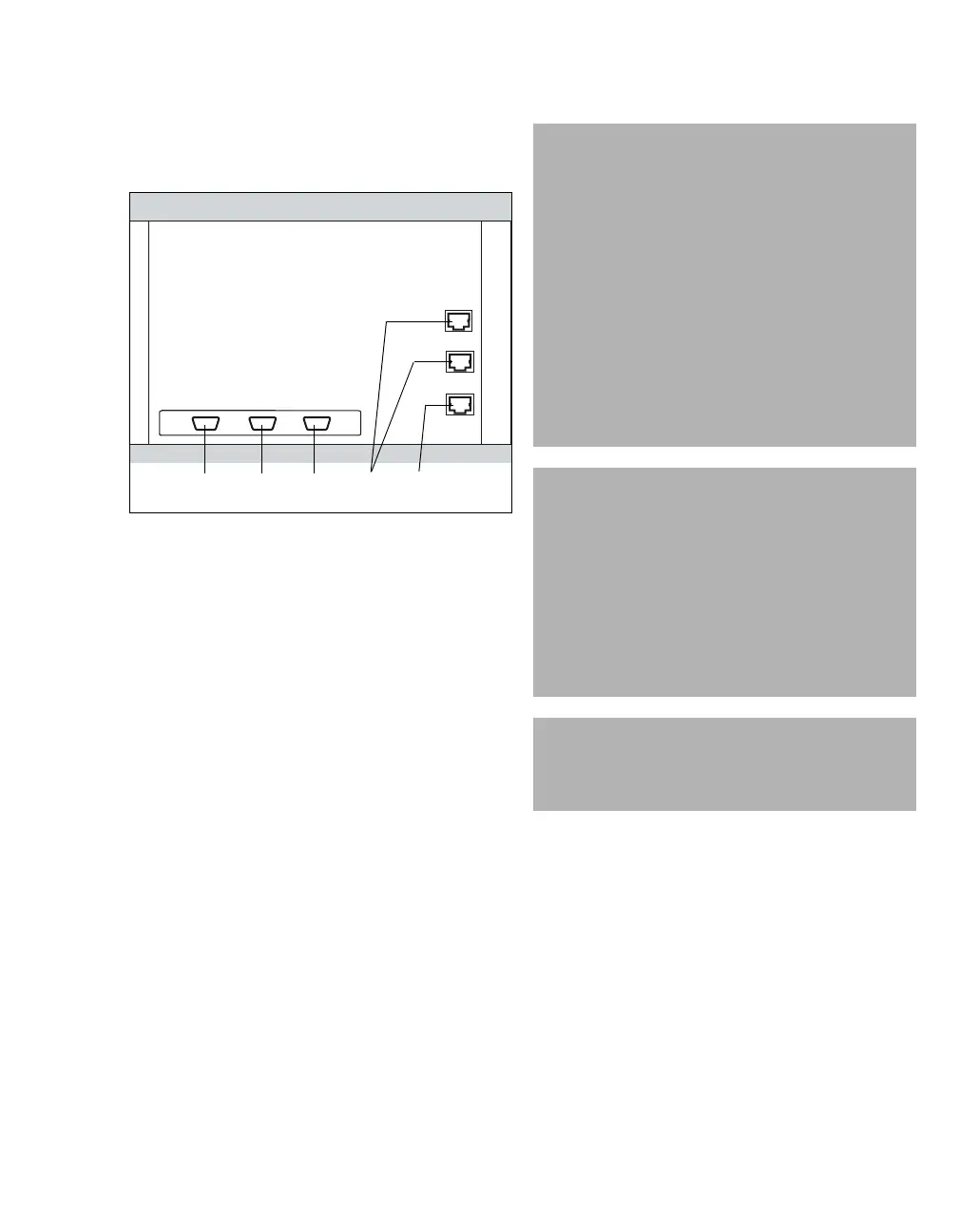
Connections to the back of the device
Zeus IE
View with doors open.
Ports relevant to the user:
A COM 1, RS232 interface, MEDIBUS
B COM 2, RS232 interface, MEDIBUS
C COM 3, RS232 interface
D Ethernet 1 and Ethernet 2, hospital network
port, optional
E Ethernet 3, Infinity Network socket
Only connect printers which have been approved
by Dräger to the Ethernet 1 port.
(see Printer settings page 340)
026
WARNING
Risk of electric shock
Connecting devices to interfaces (COM 1,
COM 2, COM 3, RS232, MEDIBUS) may result
in an increase in leakage current. If the protec-
tive ground of one of these devices fails, the
leakage current may rise above the permissi-
ble values.
Only connect with the approval of the respec-
tive device manufacturer.
Have the leakage current checked by service
personnel.
If the permissible value is exceeded, discon-
nect the devices from the interfaces in use.
WARNING
Risk of patient injury
Data transmitted over the MEDIBUS interface
are for information purposes only and are not
intended as the sole basis for diagnostic or
therapeutic decisions. The data accessible via
this interface are not intended for use with a
distributed alarm system conforming to
IEC 60601-1-8:2012 (in the context of remote
monitoring).
CAUTION
User intervention in internal device interfaces is
prohibited. This may impair correct functioning of
the device.
ABCDE











 To Next Page