Instructions for use Zeus Infinity Empowered SW 2.n 345
Configuration
Configuring web applications
The options for web access make it possible to dis-
play and run applications from the hospital intranet.
An option is required for each application.
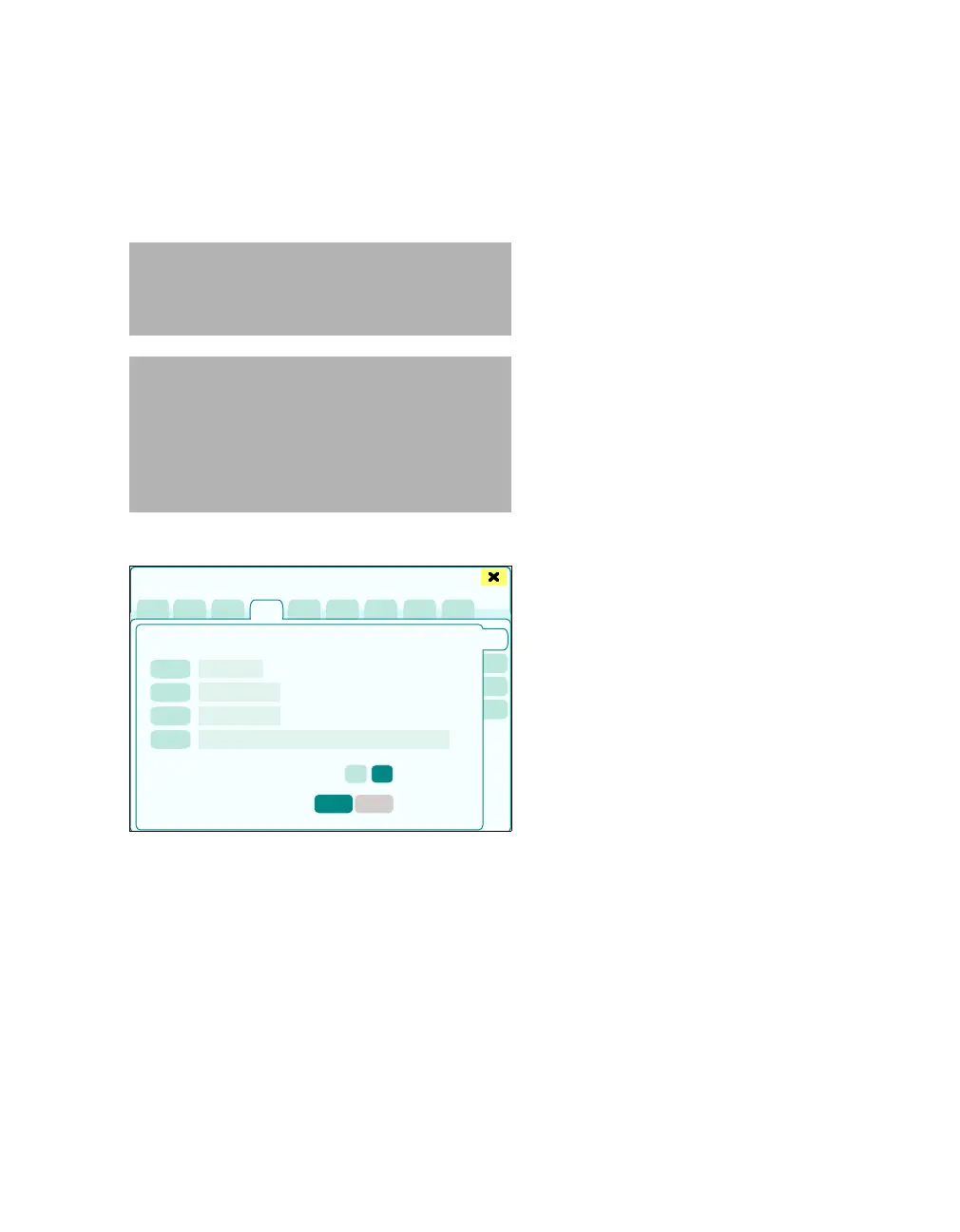
The Web access > Web acc. 1 page opens.
The following settings can be configured:
A Application name (button label): To call up
the web application directly
B Web access dialog: Name displayed in the
web dialog
C Application name (button list): List identifier
to program the buttons for calling up the web
application directly
D Intranet address: Specifies the intranet ad-
dress of the web application
E Display scroll bar: To turn the lateral scrollbar
on and off in a web application
F All web applications are displayed on the se-
lected screen
G Tab with the available web applications (Web
acc. 1 – Web acc. 4). The pages have an iden-
tical layout.
1 Touch the (A), (B), (C), (D) buttons.
The keyboard field to enter names opens.
2 Enter the data for all other web applications.
Configuring buttons to call up web applications
directly
The following buttons must be configured to call up
web access:
– Web access to call up the web application set-
tings during operation
– Next web application to toggle between the
active application windows directly
– Buttons (name freely selectable) to call up a
specific web application directly
Open the dialog window to configure the Screen
setup >Web access buttons, see page 332.
CAUTION
Only have network functions configured by
trained personnel! Errors in configuration can im-
pair operation of the device and the network.
CAUTION
The Zeus IE includes a firewall for operation in a
hospital network in order to provide a maximum
level of network security. In addition, the user is
required to implement and maintain normal state-
of-the-art security and precautions in the network.
If not, device performance may be affected.
413
Basic settings
A
B
C
D
E
F
G











 To Next Page