214733 91 Revision A
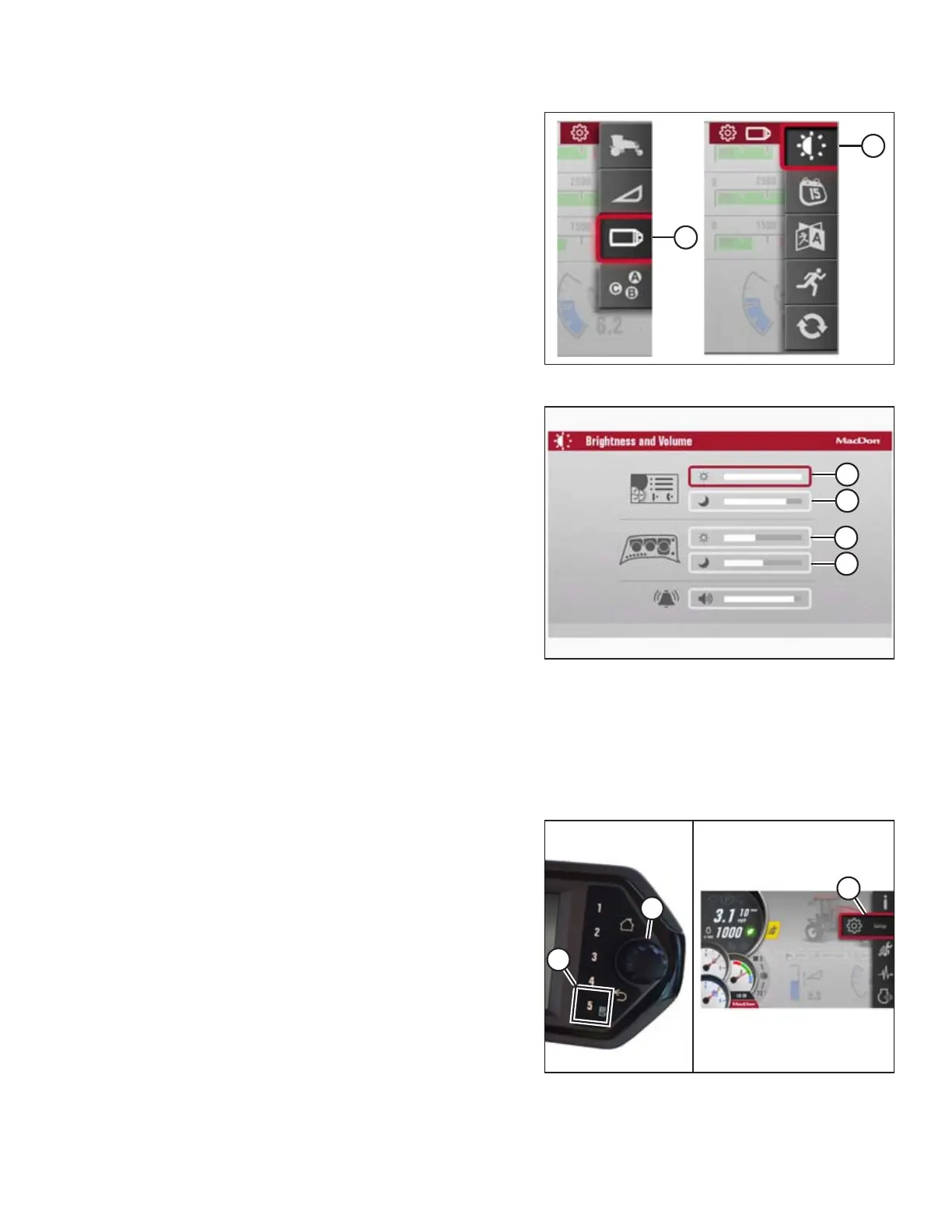
Figure 3.96: Brightness and Volume
1. Navigate to the SETTINGS Menu with soft key 5 and the
Harvest Performance Tracker (HPT) scroll knob. Refer to
3.17.2 Navigating the Harvest Performance Tracker (HPT)
Display, page 81 if required.
2. Scroll to the SCREEN icon (A) and select it.
3. Scroll to the BRIGHTNESS AND VOLUME icon (B), and select
it to open adjustment window.
Figure 3.97: Brightness and Volume
4. Scroll through the following four brightness modes, and
select the mode that requires adjustment:
• DAY mode (A) (default setting is 70%)
• NIGHT mode (B) (default setting is 20%)
• KEYPAD DAY mode (C) (default setting is 70%)
• KEYPAD NIGHT mode (D) (default setting is 20%)
5. Adjust the selected value by scrolling and previewing the
brightness as you scroll.
Setting volume:
The volume control adjusts the audible alarms. It is depicted with a 10-segment bar graph and is adjustable down to 10%.
The default volume is factory-set to 50%.
Adjust the volume as follows:
Figure 3.98: Main Menu
6. Navigate to SETTINGS Menu (C) with soft key 5 (A) and the
HPT scroll knob (B). Refer to 3.17.2 Navigating the Harvest
Performance Tracker (HPT) Display, page 81 if required.
OPERATOR’S STATION



 To Next Page