214733 76 Revision A
3.16.4 Console Header Buttons
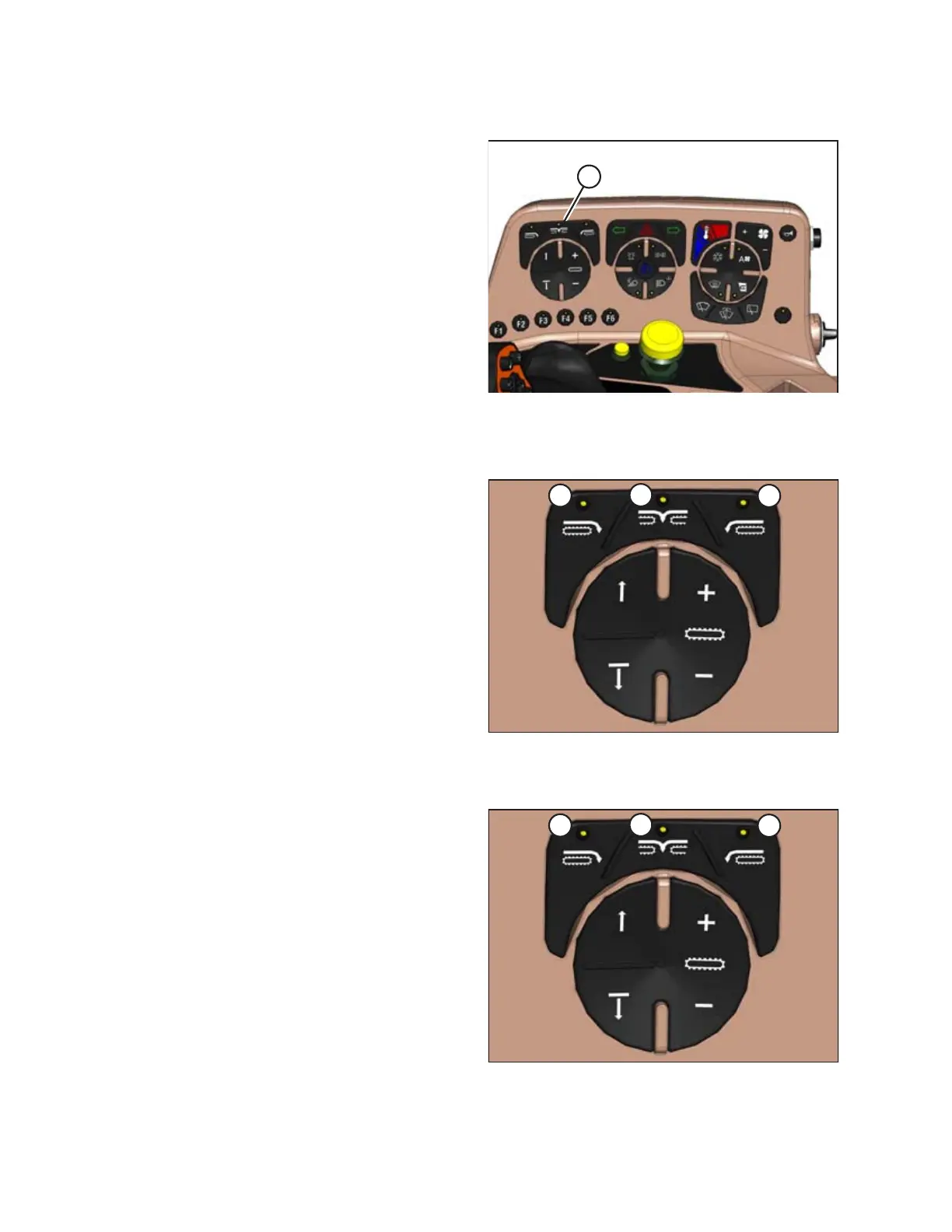
Figure 3.64: Console Header Buttons
The console header buttons (A) adjust the following header
functions:
• Deck shift/float preset
• Draper speed
• Double windrow attachment (DWA) / swath roller or swath
compressor lift functions
Deck Shift / Float Presets
Figure 3.65: Header Deck Shift Buttons
A - Right-Side Delivery B - Center Delivery
C - Left-Side Delivery
Draper header with deck shift option:
• Controls the draper deck position for double windrowing with
a draper header.
• Set header float for each deck position. Refer to Setting the
Float, page 187 .
NOTE:
The last float setting used in any deck shift position will be stored
into memory automatically.
Figure 3.66: Header Switches
A - Float Preset 1 B - Float Preset 2
C - Float Preset 3
Float Presets:
When used with a rotary header, auger header, or draper
header, these buttons select header float presets. Refer to 4.9.2
Setting Float Options with Fixed Deck, page 243 to learn how to
preset the float.
NOTE:
Refer to the section in this manual that is specific to your header
for detailed switch operating modes.
OPERATOR’S STATION



 To Next Page