214733 259 Revision A
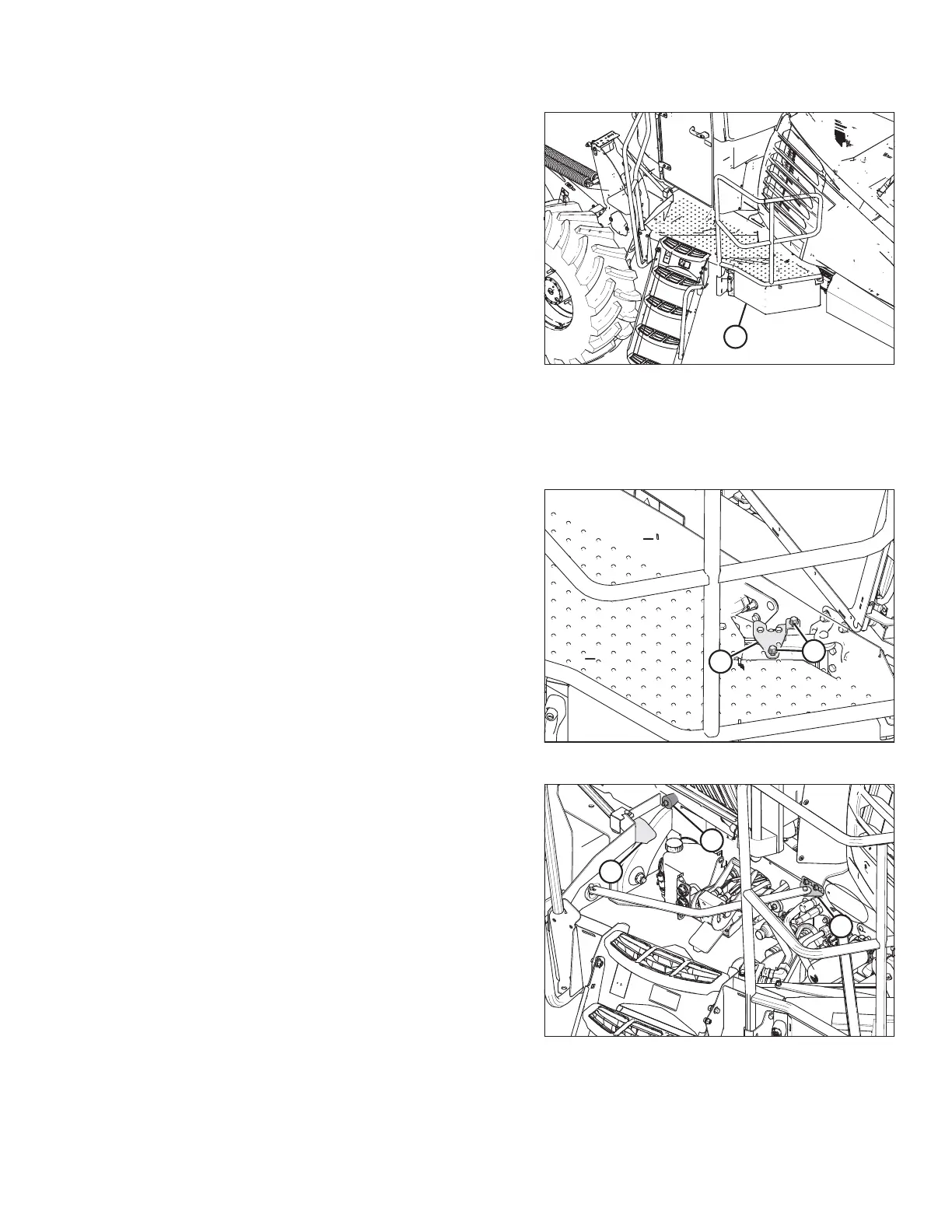
Figure 5.8: Closed Platform
2. Pull platform (A) towards the cab until it stops and latch
engages.
5.4.3 Adjusting the Platform
To achieve proper gap between platform and frame, latch adjustment may be required.
Figure 5.9: Left Platform
1. Locate latch (B) beneath the platform.
2. Adjust the latch position by loosening bolts (A) and moving
the latch (B).
3. Retighten bolts (A) and close the platform.
Figure 5.10: Left Platform
4. The rubber bumper (B) at the cab end of the platform
should measure 52–60 mm (2– 2.4 in.) when properly
compressed against the frame. Platform should also sit
firmly against the front guide (A).
NOTE:
Top plate of platform removed for clarity.
5. If adjustment is required, loosen two bolts (C) and slide
support as required.
6. Tighten bolts (C) to 39.5 Nm (29.1 lbf·ft).
MAINTENANCE AND SERVICING



 To Next Page