214733 202 Revision A
4.7.4 Leveling the Header
The windrower lift linkages are factory-set to provide the proper header level, and should not normally require adjustment.
If leveling is required, follow these steps:
WARNING
To avoid bodily injury or death from unexpected startup of the machine, always stop the engine and remove the key
from the ignition before leaving the operator’s seat for any reason.
Before adjusting the header level, remove the float spring tension to ensure that lift linkages are not affected by the
springs.
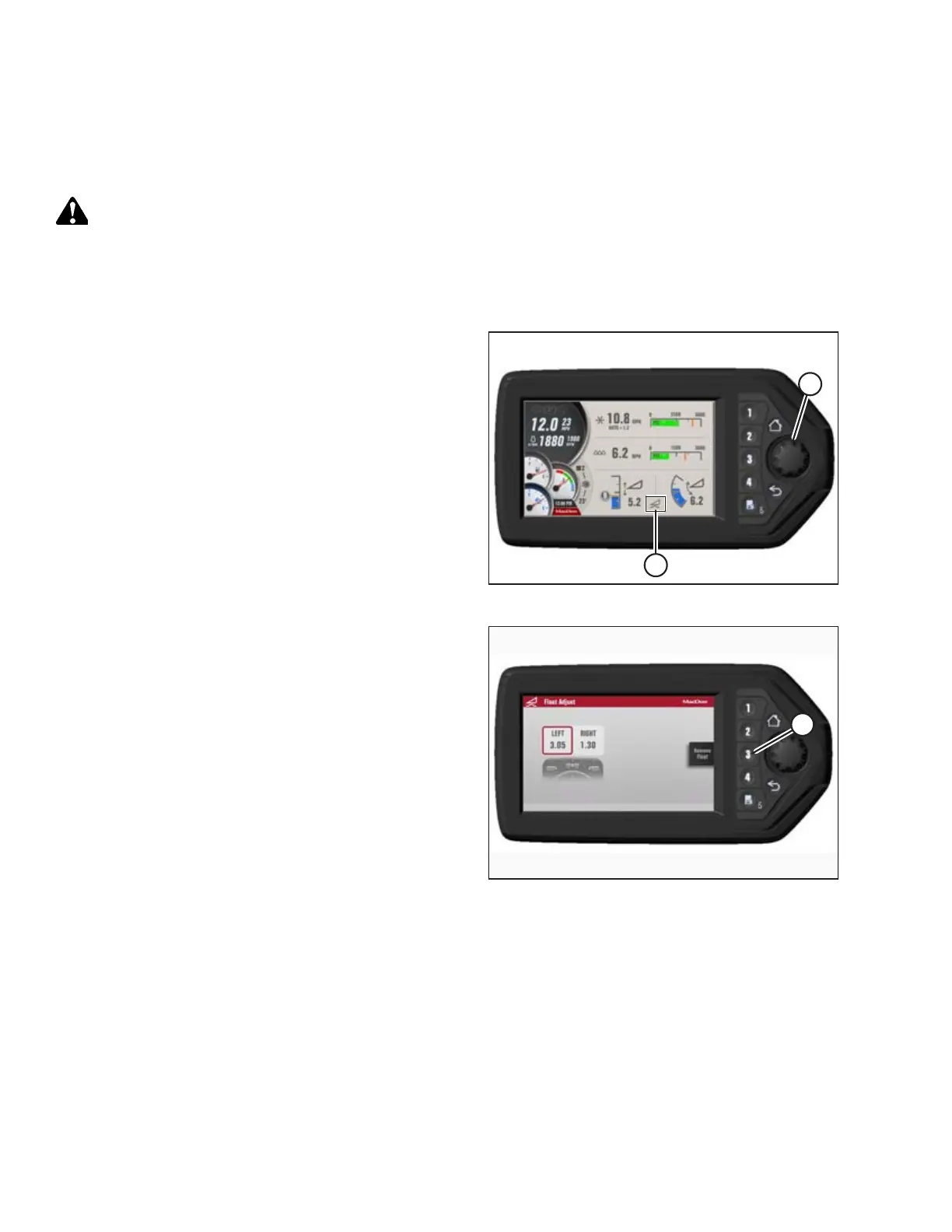
Figure 4.197: HPT Display
1. Press rotary scroll knob (A) on Harvest Performance
Tracker (HPT) to display the QuickMenu system.
2. Rotate scroll knob (A) to highlight the header float
symbol (B) and press scroll knob to select. The SET-UP
FLOAT page displays.
Figure 4.198: HPT Display
3. Press soft key 3 (A) to remove float.
OPERATION



 To Next Page