214733 187 Revision A
Setting the Float
The float can be set for windrowing with the cutterbar on the ground or with the cutterbar off the ground (normally used
with the draper header).
Cutterbar on ground
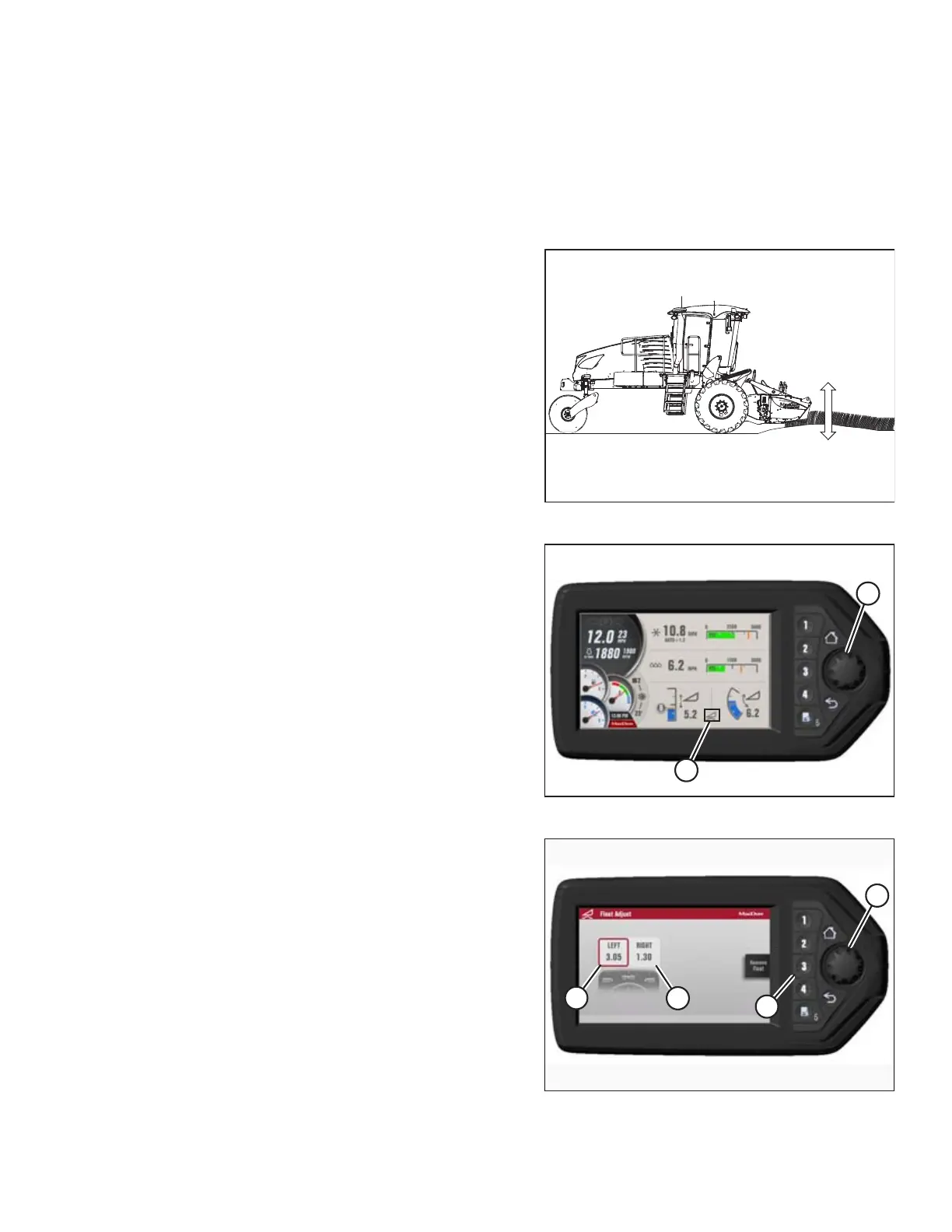
The optimum float setting lets the header follow the contour of the terrain. Proceed as follows:
Figure 4.166: Header Float (Cutterbar on Ground)
1. Set center-link to mid-range position (5.0 on the Harvest
Performance Tracker [HPT]).Refer to 4.6.4 Adjusting Header
Angle, page 192.
2. Lower the header until the cutterbar is on the ground.
NOTE:
To minimize scooping rocks when operating at the flattest
header angle, lower the header skid shoes. Refer to your
header operator’s manual.
Figure 4.167: HPT Run Screen
3. Press rotary scroll knob (A) on HPT to display the
QuickMenu system.
4. Rotate scroll knob (A) to highlight header float icon (B) and
press scroll knob to select.
Figure 4.168: HPT Left/Right Float Settings
5. Turn scroll knob (A) to highlight left (B) or right (C) float and
press knob (A) to activate selection.
6. Rotate scroll knob (A) to adjust float setting and press knob
when finished. Float is now set.
IMPORTANT:
Float adjustments of 1.0 (out of 10) change the header
weight at the cutterbar by approximately 91 kg (200 lb.).
Adjust float in increments of 0.05 to optimize field
performance.
7. Use soft key 3 (D) to remove/resume float and deck
position to previous setting for the attached header.
OPERATION



 To Next Page