214733 223 Revision A
4.7.8 Deck Shift Control
When connected to a draper header with the deck shift option, hydraulic deck shift control allows you to select the deck
position and draper rotation of the header from the operator’s station. Deck shift allows you to select crop delivery from
the left side, center, or right side of the header.
Deck Shift
CAUTION
Check to be sure all bystanders have cleared the area.
Shift decks as follows:
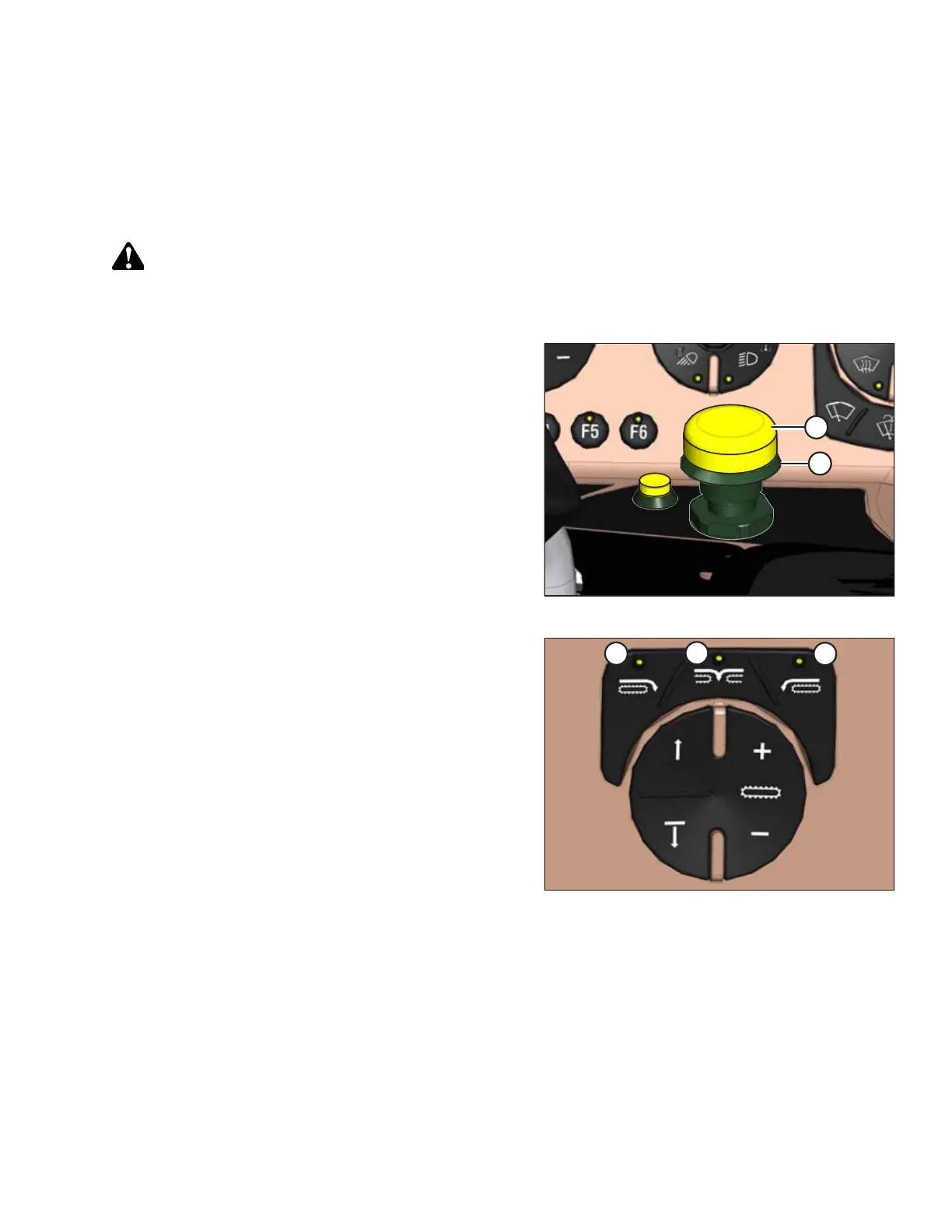
Figure 4.244: Header Engage Switch
1. Engage header by pushing and holding the HEADER
ENGAGE switch (A) down, and pulling up on collar (B).
Figure 4.245: Header Deck Shift Switches
A - Right-Side Delivery B - Center Delivery
C - Left-Side Delivery
2. Push the HEADER DECK SHIFT switch to the desired delivery
position. Deck(s) will move and direction of drapers will
change accordingly.
OPERATION



 To Next Page